
 Arabic
  English
  Turkish
  Chinese
  Japanese
  Russian
  Spanish
  German
  French
  Hindi
Hindi Download Bravely Terminal Tags 1.0 for Windows
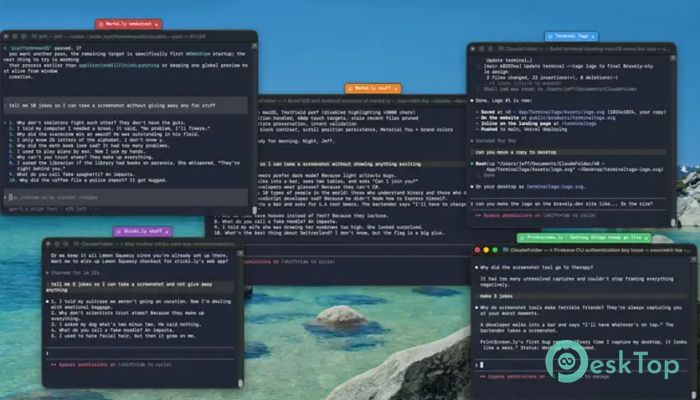
Download Bravely Terminal Tags 1.0 for Windows.
Bravely Terminal Tags Overview
Managing multiple terminal windows can quickly become confusing, especially when you are working on different projects at the same time. One wrong command in the wrong window can lead to mistakes that waste valuable time. This tool solves that problem by allowing you to place colorful, custom-named tags on windows so you instantly know what each one is for. Think of it like putting sticky notes on folders. Instead of trying to remember which terminal belongs to production, staging, or local development, you can glance at the screen and immediately recognize the correct window. The software keeps your workspace organized and helps reduce errors during daily tasks.Features of Bravely Terminal Tags
Colorful Window Identification
The main purpose of the software is simple: make every window easy to recognize. Users can attach a custom label and choose a color that matches the environment or task. This visual approach eliminates guesswork and improves productivity.
For example, a production environment can use a red tag as a warning sign, while a local machine can display a green label. These colors act like traffic signals for your workflow, helping you make better decisions at a glance.
Perfect for Developers and IT Professionals
Anyone who works with multiple terminal sessions can benefit from this tool. Developers, system administrators, DevOps engineers, and technical support teams often juggle many windows at once. Keeping track of them manually can become difficult.
The software makes organization effortless by clearly marking each window. Instead of wasting time checking commands or paths, users can focus on completing their work efficiently.
Custom Labels for Better Organization
The tool allows complete freedom when naming window tags. You can create labels based on projects, environments, clients, servers, or tasks. This flexibility helps keep even the busiest desktop organized.
Whether you are working on testing, development, deployment, or maintenance, every window can have a unique identity. The result is a cleaner and more structured workspace.
Easy Color Coding System
Color coding is one of the strongest features available. Different colors can represent different levels of importance or risk. This creates an instant visual guide that requires no extra effort to understand.
A common setup includes red for production environments, where extra caution is required; amber for staging environments, where experimentation is safe; and green for local systems running on your machine. This simple method dramatically reduces confusion.
Works Beyond Terminal Windows
Although designed with terminal users in mind, the software is not limited to command-line applications. It can also be used to identify other windows and applications that need clear labeling.
This flexibility makes it useful for project managers, support teams, and power users who frequently switch between multiple programs throughout the day.
Reduces Costly Mistakes
One of the biggest risks when handling multiple environments is performing an action in the wrong window. A command intended for a test server could accidentally run on a live production system.
The software helps prevent these situations by making important windows visually distinct. A bright warning color can act as a reminder before any action is taken.
Lightweight and Fast Performance
The tool is designed to be lightweight and efficient. It focuses on a single job and performs it well without consuming unnecessary system resources. This allows it to run smoothly in the background while users continue their normal workflow.
Because of its minimal design, it integrates naturally into everyday work without creating distractions or slowing down the system.
Simple Setup and User-Friendly Interface
Getting started requires very little effort. Users can quickly create tags, choose colors, and apply them to windows. The straightforward interface makes the software accessible even for those with limited technical experience.
Everything is designed to be simple and practical. The goal is to help users stay organized rather than adding complexity to their workflow.
Improves Productivity
Small improvements often create big results. By eliminating the need to constantly verify window contents, the software saves time throughout the day. Those saved seconds add up to meaningful productivity gains over weeks and months.
The tool acts like a visual map for your desktop, making navigation quicker and reducing mental effort when switching between tasks.
System Requirements and Technical Details
Operating System: Windows 11 / 10 / 8.1 / 7
Processor: Minimum 1 GHz Processor (2.4 GHz recommended)
RAM: 2GB (4GB or more recommended)
Free Hard Disk Space: 200MB or more is recommended

-
Program size81.51 MB
-
Version1.0
-
Program languagemultilanguage
-
Last updatedBefore 2 Month
-
Downloads10
 Reportizer
 AccdbMerge
 RdpGuard
 Checkbook For Excel
 SysTools SQL Recovery
 Pointdev Ideal Dispatch