
 Arabic
  English
  Turkish
  Chinese
  Japanese
  Russian
  Spanish
  German
  French
  Hindi
Hindi Download ByD SO Attachment Extraction 1.0 for Windows
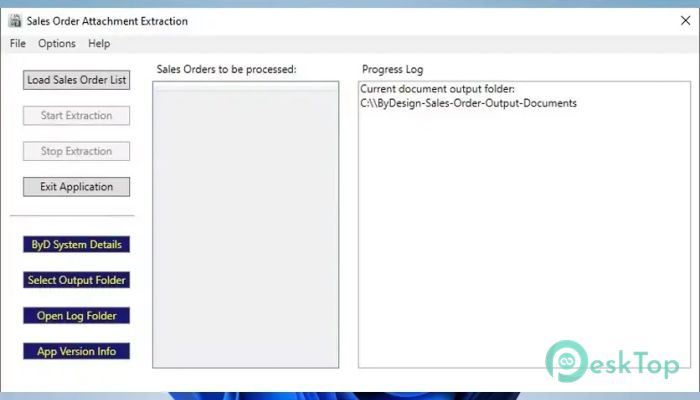
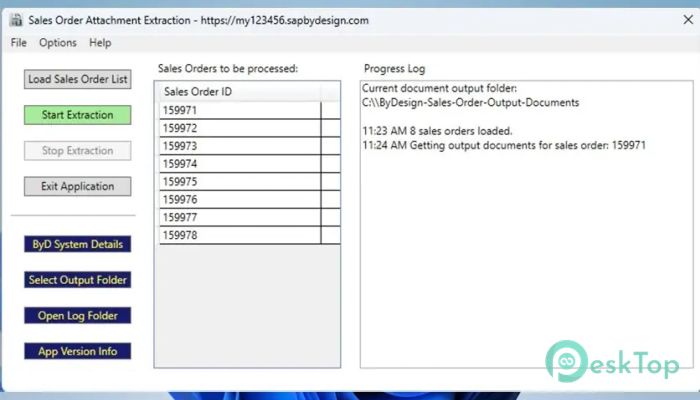
Download ByD SO Attachment Extraction 1.0 for Windows.
ByD SO Attachment Extraction Overview
Managing sales order documents inside a cloud-based ERP can sometimes feel like searching for files in a crowded warehouse. This solution is designed to remove that friction. It focuses on a single task: extracting attachments and output documents linked to sales orders in SAP Business ByDesign and saving them locally in an organized manner. Using a simple list of sales order IDs enables bulk downloads without manual clicks or repetitive steps.Features of ByD SO Attachment Extraction
Purpose and Core Functionality
The main goal of this software is to simplify document handling. Instead of opening each sales order individually, it processes multiple records in a single run. It connects to the ERP system, identifies the relevant attachments, and securely retrieves them. Think of it as a delivery truck that collects parcels from many addresses at once rather than making countless small trips.
How the Extraction Process Works
The workflow is intentionally straightforward. Users prepare a list of sales order IDs and provide it to the tool. Once started, it communicates with the SAP Business ByDesign environment and fetches all associated attachments and output documents, such as PDF and XML files. These files are then downloaded directly to the local system. The process feels automated but remains transparent, so users always know what is happening.
Support for Multiple Document Types
Sales orders often contain more than just one file. This utility handles common output formats,s including PDFs for readable documents and XML files for structured data. By saving both types together, it ensures that business users, accountants, and technical teams all get what they need. It serves as a universal folder for all related documents.
Bulk Download Efficiency
Time savings are where the tool really shines. Bulk extraction enables hundreds of sales orders to be processed in minutes rather than hours. This is especially useful during audits, reporting cycles, or data migrations. The experience is akin to downloading an entire photo album at once rather than saving pictures one by one.
Ease of Use for Non-Technical Users
No advanced technical background is required. The interface and workflow are designed for simplicity. If someone can prepare a list of sales order numbers, they can run the extraction. Clear steps and predictable results make it friendly for finance teams, sales administrators, and operations staff.
Flexible Usage Scenarios
This software fits many business use cases. It can be used for regular backups, compliance checks, or sharing documents with external partners. Some teams use it during month-end closing, while others rely on it when preparing historical records. Its flexibility allows it to adapt to different working styles without forcing changes in existing processes.
Data Accuracy and Reliability
Accuracy matters when dealing with business documents. The tool is designed to fetch exactly what is linked to each sales order, reducing the risk of missing files. By automating retrieval, it minimizes human error that often happens during manual downloads. It works like a checklist that never forgets an item.
Local Storage and File Organization
Once downloaded, files are saved directly on the user’s computer. This makes them easy to archive, share, or process further. Having local copies also helps when internet access is limited or when files need to be uploaded into another system. It gives users full control over their documents.
Performance and Scalability
The software is built to handle both small and large workloads. Whether extracting a handful of sales orders or processing a long list, performance remains consistent. This scalability makes it suitable for small teams and larger organizations handling high document volumes.
Security and Controlled Access
Since it works with business-critical data, security is a priority. Access is restricted to authorized users with valid credentials, ensuring only authorized users can retrieve documents. This controlled approach helps maintain compliance and protects sensitive sales information.
System Requirements and Technical Details
Operating System: Windows 11 / 10
Processor: Minimum 1 GHz Processor (2.4 GHz recommended)
RAM: 2GB (4GB or more recommended)
Free Hard Disk Space: 200MB or more is recommended

-
Program size58.56 MB
-
Version1.0
-
Program languagemultilanguage
-
Last updatedBefore 8 Month
-
Downloads6
 Chess King 2026
 Easy German Platinum
 Easy French Platinum
 Easy English Platinum
 Moneyspire Desktop
 Concept Grid