
 Arabic
  English
  Turkish
  Chinese
  Japanese
  Russian
  Spanish
  German
  French
  Hindi
Hindi Download BytesMorph Bulk File Hash Generator 2.0 for Windows
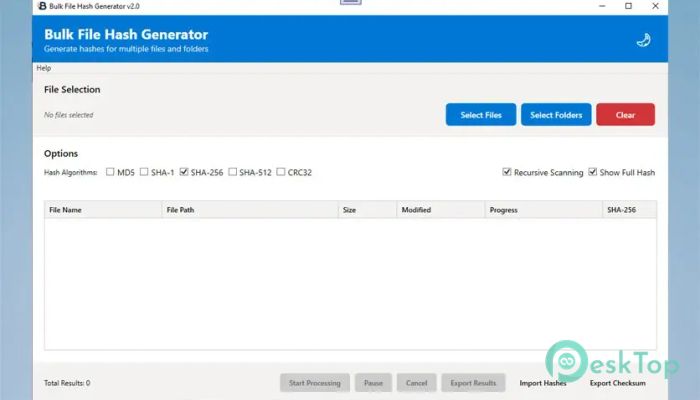
Download BytesMorph Bulk File Hash Generator 2.0 for Windows.
BytesMorph Bulk File Hash Generator Overview
It is built to simplify how users verify file integrity and detect duplicates. Instead of checking files one by one, it allows you to process many files or entire folders at once. It works quietly in the background, handling complex calculations while keeping the interface clean and easy to understand. The software is invaluable when accuracy matters. From confirming file authenticity to spotting unwanted duplicates, it gives precise results without forcing users to learn technical commands. Everything feels straightforward, like having a digital fingerprint scanner for your files.Features of BytesMorph Bulk File Hash Generator
Multiple Hash Algorithms Support
The tool supports a wide range of popular hash algorithms, including MD5, SHA-1, SHA-256, SHA-512, and CRC32. This flexibility allows users to match industry standards or personal needs with ease.
Instead of running separate scans for different algorithms, it can generate multiple hash types simultaneously. This saves time and ensures consistent results across formats. Think of it as cooking various dishes in one kitchen without mixing the flavors.
Flexible File and Folder Selection
One of its strongest points is its flexible file-selection system. You can drag and drop individual files or entire folders directly into the interface. It also supports recursive scanning, which automatically includes subfolders.
This makes it ideal for large projects where files are spread across many directories. The built-in file browser further simplifies selection, making navigation feel natural and quick.
High-Performance Processing
The software uses multithreaded processing to deliver fast results, even when processing large file sets. Instead of slowing the system, it efficiently balances performance.
Real-time progress tracking keeps users informed, while pause-and-resume options help manage long tasks. Large files are processed using memory-efficient methods, keeping the system responsive throughout.
Real-Time Progress and Control
Watching progress in real time makes the experience more reassuring. Status updates show precisely what is happening, removing guesswork from long scans.
The ability to pause and resume tasks adds flexibility, especially when system resources are needed elsewhere. It feels like having a remote control for your workload.
Duplicate File Detection
Duplicate files can quietly eat up storage space. This tool automatically detects identical files by comparing hash values and clearly highlights them.
This feature helps organize extensive archives or clean up backup folders. Instead of guessing which files are identical, users receive precise results backed by cryptographic proof.
Advanced Analysis and Comparison
Beyond basic hashing, it allows users to import known hash values and compare them against scanned files. This is useful for verifying downloads or checking files against trusted sources.
The comparison process is quick and reliable, making it easier to confirm whether a file has been altered or remains untouched.
Export and Sharing Options
Results can be exported in multiple formats, including CSV, TXT, and JSON. This makes reporting and documentation much easier.
For quick sharing, hash values can be copied to the clipboard with a single click. Whether for audits or collaboration, exporting data feels effortless.
User-Friendly Interface
The interface is designed for clarity rather than complexity. Buttons are clearly labeled, and options are arranged logically.
Even first-time users can navigate through tasks without confusion. It feels more like a helpful assistant than a technical tool.
Practical Use Cases
This software fits many real-world scenarios. Developers can verify build files, system administrators can confirm backups, and security professionals can validate file integrity.
It also works well for everyday users who want to manage storage or ensure downloaded files are genuine.
System Requirements and Technical Details
Operating System: Windows 11 / 10
Processor: Minimum 1 GHz Processor (2.4 GHz recommended)
RAM: 2GB (4GB or more recommended)
Free Hard Disk Space: 200MB or more is recommended

-
Program size43.67 MB
-
Version2.0
-
Program languagemultilanguage
-
Last updatedBefore 9 Month
-
Downloads6
 Reportizer
 AccdbMerge
 RdpGuard
 Checkbook For Excel
 SysTools SQL Recovery
 Pointdev Ideal Dispatch