
 Arabic
  English
  Turkish
  Chinese
  Japanese
  Russian
  Spanish
  German
  French
  Hindi
Hindi Download Cline Bot 4.1.6 for Windows

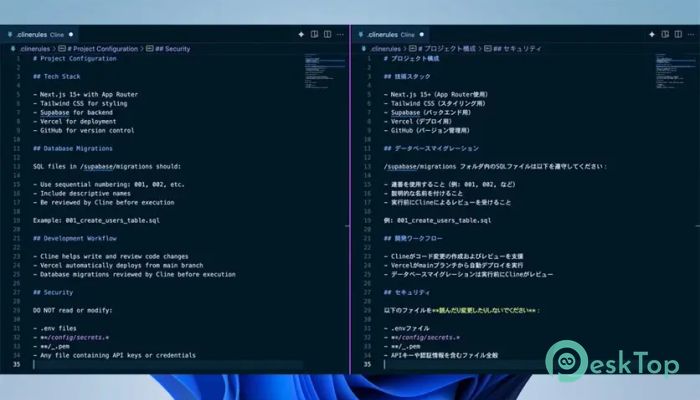
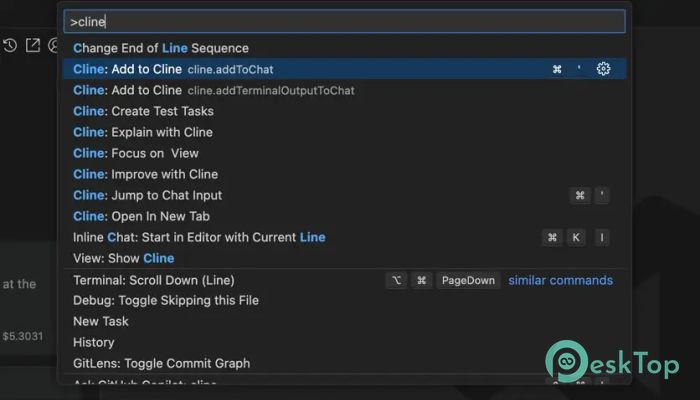
Download Cline Bot 4.1.6 for Windows.
Cline Bot Overview
It is a next-generation coding assistant built to revolutionize how developers interact with their projects. Developed with a strong focus on autonomy, security, and flexibility, it is capable of understanding the structure and logic of entire codebases. This intelligent agent doesn’t just suggest snippets; it plans, executes, and refines multi-step programming tasks with remarkable precision. With open-source transparency, a zero-trust architecture, and enterprise-ready deployment options, this powerful companion redefines what it means to have AI inside your development environment.Features of Cline Bot
IDE Integration: Works directly inside popular Integrated Development Environments to provide smooth, contextual assistance.
Autonomous Code Understanding: Analyzes full projects to comprehend architecture, dependencies, and logic flows.
Multi-step Task Execution: Capable of planning and performing complex refactoring or feature additions without constant user input.
Zero-trust Security Model: Keeps all code local to maintain complete data privacy and protection.
Open-source Transparency: Offers public access to the source code, ensuring community trust and ongoing improvements.
Flexible AI Model Support: Compatible with different AI models to meet diverse performance and preference needs.
Enterprise Solutions: Scalable and customizable to suit team or organization-wide requirements.
Offline Functionality: Can operate without an internet connection, providing consistent performance in secure environments.
How It Works
The tool operates by embedding an intelligent AI layer within your IDE. It observes and learns the structure of your codebase to understand how different files and components interact with each other. Once it builds this understanding, it can execute multi-step coding tasks such as adding new modules, optimizing existing functions, or fixing bugs across multiple files. Unlike typical assistants, it doesn’t rely solely on cloud processing—most of its operations happen locally, ensuring better speed and privacy.
Benefits for Developers
This intelligent assistant brings significant advantages for developers of all experience levels. Beginners can learn more efficiently by observing AI-driven coding suggestions, while professionals benefit from automation that saves them hours of repetitive work. It minimizes manual debugging and accelerates feature development. Additionally, it provides real-time feedback and intelligent code corrections that align with project architecture and coding standards.
Security and Privacy
One of the most remarkable aspects of the software is its zero-trust security approach. It never sends your codebase to external servers, ensuring that your proprietary or sensitive data remains within your system. This local-first principle enables enterprises to maintain compliance with stringent security policies. Moreover, its open-source nature allows anyone to audit its mechanisms, guaranteeing that there are no hidden data transmission processes or vulnerabilities.
Open-Source Advantage
Being open-source means developers can freely explore, modify, and enhance the system to suit their needs. This transparency builds community trust and invites collaboration from programmers worldwide. Contributions from global developers keep it continuously improving and adaptable to new technologies. It’s not bound by corporate restrictions, making it a reliable and evolving tool for the developer community.
AI Model Flexibility
The assistant doesn’t tie users to a single AI model. Instead, it provides flexibility to choose from various language models depending on resource availability, project requirements, or cost preferences. This feature enables both individuals and enterprises to utilize the most suitable AI engine for their workflow, thereby optimizing both accuracy and speed. Whether connected to local models or cloud-based solutions, it ensures smooth integration and responsiveness.
Use Cases
This coding companion can be applied across multiple scenarios in software development. It can automate repetitive coding tasks, handle refactoring, suggest efficient code snippets, generate documentation, or even set up new project frameworks. For large-scale projects, it assists teams by maintaining consistent coding patterns and project structures. In testing environments, it can write and validate test cases, improving quality assurance workflows.
Ease of Integration
Integrating the assistant into your workflow is straightforward. It can connect to your preferred IDEs, such as Visual Studio Code, JetBrains tools, or similar platforms, through extensions or APIs. Once installed, it starts analyzing your project files in the background, preparing to assist with coding and planning tasks. Its lightweight design ensures it doesn’t consume unnecessary resources or slow down the development environment.
Future Potential
The possibilities for this AI tool are expanding rapidly. Future updates are expected to include enhanced multi-model collaboration, smarter debugging, and even voice-based coding commands. As the open-source community continues to grow, developers can expect faster updates, feature additions, and even more sophisticated automation options tailored for diverse programming needs.
System Requirements and Technical Details
Operating System: Windows 11 / 10 / 8.1 / 7
Processor: Minimum 1 GHz Processor (2.4 GHz recommended)
RAM: 2GB (4GB or more recommended)
Free Hard Disk Space: 200MB or more is recommended

-
Program size17.88 MB
-
Version4.1.6
-
Program languagemultilanguage
-
Last updatedBefore 2 Month
-
Downloads57
 Reportizer
 AccdbMerge
 RdpGuard
 Checkbook For Excel
 SysTools SQL Recovery
 Pointdev Ideal Dispatch