
 Arabic
  English
  Turkish
  Chinese
  Japanese
  Russian
  Spanish
  German
  French
  Hindi
Hindi Download Cmder 1.3.25 for Windows
Download Cmder 1.3.25 for Windows.
Cmder Overview
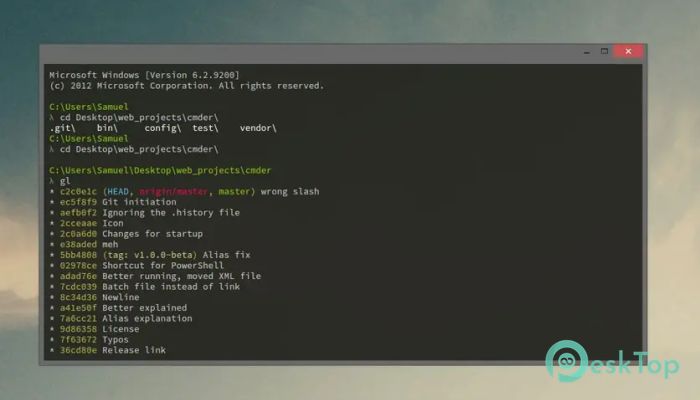
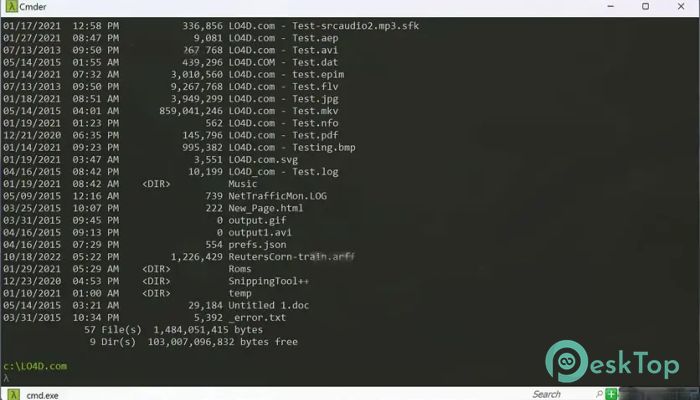
This software provides an enhanced command-line environment designed to boost productivity and create a more pleasant working space. Built on the ConEmu terminal emulator and improved with Clink, it delivers better command editing, customization, and visual appeal. The tool is fully portable, easy to use, and packed with features that make daily tasks smoother.Features of Cmder
Portable and lightweight structure
Beautiful Monokai-inspired color scheme
Enhanced command-line editing with Clink
Git integration with smart prompts
Multi-tab support for quick switching
Powerful customization options
Better auto-completion and keyboard shortcuts
Smooth performance even on older systems
Option to create aliases for faster commands
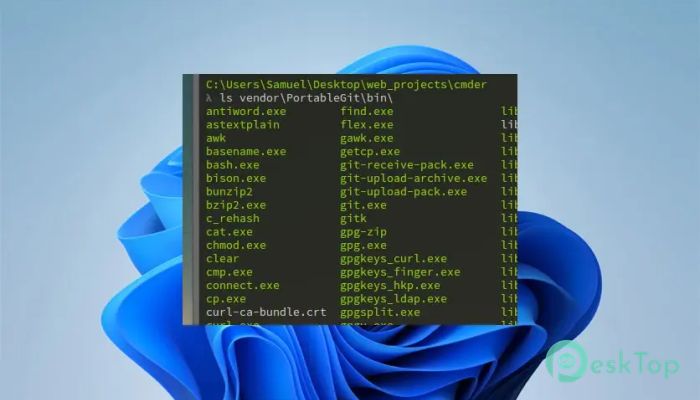
Support for Unix-like commands through included tools
Smooth and User-Friendly Experience
The tool focuses on simplicity and comfort. Its interface feels familiar yet modern, offering a friendly environment for both beginners and experienced developers. The custom prompt layout provides precise details about the current directory and Git status. This makes the experience more intuitive and reduces the time spent navigating files.
Productivity-Boosting Tools
This software isn’t just a prettier terminal—it empowers users to work faster. Multi-tab functionality helps manage multiple tasks in a single window. You can run various command sessions and switch between them with ease. Auto-completion and improved history search also save time, especially during repetitive tasks.
Customizable Setup
One of the strongest parts of this package is its flexibility. You can change the layout, color scheme, fonts, and key mappings. Users who like a personalized workspace can fine-tune everything to match their style and workflow. Even alias creation lets you shorten long commands, improving speed and convenience.
Git-Friendly Environment
Developers using Git will appreciate how smoothly this software integrates with it. The prompt displays the current branch, file changes, and other relevant details. This makes version control tasks quicker and clearer. Working with repositories becomes less confusing and more enjoyable.
Portable Console Power
Another great benefit is portability. You don’t need to install anything. Simply keep the folder on your drive or even on a USB stick. Open it whenever needed for instant access to a fully equipped console environment. This is highly useful for people who move between different computers.
Advanced Command Handling
Thanks to Clink enhancements, the tool offers advanced text manipulation, improved keyboard shortcuts, and more efficient copy-paste controls. The improved command-line editing feels smooth and behaves closer to modern Linux terminals. This makes it ideal for people who switch between different operating systems.
Safe and Stable Environment
It is reliable and stable even during heavy usage. The developers designed it on top of well-established projects, ensuring long-term compatibility and strong performance. Whether you're running long scripts or quick commands, the environment remains fast and responsive.
System Requirements and Technical Details
Operating System: Windows 11 / 10 / 8.1 / 7
Processor: Minimum 1 GHz Processor (2.4 GHz recommended)
RAM: 2GB (4GB or more recommended)
Free Hard Disk Space: 200MB or more is recommended

-
Program size139.30 MB
-
Version1.3.25
-
Program languagemultilanguage
-
Last updatedBefore 10 Month
-
Downloads27
 Reportizer
 AccdbMerge
 RdpGuard
 Checkbook For Excel
 SysTools SQL Recovery
 Pointdev Ideal Dispatch