
 Arabic
  English
  Turkish
  Chinese
  Japanese
  Russian
  Spanish
  German
  French
  Hindi
Hindi Download Combit Report Server 31.2 for Windows
Download Combit Report Server 31.2 for Windows.
Combit Report Server Overview
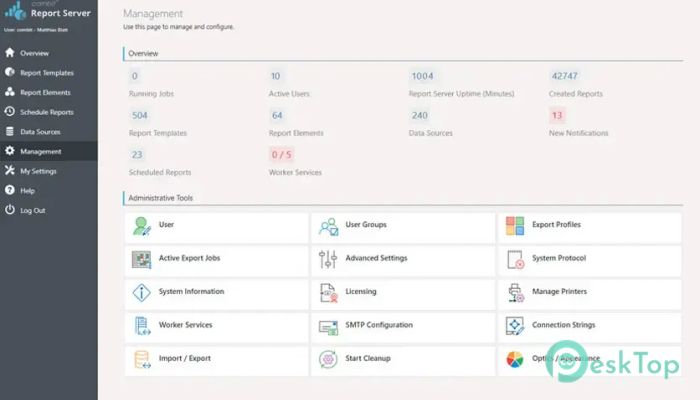
It is a modern reporting solution designed for businesses that need an easy way to create, manage, and distribute reports. Whether you use a cloud environment or an on-premises infrastructure, it fits smoothly into your workflow. The platform allows users to create, open, edit, view, and share reports using a web browser, making reporting simple and accessible from almost anywhere. The software is ready to use right after installation on a Windows system. It comes with powerful tools that automate report generation and distribution, helping organizations save time while keeping data organized. With support for multiple data sources and browser-based access, it offers a complete reporting experience without unnecessary complexity.Features of Combit Report Server
Ready to Use Right After Installation
Getting started is quick and straightforward. Once installed on a Windows computer, the software is ready for immediate use. There is no need for lengthy setup procedures or complicated configurations before creating reports.
The built-in Designer makes report creation smooth and efficient. After designing a report, users can schedule automatic distribution in formats such as PDF and send them directly through email. This automation removes repetitive manual work and improves productivity.
Flexible Reporting Platform
The tool is built to grow alongside your business. Whether you are working with a small team or a large enterprise, it can scale according to your reporting requirements. As your data grows, the platform continues delivering reliable performance.
Its flexible design also allows organizations to customize reporting processes without changing their existing infrastructure. This makes it a practical solution for companies planning long-term growth.
Supports Multiple Data Sources
One of the biggest strengths of the software is its ability to connect with many different data sources. It supports almost all major database systems, allowing businesses to gather information from various locations without extra effort.
In addition to traditional databases, it also works with OData, REST, RSS, XML, and JSON-based data sources. These connections can automatically download updated information from the internet, ensuring reports always use the latest available data.
Browser-Based Access on Any Platform
The software gives users complete freedom by working directly inside a web browser. Reports can be created and managed from Windows, macOS, Linux, Android, or iOS devices without installing additional desktop software.
Because everything runs through popular web browsers, team members can access important reports whether they are in the office, working remotely, or traveling. It delivers a smooth experience on both desktop computers and mobile devices.
Simple Cloud Reporting
Cloud reporting often requires significant development work, but the platform removes much of that complexity. Businesses can deploy it in their cloud infrastructure without building a custom reporting system from scratch.
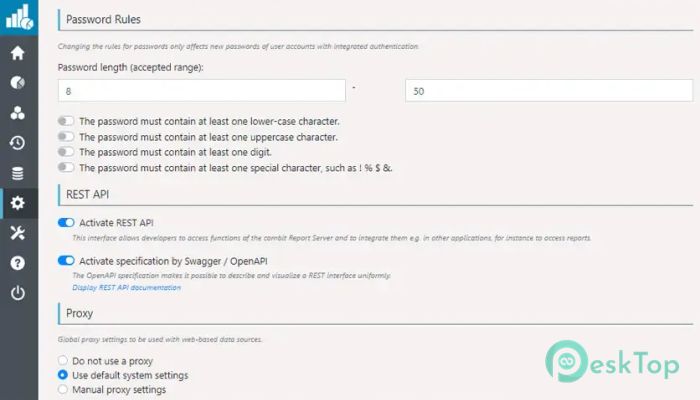
Its REST API allows easy integration with existing cloud services. Preconfigured reports and data sources help organizations start using cloud-based reporting much faster while reducing implementation costs.
Easy Report Creation and Editing
Creating reports feels simple thanks to the intuitive Designer. Users can build professional-looking reports without spending hours learning complicated tools. Editing existing reports is equally convenient, allowing quick updates whenever business needs change.
Since reports are managed centrally, everyone works with the latest version. This reduces confusion and keeps reporting consistent across different departments.
Automatic Report Distribution
Manually sending reports every day can become a repetitive task. The software solves this by automating report delivery according to predefined schedules. Reports can be generated and distributed automatically without user intervention.
Businesses can deliver reports as PDF files through email, ensuring managers, employees, and clients receive important information on time. This saves valuable working hours while improving communication.
Secure Sharing and Collaboration
Sharing reports with colleagues is quick and secure. Authorized users can access, review, and edit reports directly in the browser without exchanging multiple copies of files.
This centralized approach improves collaboration because everyone works with the same data. It also reduces the risk of outdated reports being shared across departments.
REST API Integration
The built-in REST API enables developers to integrate reporting features into existing applications and business systems. This creates a seamless connection between reporting and everyday operations.
Organizations can automatically add new data sources, upload reports, and manage reporting tasks through API calls, making automation easier than ever.
Improves Business Productivity
Reporting is like a car's dashboard—it tells you exactly where you are and helps you decide where to go next. The software turns raw business data into meaningful reports that support faster decision-making.
By reducing manual work, simplifying report management, and automating distribution, it allows teams to spend more time analyzing results instead of preparing documents. This leads to better efficiency across the entire organization.
System Requirements and Technical Details
Operating System: Windows 11 / 10
Processor: Minimum 1 GHz Processor (2.4 GHz recommended)
RAM: 2GB (4GB or more recommended)
Free Hard Disk Space: 2GB or more is recommended

-
Program size1.12 GB
-
Version31.2
-
Program languagemultilanguage
-
Last updatedBefore 1 Month
-
Downloads10
 Chess King 2026
 Easy German Platinum
 Easy French Platinum
 Easy English Platinum
 Moneyspire Desktop
 Concept Grid