
 Arabic
  English
  Turkish
  Chinese
  Japanese
  Russian
  Spanish
  German
  French
  Hindi
Hindi Download ConEmu Windows Terminal 230724 for Windows
Download ConEmu Windows Terminal 230724 for Windows.
ConEmu Windows Terminal Overview
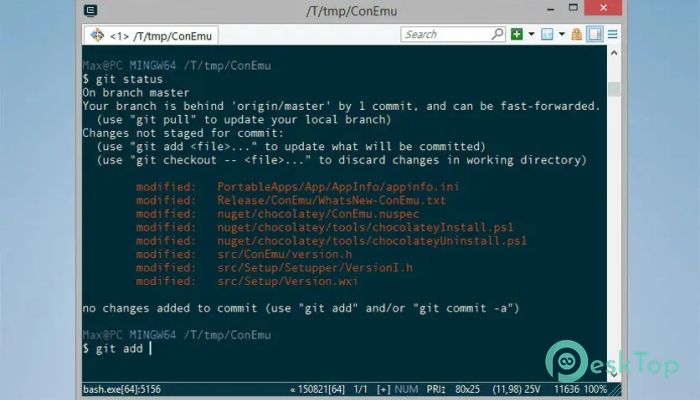
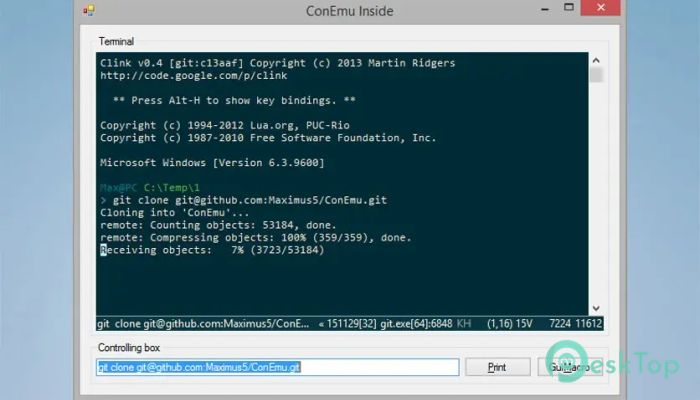
This tool offers a smooth, feature-rich environment for developers, system administrators, and power users who need a better console experience on Windows. Instead of replacing your command shell, it serves as a flexible container that lets you run cmd.exe, PowerShell, Git Bash, and other command-line tools in a single unified window. With quick navigation, multiple layouts, and strong customization support, it becomes a powerful companion for everyday productivity.Features of ConEmu Windows Terminal
Tabbed and Split Console Layouts
One of the strongest features of this terminal emulator is its ability to manage multiple consoles simultaneously. You can open multiple tabs, each running a different console or GUI tool, and even split the screen to work on several tasks side by side. These options help streamline multitasking and reduce window clutter.
Powerful Customization Options
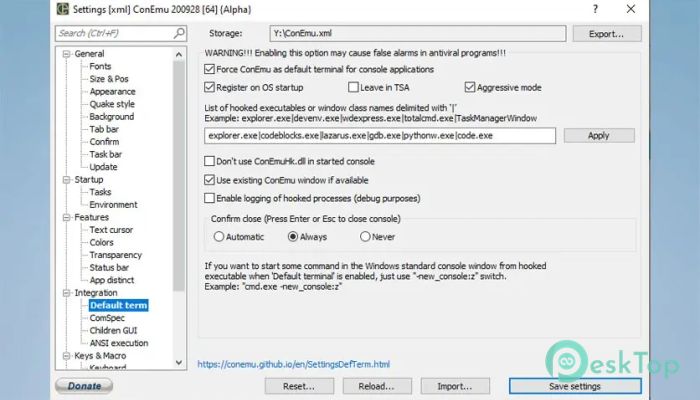
The software supports a wide range of visual and functional adjustments. You can fine-tune fonts, colors, transparency, background behavior, and more. It also features smooth resizing, giving you a responsive and comfortable workspace. Think of it as turning a plain command window into a flexible control room that suits your workflow.
Quake Style Drop-Down Console
A major highlight is its Quake-style console feature. With a simple hotkey, a terminal drops down from the top of your screen, ready for quick commands. It's fast, practical, and feels like having a hidden toolbox you can summon at any time.
Support for Multiple Shells
Even though this tool is not a shell itself, it provides full support for running your preferred one. You can launch cmd.exe, PowerShell, Git Bash, WSL distributions, and even GUI apps like PuTTY inside tabs. This flexibility lets you organize multiple environments without constantly switching windows.
Enhanced Far Manager Integration
It works exceptionally well with Far Manager, offering features such as thumbnails, tiles, enhanced colors, extended line display, and customizable right-click actions. This makes file management faster and more intuitive for users who prefer a dual-pane interface.
Advanced Display and Font Controls
The terminal gives you strong control over appearance. Whether you prefer ClearType, bold text, or fine-tuned font width, these options help you build a setup that looks right and feels comfortable for long sessions. It also supports 24-bit colors and Xterm palettes, giving you a visually appealing console.
Helpful Quality-of-Life Features
You’ll notice many small but meaningful improvements that create a polished user experience:
Drag-and-drop file handling
Customizable status bar
Transparency mode
Desktop-style window mode
Jump Lists for quick actions
Full-screen graphical mode
Vertical scrolling for long outputs
System Requirements and Technical Details
Operating System: Windows 11 / 10 / 8.1 / 7
Processor: Minimum 1 GHz Processor (2.4 GHz recommended)
RAM: 2GB (4GB or more recommended)
Free Hard Disk Space: 200MB or more is recommended

-
Program size5.35 MB
-
Version230724
-
Program languagemultilanguage
-
Last updatedBefore 10 Month
-
Downloads17
 Reportizer
 AccdbMerge
 RdpGuard
 Checkbook For Excel
 SysTools SQL Recovery
 Pointdev Ideal Dispatch