
 Arabic
  English
  Turkish
  Chinese
  Japanese
  Russian
  Spanish
  German
  French
  Hindi
Hindi Download CreateInstall 8.11.2 for Windows
Download CreateInstall 8.11.2 for Windows.
CreateInstall Overview
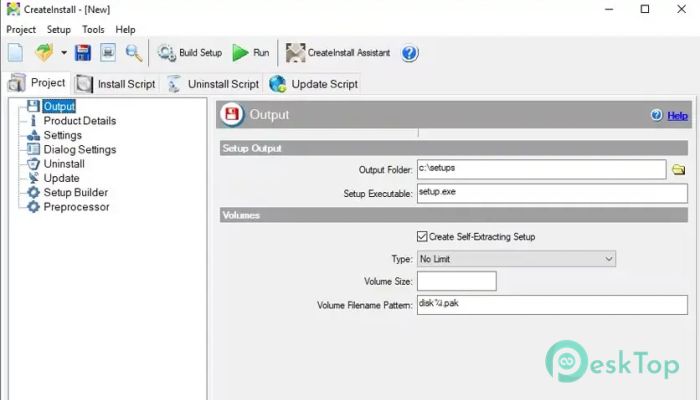
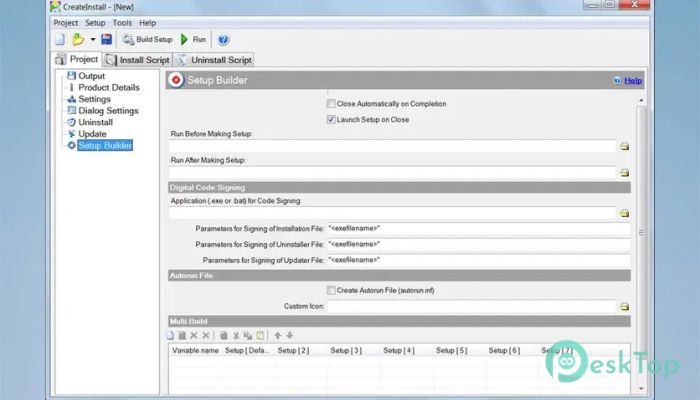
It is designed for users who need more than a simple installer builder can provide. Instead of limiting you to predefined options, it lets you decide exactly how your installation package should behave. Every action is controlled by commands, enabling customization of the entire setup process from start to finish. The software is built around flexibility and scalability. Whether you are creating a small installer for a personal application or a complex deployment package for professional software, it provides the tools to make the process smooth and efficient. As your project grows, the installer can easily adapt without forcing you to switch to another solution.Features of CreateInstall
Complete Control Over Installation
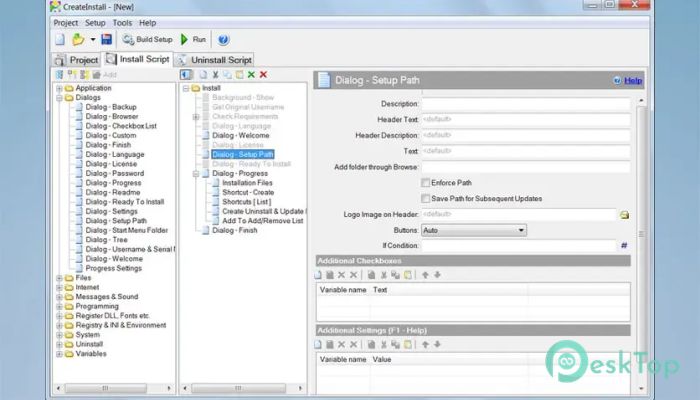
One of the biggest strengths of the software is the level of control it offers. Every stage of installation is presented as a sequence of commands that can be arranged, modified, or expanded to suit your needs. Think of it like building with Lego blocks—you decide how every piece fits together.
This approach allows developers to automate tasks, execute custom actions, create advanced installation logic, and perform operations exactly when they are needed. Nothing happens unless you want it to.
Easy Setup with Tool Assistant
Although the software is packed with advanced features, beginners are not left behind. It includes an additional utility, the tool Assistant, that simplifies the installer creation process through an easy-to-use interface.
The assistant helps users build installation packages quickly without spending hours learning advanced scripting. It serves as a great starting point while still allowing a smooth transition to more powerful customization features whenever required.
Flexible Command-Based Architecture
Unlike many installer creators that rely on fixed templates, the tool uses a command-based system. Each command performs a specific task, giving you complete freedom to organize the installation workflow exactly as you want.
You can use the built-in commands or add your own custom operations whenever necessary. This flexibility makes it suitable for developers working on projects with unique installation requirements that standard installers cannot easily support.
Powerful Scripting with Gentee
The software uses the universal Gentee programming language for scripting installation packages. This allows users to build advanced installation routines with almost unlimited possibilities.
Instead of being restricted by predefined options, developers can create custom scripts, automate complex processes, and design installers that perfectly match their applications' needs. The result is a package that performs exactly as intended from beginning to end.
Customizable User Interface
The tool does more than simply install files. It also allows users to personalize the installer's appearance. Dialog boxes can be modified, custom graphics can be added, and additional resources can be included to match your application's branding.
This level of customization helps create a professional installation experience while making the installer look consistent with the software it delivers.
Advanced Compression Technology
Creating small installation packages without sacrificing performance is another important feature. The software includes two different compression algorithms that allow users to choose the best balance between package size and extraction speed.
One algorithm focuses on achieving the highest compression ratio, making installation files smaller for downloading and distribution. The other prioritizes faster decompression to reduce installation time for end users. Both methods can even be used together for different file groups within the same installer.
Highly Scalable for Growing Projects
Software projects often change over time, and installation requirements usually become more complex. Fortunately, the tool is built with scalability in mind. New commands, features, and installation steps can be added without rebuilding everything from scratch.
This makes it an excellent choice for independent developers as well as companies maintaining large software products with frequent updates and changing deployment needs.
Ideal for Professional Developers
The software is suitable for programmers, software companies, and advanced users who need more than basic installation tools. Since every operation can be customized, it supports everything from simple application installers to sophisticated enterprise deployment packages.
Developers who enjoy complete control over their projects will appreciate the freedom it offers. It removes unnecessary limitations while allowing installation packages to grow alongside the software itself.
System Requirements and Technical Details
Operating System: Windows 11 / 10 / 8.1 / 7
Processor: Minimum 1 GHz Processor (2.4 GHz recommended)
RAM: 2GB (4GB or more recommended)
Free Hard Disk Space: 200MB or more is recommended

-
Program size4.69 MB
-
Version8.11.2
-
Program languagemultilanguage
-
Last updatedBefore 2 Month
-
Downloads55
 Reportizer
 AccdbMerge
 RdpGuard
 Checkbook For Excel
 SysTools SQL Recovery
 Pointdev Ideal Dispatch