
 Arabic
  English
  Turkish
  Chinese
  Japanese
  Russian
  Spanish
  German
  French
  Hindi
Hindi Download CudaText 1.231.7.0 for Windows
Download CudaText 1.231.7.0 for Windows.
CudaText Overview
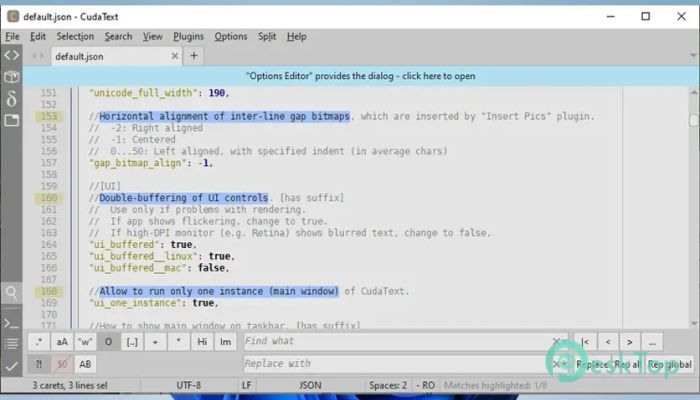
This editor is built with speed and simplicity in mind. It launches quickly, even when loaded with many extensions, and feels responsive from the first click. Written using modern Pascal tools, it remains efficient on both legacy and modern systems. As an open-source tool, it can be used freely at home or in business without licensing concerns. The software runs smoothly across different platforms, making it a useful companion for developers who switch between systems. Its clean interface avoids clutter, while keeping powerful features under the hood for those who want more control.Features of CudaText
Lightweight Performance and Fast Startup
Speed is where the tool really shines. It opens instantly, even with dozens of add-ons enabled. Think of it like a notebook you can open instantly, instead of waiting for a heavy suitcase to unzip. This quick startup helps you jump straight into writing or editing without breaking your flow.
Even when working with large files, the editor stays calm and responsive. Long logs, massive text dumps, or binary data do not slow it down, making it reliable for both daily tasks and demanding jobs.
Rich Syntax Highlighting Support
One of its strongest points is support for syntax highlighting across hundreds of programming and markup languages. Colors are applied smartly, helping your eyes quickly spot keywords, strings, and errors. This visual guidance feels like road signs while driving, keeping you on track.
The highlighting engine is advanced and configurable. You can customize how each language appears to ensure comfort during long coding sessions.
Code Structure and Navigation Tools
For structured projects, the built-in code tree is a lifesaver. It displays functions, classes, and other elements in a clear list, provided the language parser supports it. This lets you jump around files like flipping through chapters of a book.
Code folding adds another layer of focus. You can collapse sections you are not working on and keep the screen clean, which is great for understanding large files.
Multi-Carets and Smart Editing
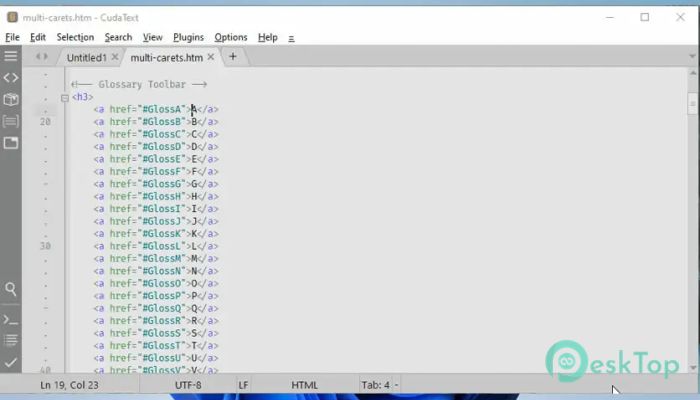
Editing multiple lines at once feels natural thanks to multi-carets and multi-selections. You can type in multiple places simultaneously, saving effort on repetitive changes. It is like painting with multiple brushes, finishing work faster.
Find-and-replace tools support regular expressions, giving you precise control over text changes. This is especially useful when refactoring or cleaning up messy files.
Extensible with Add-Ons and Python Support
Customization is where the editor becomes truly personal. It supports Python extensions, enabling users to add plugins, linters, code tree parsers, and external tools. You can tailor it to your workflow rather than adapting to rigid rules.
From simple helpers to advanced automation, these add-ons turn the editor into a flexible workspace that grows with your needs.
Clean Interface and Flexible Layout
The tabbed interface keeps files organized, while split views let you work on several documents at once. You can divide the window into two, three, four, or even six groups. This is ideal for comparing files side by side or for monitoring output while editing.
Extras such as a minimap and micromap provide a bird’s-eye view of long documents. They act like a scrollbar with superpowers, helping you move quickly through content.
Powerful Search and Command Palette
The command palette uses fuzzy matching, so you can find actions without remembering exact names. Just type a few letters, and the tool guesses what you want. It feels like talking to a smart assistant who understands shortcuts.
Search options are deep and reliable, making it easy to track down text across files without frustration.
Handling Encodings and Binary Files
Support for many text encodings ensures files open correctly, even when shared across regions or systems. This avoids broken characters and saves time fixing format issues.
For advanced users, the built-in binary and hex viewer is a hidden gem. It can open extremely large files, even multi-gigabyte logs, without choking. Binary files are saved correctly, which adds trust when working at a low level.
Custom Settings and Hotkeys
All settings are stored in simple JSON files, including language-specific options. This makes configuration transparent and easy to back up or share. You always know what is being changed.
Hotkeys are fully customizable, so you can map actions to match habits from other editors or create a setup that feels natural to your hands.
System Requirements and Technical Details
Operating System: Windows 11 / 10 / 8.1 / 7
Processor: Minimum 1 GHz Processor (2.4 GHz recommended)
RAM: 2GB (4GB or more recommended)
Free Hard Disk Space: 200MB or more is recommended

-
Program size13.58 MB
-
Version1.231.7.0
-
Program languagemultilanguage
-
Last updatedBefore 8 Month
-
Downloads12
 Reportizer
 AccdbMerge
 RdpGuard
 Checkbook For Excel
 SysTools SQL Recovery
 Pointdev Ideal Dispatch