
 Arabic
  English
  Turkish
  Chinese
  Japanese
  Russian
  Spanish
  German
  French
  Hindi
Hindi Download Cyotek WebCopy 1.9.1.872 for Windows
Download Cyotek WebCopy 1.9.1.872 for Windows.
Cyotek WebCopy Overview
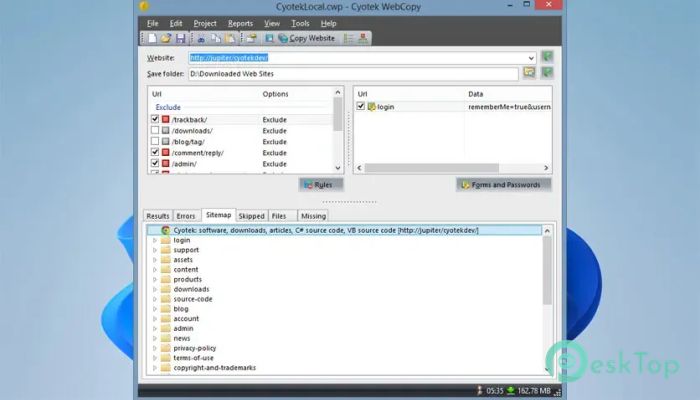
It is a lightweight yet powerful utility designed to download websites directly to your computer. It scans the target website, follows internal links, and saves web pages along with images, style sheets, JavaScript files, and other resources. Once the download is complete, you can browse the copied website without an internet connection. The software is ideal for anyone who wants to archive websites, create offline backups, preserve online content, or collect website resources for reference. Thanks to its flexible settings, users can decide exactly what to download and what to skip.Features of Cyotek WebCopy
Automatic Website Downloading
The software works like a smart crawler, carefully exploring a website. It starts at the address you provide and follows links throughout the site to automatically download available pages and resources.
Instead of saving pages one by one, it completes the entire process for you. This saves a lot of time and makes creating offline copies simple, even for large websites.
Offline Website Browsing
One of the biggest advantages of the tool is that it lets you browse downloaded websites without an internet connection. After the download finishes, all internal links are updated to point to local files instead of the online versions.
This means you can open the copied website in your browser at any time, making it useful for travel, research, presentations, or for keeping permanent copies of important information.
Downloads Website Resources
The software does much more than save HTML pages. It also downloads supporting resources such as images, CSS files, JavaScript, fonts, and other website assets whenever possible.
By collecting these files together, it keeps the appearance and functionality of the copied website as close as possible to the original version.
Flexible Download Configuration
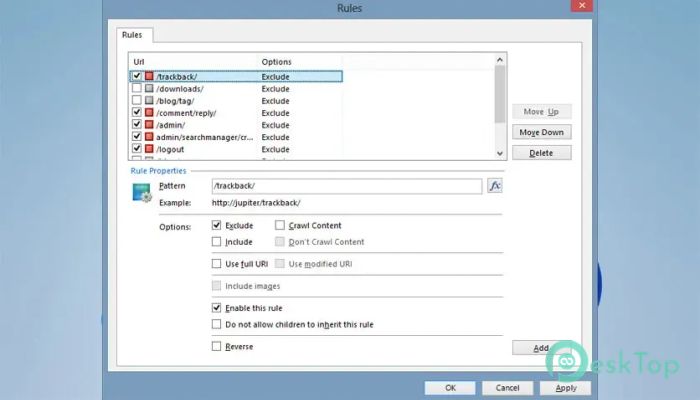
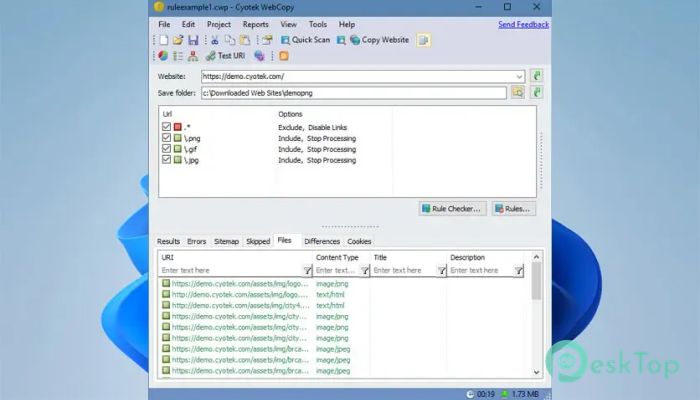
Every website is different, so the tool offers extensive configuration options. You can choose which folders, file types, pages, or resources to include during the download process.
You can also exclude unnecessary sections, making downloads faster and saving valuable storage space. This flexibility gives users complete control over every project.
Perfect for Static Websites
The software performs especially well with static websites that mainly contain HTML pages, images, and other standard web resources. It creates a complete offline copy that closely matches the original online version.
Whether you need educational material, documentation, or personal archives, it provides an easy way to preserve valuable online content for future use.
Simple and User-Friendly Interface
The interface is clean and easy to understand. Creating a new project only requires entering the website address, selecting the destination folder, adjusting optional settings, and starting the scan.
Progress information is displayed throughout the download process, allowing you to monitor the pages completed, the resources downloaded, and any files that could not be copied.
Smart Link Remapping
After downloading a website, the software automatically adjusts internal links so they point to the local copies instead of the live website. This clever feature ensures pages open correctly when browsing offline.
Without this automatic remapping, many downloaded websites would contain broken links. The built-in process helps create a much smoother offline experience.
Ideal for Research and Archiving
Students, researchers, developers, and business users can all benefit from keeping offline copies of websites. The software makes it easy to archive documentation, tutorials, reference material, or project websites for later use.
Having everything stored locally means important information remains available even if the original website changes or becomes unavailable in the future.
Fast and Reliable Performance
The software is designed to work efficiently while scanning websites of different sizes. It organizes downloaded files neatly into folders and maintains a logical structure for easy navigation.
Its reliable download process helps users create accurate offline copies while minimizing manual effort, making it a practical solution for regular website backups.
System Requirements and Technical Details
Operating System: Windows 11 / 10 / 8.1 / 7
Processor: Minimum 1 GHz Processor (2.4 GHz recommended)
RAM: 2GB (4GB or more recommended)
Free Hard Disk Space: 200MB or more is recommended

-
Program size3.50 MB
-
Version1.9.1.872
-
Program languagemultilanguage
-
Last updatedBefore 1 Month
-
Downloads44
 Cyotek WebCopy
 Linphone
 Cinny
Cinny AllMapSoft Bing Maps Downloader
  AllMapSoft Yandex Maps Downloader
  AllMapSoft google earth images downloader