
 Arabic
  English
  Turkish
  Chinese
  Japanese
  Russian
  Spanish
  German
  French
  Hindi
Hindi Download Linphone 6.2.0 for Windows
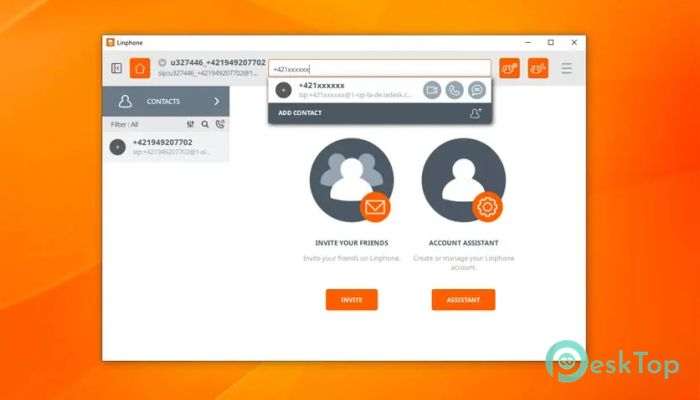
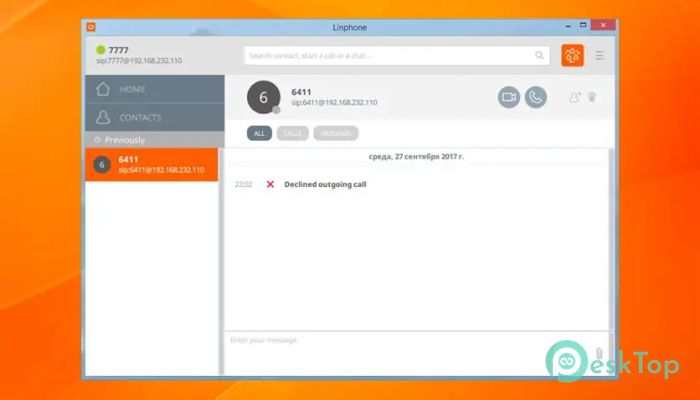
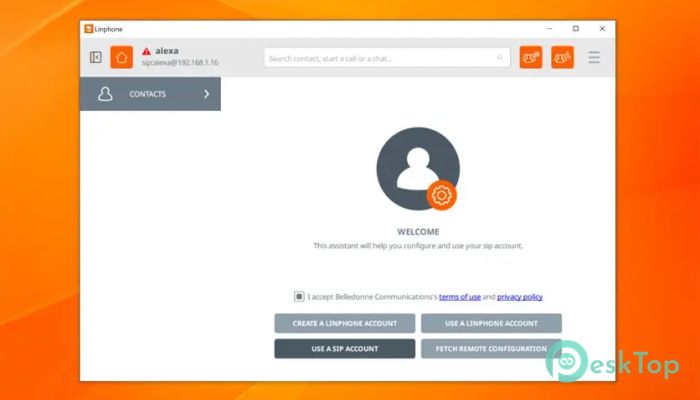
Download Linphone 6.2.0 for Windows.
Linphone Overview
This solution stands out as a fully SIP-based communication platform built for people who want flexibility, clarity, and control. It is designed around open standards, which means it works smoothly with many other SIP services and systems. From everyday voice calls to secure video meetings, everything lives in one place, making communication feel organized rather than scattered.Features of Linphone
Unified Communication in One Place
Instead of juggling multiple apps, the software gathers calling, video chats, instant messages, and presence status into a single interface. Think of it as a digital desk where all your conversations sit neatly side by side. This unified approach saves time and reduces confusion, especially for users who communicate across different channels throughout the day.
Built on Open and Standard Protocols
At its core, it relies entirely on standardized SIP protocols. This design choice ensures wide compatibility with other VoIP systems and services. Because it is not locked into a closed ecosystem, users can connect freely without worrying about vendor restrictions. It feels like speaking a universal language that many systems understand.
High-Quality Voice and Video Calling
Clear audio and smooth video performance are key strengths. The tool supports modern codecs that adapt to network conditions, helping calls stay stable even on slower connections. Voice conversations sound natural, while video calls remain sharp and synchronized, making remote discussions feel more personal.
Instant Messaging and Presence Features
Beyond calls, it includes built-in instant messaging for quick chats and file sharing. Presence indicators show who is online, busy, or available, much like seeing lights on in different rooms of a house. This small detail helps users decide the best way and time to reach someone.
Secure Communication by Design
Security is treated as a foundation rather than an add-on. The application supports encryption technologies that protect calls and messages from unwanted access. For users who value privacy, this layer of protection feels like a sealed envelope around every conversation.
Modern and Intuitive Interface
The Windows desktop version features a clean layout designed by UX and UI professionals. Menus are simple, icons are easy to recognize, and settings are logically placed. Even first-time users can navigate it without feeling lost, similar to walking into a well-labeled building.
Flexible Use for Personal and Professional Needs
Whether used for personal calls or business meetings, it adapts well to different environments. Freelancers, remote teams, and small offices can all benefit from its features without investing in expensive hardware. It scales naturally, like a notebook that works for both quick notes and detailed plans.
Cross-Platform Experience
Although this version focuses on Windows, the same experience is available on mobile devices as well. This consistency allows users to switch between desktop and phone without relearning controls. Conversations stay synced, so nothing feels left behind.
Open-Source Advantage
Being open source means the community can inspect, improve, and extend the software. Bugs are identified quickly, updates arrive regularly, and transparency builds trust. For many users, this openness is like having a window into how the tool works rather than a locked black box.
Ideal for SIP Providers and Developers
Because it closely follows standards, SIP service providers and developers often choose it for testing and deployment. Configuration options let advanced users fine-tune settings, while basic users can rely on default settings without hassle.
System Requirements and Technical Details
Operating System: Windows 11 / 10 / 8.1 / 7
Processor: Minimum 1 GHz Processor (2.4 GHz recommended)
RAM: 2GB (4GB or more recommended)
Free Hard Disk Space: 200MB or more is recommended

-
Program size105.65 MB
-
Version6.2.0
-
Program languagemultilanguage
-
Last updatedBefore 2 Month
-
Downloads293
 Cyotek WebCopy
 Linphone
 Cinny
Cinny AllMapSoft Bing Maps Downloader
  AllMapSoft Yandex Maps Downloader
  AllMapSoft google earth images downloader