
 Arabic
  English
  Turkish
  Chinese
  Japanese
  Russian
  Spanish
  German
  French
  Hindi
Hindi Download DefinedBytes HeatMapster 1.0.1 for Windows
Download DefinedBytes HeatMapster 1.0.1 for Windows.
DefinedBytes HeatMapster Overview
Working with large tables of numbers can feel like staring at a wall of bricks. This tool acts like a highlighter for your data, coloring values so your eyes instantly catch what matters. Whether you are reviewing KPIs, checking delays, or comparing performance, it transforms raw spreadsheets into visual stories with minimal effort.Features of DefinedBytes HeatMapster
Fast Data Import From Excel and CSV
It supports common spreadsheet formats, including XLSX, XLS, and CSV, making it easy to import existing files. The guided import flow keeps things simple, even if you are not a data expert. You can work with matrix-style grids or structured tables using X, Y, and value columns, depending on how your data is organized.
Clear Heatmap Styles With Smart Colors
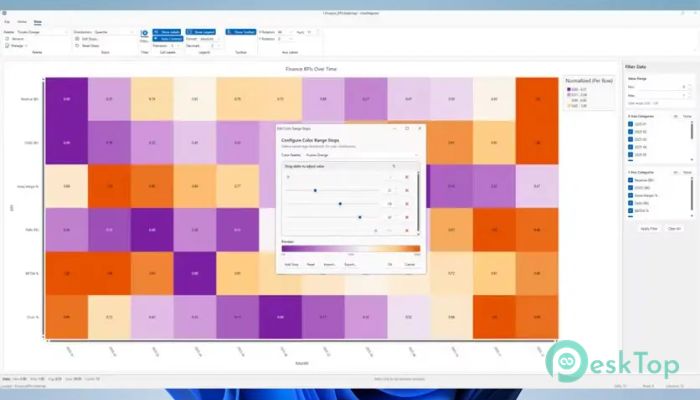
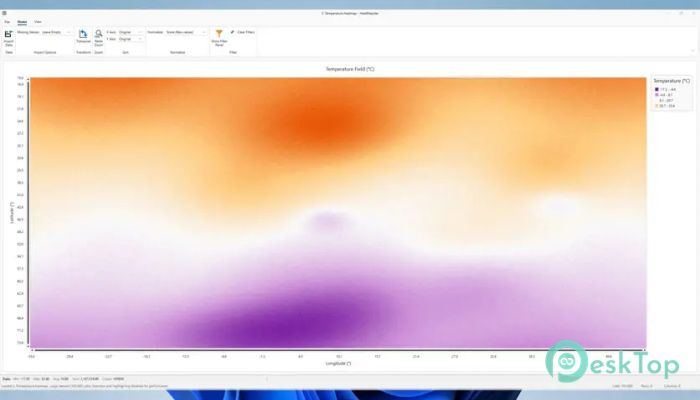
Colors play a big role in how quickly information is understood. The software includes professional color palettes designed for clarity, including options that remain readable for colorblind users. You can use smooth gradients for gradual changes or split colors to highlight differences, much like a weather map showing hot and cold zones.
Flexible Color Ranges and Custom Stops
Not all data behaves the same way, and the tool respects that. You can control how colors are spread using different range methods, such as equal steps, grouped values, or focus on extreme points. If presets do not fit your needs, you can fine-tune your own color stops to match the story you want to tell.
Normalization for Fair Comparisons
Sometimes numbers look misleading when compared directly. This is where normalization helps. You can scale values across the entire dataset or adjust them on a per-row or per-column basis. Options like Min-Max, Z-Score, and percentile-based scaling make sure comparisons stay fair, like comparing runners by speed rather than distance alone.
Filtering and Sorting to Reveal Insights
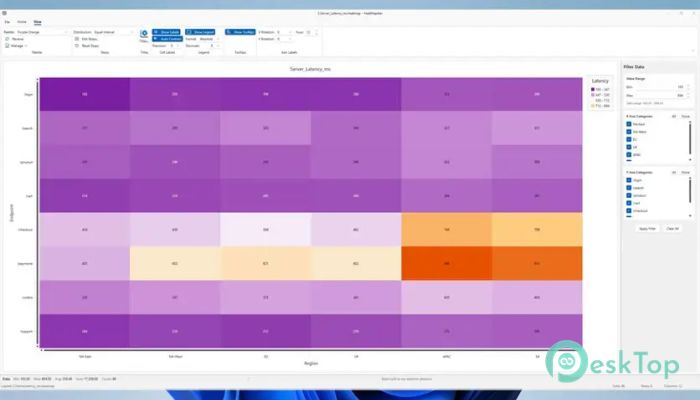
Large datasets often hide useful details. Built-in filters let you narrow down values by range or category so noise fades away. Sorting options allow you to reorder rows and columns by name, totals, or peak values. This reshuffling can uncover patterns that were invisible in the original order.
Labels, Tooltips, and Better Readability
A heatmap should be informative, not confusing. You can toggle numeric labels, control decimal precision, and rely on automatic text contrast to keep numbers readable on any color. Hover tooltips provide additional detail without cluttering the view, similar to the notes that appear when you hover over a map location.
Layout Controls and Matrix Tools
Presentation matters, especially when sharing results. The software lets you transpose rows and columns, rotate axis labels, and adjust font sizes. You can also customize titles and legends so the final output looks polished and ready for reports or meetings.
Export and Print Options
Once your heatmap is ready, sharing it is straightforward. You can export visuals to popular image and document formats, including PNG, JPG, SVG, and PDF. Direct printing is also supported, making it easy to include visuals in physical reports or presentations.
System Requirements and Technical Details
Operating System: Windows 11 / 10
Processor: Minimum 1 GHz Processor (2.4 GHz recommended)
RAM: 2GB (4GB or more recommended)
Free Hard Disk Space: 200MB or more is recommended

-
Program size135.07 MB
-
Version1.0.1
-
Program languagemultilanguage
-
Last updatedBefore 8 Month
-
Downloads7
 Chess King 2026
 Easy German Platinum
 Easy French Platinum
 Easy English Platinum
 Moneyspire Desktop
 Concept Grid