
 Arabic
  English
  Turkish
  Chinese
  Japanese
  Russian
  Spanish
  German
  French
  Hindi
Hindi Download DLSS Swapper 1.2.4.0 for Windows
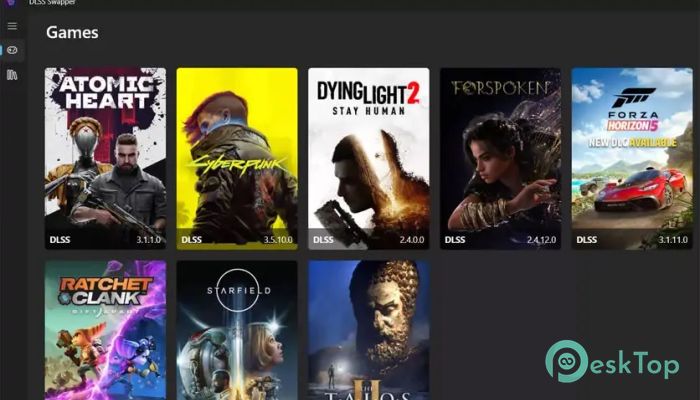
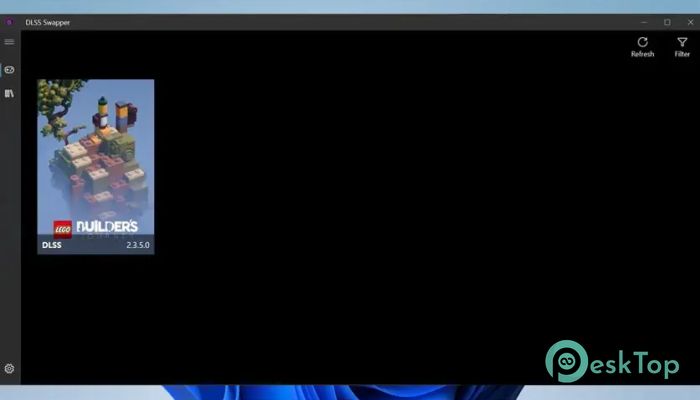
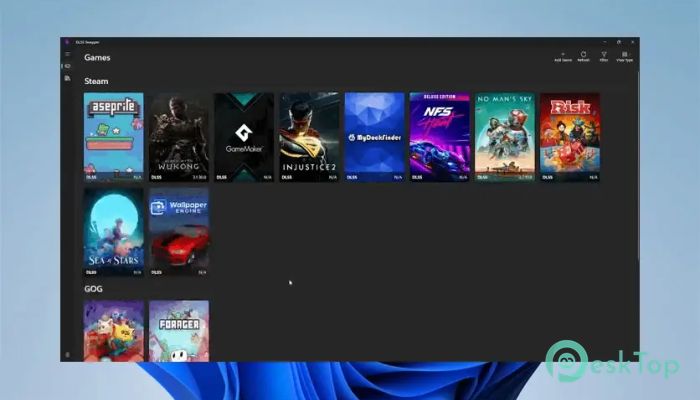
Download DLSS Swapper 1.2.4.0 for Windows.
DLSS Swapper Overview
If you play modern PC games with an NVIDIA graphics card, you already know how important DLSS can be. It boosts performance, sharpens visuals, and helps you squeeze more frames out of demanding titles. But here is the catch: not every game ships with the latest DLSS version. Sometimes you want better image quality. Other times, you want to roll back to a more stable release. This is where the tool shines. It gives you control over which DLSS version your game uses. Instead of waiting for developers to patch the game, you can manually swap the DLSS DLL file in seconds. Think of it like changing your car's oil without visiting a service center. You stay in charge. Why Managing DLSS Versions Matters DLSS technology keeps evolving. New versions may improve sharpness, reduce ghosting, or offer smoother performance. However, not every update works perfectly with every game. Sometimes a new version introduces visual glitches or compatibility issues. With this software, you can test different versions and choose the one that feels best. It is like having a remote control for your game’s rendering engine. You can switch between versions until you find the sweet spot between quality and performance.Features of DLSS Swapper
Simple and Clean Interface
One of the biggest strengths of this tool is its simplicity. You do not need advanced technical skills. The interface is clean, organized, and easy to understand. You can view installed DLSS versions, download new ones, and swap them inside supported games with just a few clicks.
Everything is laid out clearly. There are no complicated menus or confusing settings. It feels lightweight and focused, which is exactly what a utility like this should be.
Download and Manage DLSS DLL Files
Instead of searching the internet for various DLSS DLL files, the software lets you download them directly from within the app. This saves time and reduces the risk of selecting the wrong or unsafe files.
You can maintain a library of versions on your system. Once downloaded, they are ready to be applied to compatible games. It is like building your own toolbox of DLSS options that you can use whenever needed.
Upgrade or Downgrade Without Game Updates
Normally, if a game ships with an older DLSS version, you are stuck with it until the developer releases a patch. That can take weeks or even months. With this utility, you do not have to wait.
You can upgrade to a newer DLSS release for better image clarity or improved performance. If something does not work as expected, you can downgrade instantly. This flexibility gives you full control over your gaming experience.
Improved Performance and Visual Quality
Different DLSS versions can behave differently across games. Some may reduce shimmering. Others may handle motion better. By experimenting with versions, you can often find one that delivers smoother frame rates and cleaner visuals.
For gamers who care about every detail, this makes a real difference. It is like fine-tuning a musical instrument. Small changes can produce noticeable improvements in the final output.
Safe and Controlled Swapping
Swapping DLSS DLL files manually can be risky if you are not sure what you are doing. Replacing the wrong file or using an incompatible version can cause crashes or instability.
This tool simplifies the process and reduces errors. It guides you through selecting the correct file and applying it properly. That means less guesswork and fewer headaches.
Should Use It
This utility is perfect for PC gamers who use NVIDIA GPUs and want maximum control over performance and image quality. If you enjoy tweaking settings and optimizing your system, you will appreciate what it offers.
It is also useful for users who experience issues with a specific DLSS version. Instead of abandoning the feature entirely, you can simply test another version and see if it solves the problem.
Lightweight and Efficient
The software is lightweight and does not consume many system resources. It runs smoothly in the background and focuses only on DLSS management. There are no unnecessary features or heavy processes.
Because it is simple and efficient, it fits well into any gaming setup. You install it, configure your versions, and you are ready to go.
System Requirements and Technical Details
Operating System: Windows 11 / 10 / 8.1 / 7
Processor: Minimum 1 GHz Processor (2.4 GHz recommended)
RAM: 2GB (4GB or more recommended)
Free Hard Disk Space: 200MB or more is recommended

-
Program size107.25 MB
-
Version1.2.4.0
-
Program languagemultilanguage
-
Last updatedBefore 5 Month
-
Downloads11
 Reportizer
 AccdbMerge
 RdpGuard
 Checkbook For Excel
 SysTools SQL Recovery
 Pointdev Ideal Dispatch