
 Arabic
  English
  Turkish
  Chinese
  Japanese
  Russian
  Spanish
  German
  French
  Hindi
Hindi Download Dynalist 1.0 for Windows
Download Dynalist 1.0 for Windows.
Dynalist Overview
This platform is built for users who want an effortless way to capture thoughts, break complex ideas into smaller pieces, and stay organized without clutter. It works smoothly for personal planning, team collaboration, project breakdowns, and brainstorming sessions. The tool offers infinite nesting, smooth navigation, and smart shortcuts that help you turn chaos into a structured flow.Features of Dynalist
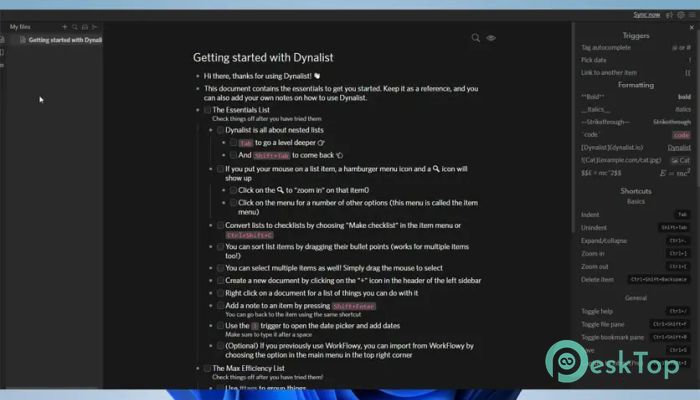
Infinite Nesting – expand ideas endlessly to manage large concepts.
Internal Linking – type [[ to link ideas instantly.
Smooth Drag-and-Drop – reorganize items without cutting and pasting.
Keyboard Shortcuts – speed up navigation and editing.
Cross-Platform Access – available on desktop, web, and mobile.
Real-time Syncing – updates reflect instantly across devices.
Powerful Search – find any detail using advanced filters.
Collaboration Tools – share lists and work together smoothly.
How It Improves Productivity
The software works like a digital brain where every thought fits neatly into a structured tree. You can zoom in on sections to stay focused and avoid feeling overwhelmed. Whether you’re setting goals or outlining a project, the flexible structure keeps everything organized and easily accessible.
Linking and Connecting Ideas
One standout feature is its ability to link notes instantly. This makes it simple to connect related tasks or documents, helping you move between ideas without breaking your flow. The linked structure keeps your creativity natural and connected.
Easy Reorganization
If an idea needs a new place, drag it there. The free-reorganization system eliminates the need for scrolling or repetitive cut-and-paste. It encourages creative planning and lets your outlines grow naturally.
A Clean and Focused Workspace
The interface stays minimal to help you think clearly. Its collapsible lists and simple controls make it easy to keep organized without distractions. Over time, it becomes a reliable daily companion for organizing thoughts.
Collaboration Benefits
Teams can share outlines, assign roles, and track work without complicated tools. This keeps communication simple and ensures everyone stays on the same page during planning.
System Requirements and Technical Details
Operating System: Windows 11 / 10 / 8.1 / 7
Processor: Minimum 1 GHz Processor (2.4 GHz recommended)
RAM: 2GB (4GB or more recommended)
Free Hard Disk Space: 200MB or more is recommended

-
Program size65.31 MB
-
Version1.0
-
Program languagemultilanguage
-
Last updatedBefore 10 Month
-
Downloads15
 Chess King 2026
 Easy German Platinum
 Easy French Platinum
 Easy English Platinum
 Moneyspire Desktop
 Concept Grid