
 Arabic
  English
  Turkish
  Chinese
  Japanese
  Russian
  Spanish
  German
  French
  Hindi
Hindi Download dz6 v0.7.0 for Windows
Download dz6 v0.7.0 for Windows.
dz6 Overview
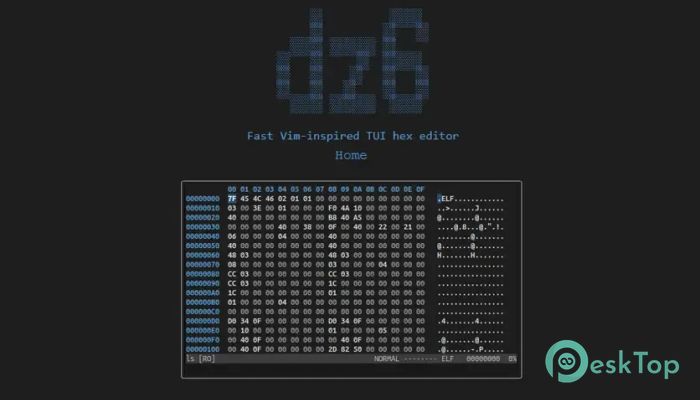
It is a modern hex editor built for users who prefer working inside the terminal. Designed with speed in mind, the software opens and edits even very large files without slowing down. Whether you are a programmer, reverse engineer, security researcher, or simply someone who needs to inspect binary data, the tool offers a smooth and responsive experience. Unlike traditional graphical editors, the software runs in a Text User Interface (TUI). This makes it lightweight, quick to launch, and perfect for remote systems or environments where graphical applications are not available. Thanks to its Vim-inspired controls, experienced keyboard users can move around files almost as naturally as flipping through the pages of a book.Features of dz6
Fast Performance for Large Files
One of the software's biggest strengths is its impressive speed. Opening huge binary files is often a challenge for many editors, but this tool handles them with ease. It keeps navigation smooth and responsive, allowing you to focus on your work instead of waiting for files to load.
Its optimized design makes editing large files feel effortless. Whether you are examining firmware, executable files, or disk images, performance remains stable throughout your workflow.
Simple Terminal-Based Interface
The software runs entirely in the terminal via a Text User Interface. This approach keeps the application lightweight while providing a clean and distraction-free workspace. Everything you need is available at your fingertips, making file editing quick and efficient.
Because it runs in a terminal, it also works well over SSH sessions or remote servers. You can edit binary files from almost anywhere without needing a full desktop environment.
Vim-Inspired Keyboard Controls
If you already use Vim, the controls will feel familiar from the very beginning. Navigation, editing, and file management rely on keyboard shortcuts that help reduce unnecessary mouse movements.
Even if you are new to Vim-style editing, the controls are logical and become easy to learn with regular use. After a short time, moving around large files feels fast and natural.
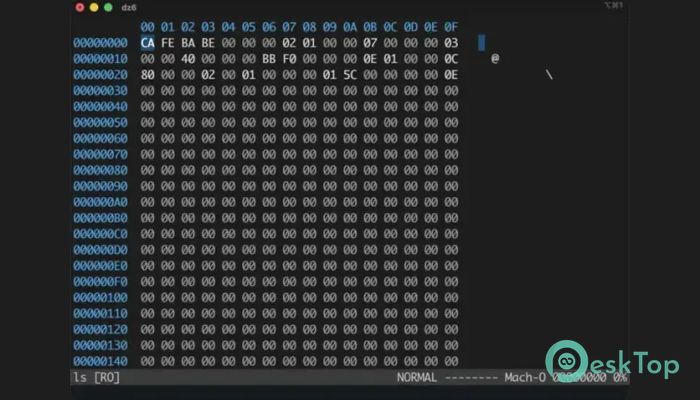
Hex and ASCII Editing
The tool allows you to edit both hexadecimal values and ASCII characters in the same workspace. This gives you complete flexibility when working with binary data.
You can easily switch between raw hexadecimal bytes and readable text, making it much easier to understand file structures and modify specific values without confusion.
Powerful Search and Navigation
Finding information inside large binary files can be difficult, but the software makes the process simple. You can search for text strings or hexadecimal byte sequences quickly, saving valuable time during analysis.
Multiple navigation methods help you jump directly to important locations inside a file. Instead of scrolling endlessly, you can move exactly where you need to be within seconds.
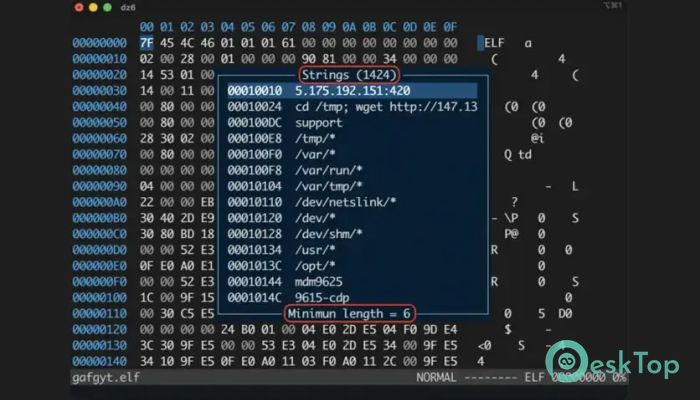
String List with Regex Filtering
The built-in string list displays readable text found inside binary files. This makes identifying useful information much easier during reverse engineering or debugging tasks.
Regular expression filtering lets you narrow down results quickly. Rather than searching through hundreds of strings manually, you can filter only the entries that match your specific pattern.
Bookmarks, Comments, and Color Marking
Working on complex files often requires keeping track of important locations. The software includes bookmarks that let you save frequently visited positions for quick access later.
You can also add comments on important bytes or sections, making your work easier to understand later. Colored block marking provides another helpful way to organize different regions inside a file, almost like placing colorful sticky notes inside a large book.
Customizable and Cross-Platform
The software includes configurable options so you can adjust the editor to match your personal workflow. From navigation preferences to editing behavior, many settings can be customized for greater comfort.
Since it is cross-platform, the tool works across different operating systems while providing a consistent editing experience. Being open source also allows the community to improve and extend its capabilities over time.
Open Source Benefits
Because the software is open source, anyone can inspect its code, suggest improvements, or contribute new features. This creates transparency and encourages continuous development.
Community contributions also help keep the application reliable, secure, and compatible with modern development environments.
System Requirements and Technical Details
Operating System: Windows 11 / 10 / 8.1 / 7
Processor: Minimum 1 GHz Processor (2.4 GHz recommended)
RAM: 2GB (4GB or more recommended)
Free Hard Disk Space: 200MB or more is recommended

-
Program size1.14 MB
-
Versionv0.7.0
-
Program languagemultilanguage
-
Last updatedBefore 2 Month
-
Downloads17
 Reportizer
 AccdbMerge
 RdpGuard
 Checkbook For Excel
 SysTools SQL Recovery
 Pointdev Ideal Dispatch