
 Arabic
  English
  Turkish
  Chinese
  Japanese
  Russian
  Spanish
  German
  French
  Hindi
Hindi Download Ease DLL Fixer 1.0 for Windows
Download Ease DLL Fixer 1.0 for Windows.
Ease DLL Fixer Overview
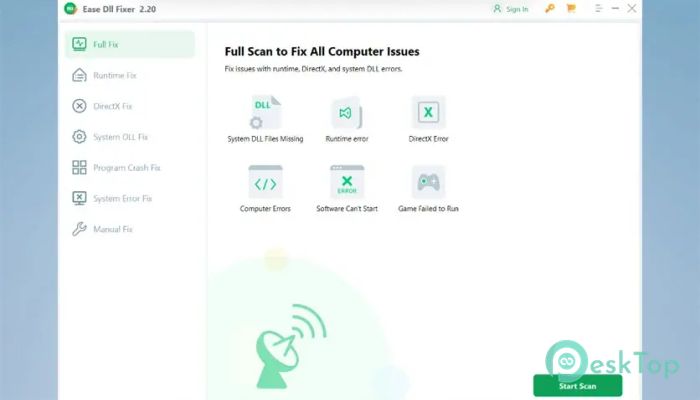
When your computer starts throwing errors like missing DLL files or crashing apps, things can get frustrating fast. This software works like a digital mechanic, scanning your system and fixing issues that slow everything down. It focuses on solving common Windows problems without requiring technical skills. The tool is designed to handle DLL errors, runtime problems, DirectX issues, and even game crashes. Instead of manually searching for files online, it provides an automatic solution that saves time and effort. It’s like having a repair expert built right into your PC.Features of Ease DLL Fixer
This software comes packed with helpful features that make it easy to fix errors and improve system performance.
One-click repair for missing or damaged DLL files
Automatic detection of runtime errors
Quick fixes for DirectX-related problems
Optimized system repair for better performance
Supports fixing game and software crashes
User-friendly interface for beginners
Fix DLL Issues Instantly
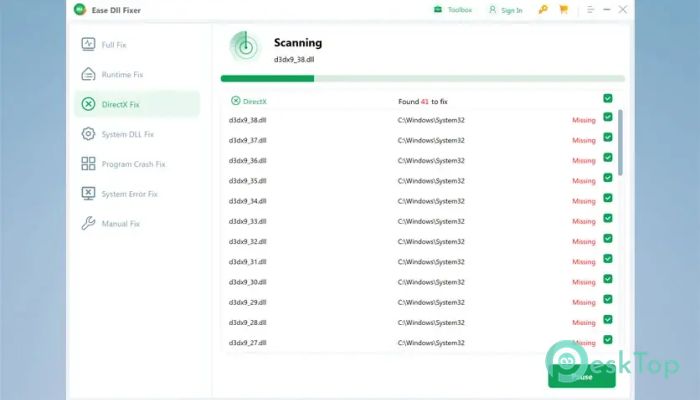
DLL errors are one of the most common problems in Windows. They can appear when files go missing or become corrupted. The tool scans your system and automatically replaces faulty files. It works like a puzzle solver, putting missing pieces back where they belong.
This means you don’t need to download DLL files from unknown websites, which can be risky. Instead, everything is handled safely and efficiently in one place.
Repair Runtime Errors Easily
Runtime errors often occur when programs fail to execute properly. These issues can disrupt your workflow or cause your apps to crash without warning. The software detects these problems and fixes them before they cause serious damage.
Think of it as a safety net that catches problems before they escalate. It ensures your applications run smoothly without sudden interruptions.
Resolve DirectX Problems
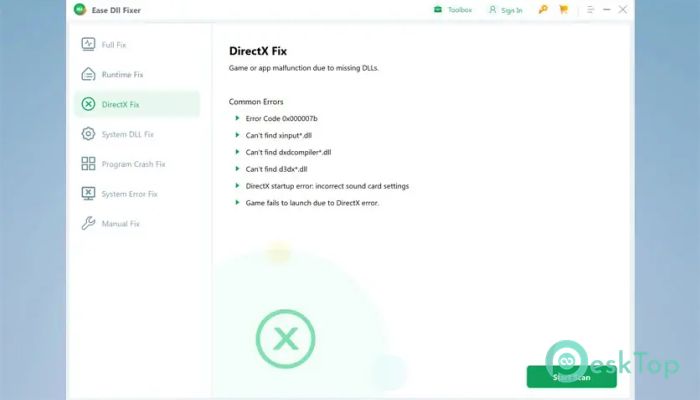
DirectX errors are especially frustrating for gamers. They can prevent games from launching or cause graphical glitches. The tool identifies missing or damaged DirectX components and restores them instantly.
This helps bring back smooth visuals and stable gameplay. It’s like tuning your engine so everything runs perfectly again.
Improve Overall Computer Performance
System issues can slow down your PC over time. From startup delays to unexpected freezes, these problems build up quietly. The software scans your system and repairs these hidden issues.
After fixing them, your PC feels faster and more responsive. It’s similar to cleaning out a room's clutter so everything works better.
Fix Software Crashes
Crashing applications can ruin your productivity. Whether it’s a work tool or a favorite app, these issues can be annoying. The tool repairs the underlying causes, allowing programs to run without interruptions.
It acts like a stabilizer, keeping everything running smoothly even under heavy use.
Eliminate Game Errors
Game errors often occur due to missing files or compatibility issues. The software restores these files and ensures games launch correctly. It brings your gaming experience back to life without complicated fixes.
Instead of troubleshooting for hours, you get a quick and reliable solution that lets you focus on playing.
Simple and User-Friendly Interface
Not everyone is a tech expert, and that’s where this tool shines. Its interface is clean and easy to navigate. You don’t need special knowledge to use it.
Everything is clearly labeled, and most fixes can be done with a single click. It feels more like using a simple app rather than a complex system tool.
Safe and Reliable Repairs
Safety is important when fixing system files. The software ensures that all repairs are done securely. It avoids risky downloads and uses trusted methods to restore files.
This gives you peace of mind while improving your system’s health.
System Requirements and Technical Details
Operating System: Windows 11 / 10 / 8.1 / 7
Processor: Minimum 1 GHz Processor (2.4 GHz recommended)
RAM: 2GB (4GB or more recommended)
Free Hard Disk Space: 200MB or more is recommended

-
Program size21.27 MB
-
Version1.0
-
Program languagemultilanguage
-
Last updatedBefore 5 Month
-
Downloads96
 Reportizer
 AccdbMerge
 RdpGuard
 Checkbook For Excel
 SysTools SQL Recovery
 Pointdev Ideal Dispatch