
 Arabic
  English
  Turkish
  Chinese
  Japanese
  Russian
  Spanish
  German
  French
  Hindi
Hindi Download Emdash 1.0 for Windows
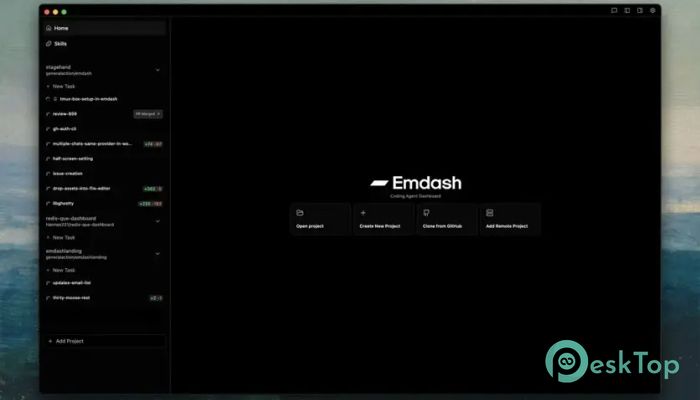
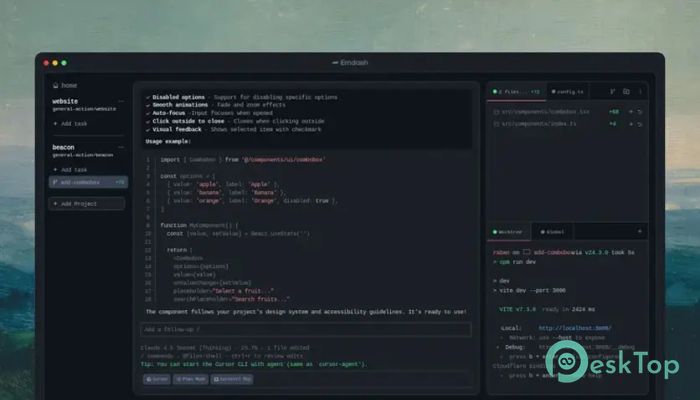
Download Emdash 1.0 for Windows.
Emdash Overview
This powerful desktop solution is designed for developers who want more control, more speed, and less chaos in their workflow. It works as an Agentic Development Environment, meaning it allows you to run multiple coding agents at the same time, each safely separated in its own git worktree. Think of it like having several focused assistants working on different tasks without stepping on each other’s toes. Instead of juggling tabs, terminals, and messy branches, the software keeps everything neat and organized. Each agent operates independently, so experiments, feature builds, and debugging sessions stay isolated. That alone can save hours of frustration. What Is an Agentic Development Environment An Agentic Development Environment, or ADE, is like upgrading from a single-lane road to a multi-lane highway. Instead of running one coding assistant at a time, you can spin up several agents and let them work in parallel. Each one lives inside its own git worktree, which keeps code changes separated and clean. This setup makes collaboration between agents smooth and predictable. You can test different approaches, compare outputs, and manage changes without breaking your main project. It feels structured, yet flexible.Features of Emdash
Run Multiple Coding Agents in Parallel
One of the strongest features of the tool is the parallel execution of agents. You are not limited to a single coding assistant. You can run several at once and let them tackle different parts of your codebase.
Imagine assigning one agent to refactor code, another to write documentation, and a third to fix bugs. They all work at the same time, inside their own spaces. It is like having a small development team inside your machine.
Support for Popular CLI Agents
The software supports a growing list of CLI-based coding agents. This includes well-known options such as Claude Code, Qwen Code, Amp, and Codex. You are not locked into one provider, which gives you freedom and flexibility.
Being provider-agnostic means you can choose the agent that fits your workflow. If one tool performs better for testing and another shines in code generation, you can use both. It adapts to your preferences instead of forcing you into a single ecosystem.
Isolated Git Worktrees for Clean Development
Each agent runs inside its own git worktree. This is a game-changer for developers who often experiment or work on multiple features at once. Instead of creating countless branches and risking merge conflicts, everything stays neatly separated.
It is like giving each agent its own workspace with a private desk. No one moves your files, no one overwrites your changes. You can compare outputs, merge what you like, and discard what you do not.
Work Locally or Over SSH
The flexibility does not stop at local development. You can connect to remote machines using SSH or SFTP and work on remote codebases just as easily as local ones. This is perfect for developers managing servers, cloud environments, or team-based projects.
Once connected, you can run agents on remote projects with the same parallel workflow. It feels seamless. Whether your code lives on your laptop or a remote server, the experience stays consistent.
Secure Authentication and Credential Storage
Security matters, especially when connecting to remote systems. The tool supports SSH agent and key-based authentication. Your credentials are securely stored in your operating system’s keychain, which adds an extra layer of protection.
You do not need to constantly re-enter passwords or manage risky plain-text credentials. Everything is handled safely behind the scenes, so you can focus on building instead of worrying.
Remote Project Management Made Simple
Managing remote projects often feels like walking a tightrope. One small mistake and things can break. With this desktop app, remote development becomes as smooth as working locally.
You can launch multiple agents on remote repositories, isolate their tasks, and monitor progress through a single clean interface. It is like controlling a fleet of robots from a single dashboard.
Why Developers Love This Workflow
Modern development is fast, complex, and sometimes overwhelming. This solution brings structure to that chaos. By allowing multiple agents to work in parallel and isolating each one, it removes the usual pain points of collaboration and experimentation.
Instead of feeling boxed in by limitations, you gain freedom. You can test bold ideas, explore different coding strategies, and refine results without risking your main branch. It encourages creativity while keeping things safe.
System Requirements and Technical Details
Operating System: Windows 11 / 10 / 8.1 / 7
Processor: Minimum 1 GHz Processor (2.4 GHz recommended)
RAM: 2GB (4GB or more recommended)
Free Hard Disk Space: 200MB or more is recommended

-
Program size164.91 MB
-
Version1.0
-
Program languagemultilanguage
-
Last updatedBefore 6 Month
-
Downloads15
 Reportizer
 AccdbMerge
 RdpGuard
 Checkbook For Excel
 SysTools SQL Recovery
 Pointdev Ideal Dispatch