
 Arabic
  English
  Turkish
  Chinese
  Japanese
  Russian
  Spanish
  German
  French
  Hindi
Hindi Download ETAR 2 1.0 for Windows
Download ETAR 2 1.0 for Windows.
ETAR 2 Overview
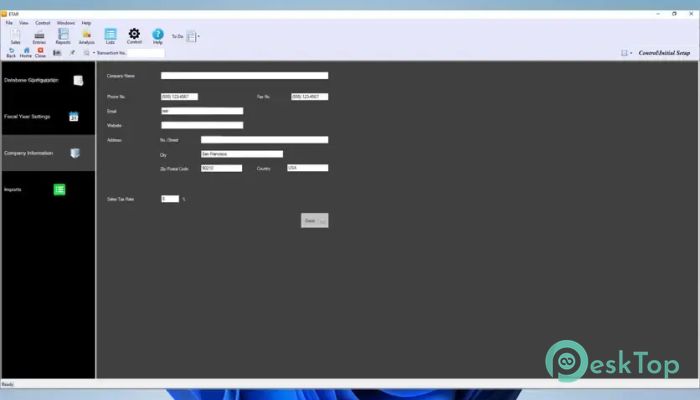
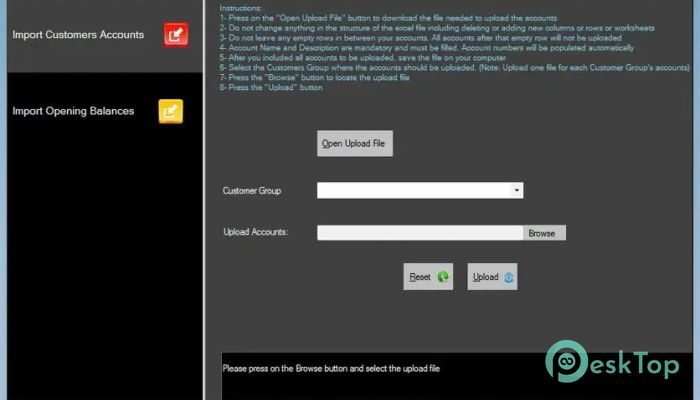
It is a modern business management solution that combines accounting and inventory control into one powerful system. It is designed for companies that buy and sell physical products and need an easy way to manage daily operations. Instead of using separate programs for stock, accounting, and sales, everything is connected in one place. The software builds on the original accounting platform by adding a complete inventory management module. Every sale, purchase, stock movement, and payment is linked automatically, making daily work faster, more accurate, and much easier. It helps business owners spend less time on paperwork and more time growing their business.Features of ETAR 2
Simple and Smart Accounting
The software makes accounting straightforward, even for users with limited financial knowledge. It offers guided entries for daily transactions and keeps every account well organized. Customers and suppliers are updated automatically whenever new transactions are recorded.
Payments, receipts, adjustments, and journal entries can all be managed with just a few clicks. Since accounting is connected to sales and inventory, financial records stay accurate without requiring duplicate data entry.
Complete Inventory Management
Managing stock becomes much easier with the built-in inventory tools. Products can be arranged into categories, groups, and individual items, allowing businesses to keep everything organized from day one.
Stock quantities and product costs are updated instantly whenever products are purchased or sold. The tool also supports stock adjustments for damaged items, corrections, or inventory updates. A complete product ledger keeps a detailed history of every movement, making it simple to track inventory at any time.
Powerful Sales Management
Handling customer sales is smooth because every step follows a connected workflow. Users can create sales orders, prepare delivery notes, generate invoices, and record customer payments without having to repeat the same information.
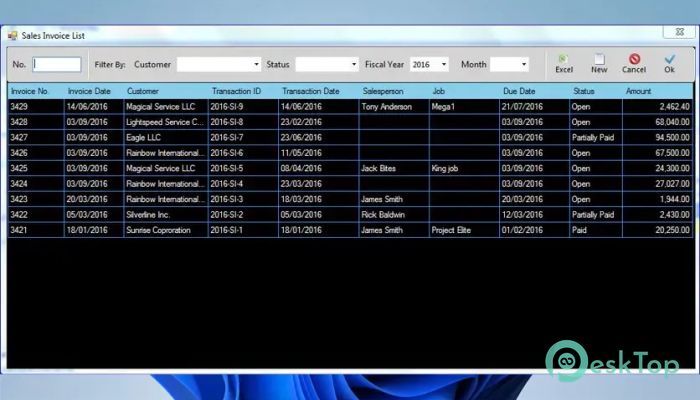
The software also automatically tracks unpaid invoices and customer balances. Built-in sales reports provide useful insights into customer activity, product performance, and overall profitability.
Easy Purchase Control
Purchasing products from suppliers becomes more organized with dedicated purchase management tools. Users can create purchase orders, receive goods into inventory, record supplier invoices, and process payments through a simple workflow.
Outstanding supplier balances are always available, helping businesses avoid missed payments. Cost analysis and purchase tracking also provide better control over spending and inventory planning.
Integrated Business Workflows
One of the biggest strengths of the software is the way every module works together. The complete sales process flows naturally from Order to Delivery, then Invoice, and finally Payment. Every step updates inventory and accounting automatically.
The purchase cycle follows the same pattern: Purchase Order, Goods Receipt, Supplier Invoice, and Payment. This integration reduces manual work, prevents duplicate entries, and keeps business records consistent.
Real-Time Inventory and Financial Updates
The software updates information instantly after every transaction. Selling products automatically reduces stock levels, while purchases increase inventory without requiring manual adjustments.
Accounting entries are generated immediately whenever inventory, sales, or purchases change. This automation helps eliminate human errors and ensures financial reports always reflect the latest business activities.
Detailed Reports and Business Analysis
Business decisions become easier when accurate reports are available. The software generates important financial statements, including the Balance Sheet and Income Statement, helping owners understand their company's financial health.
Users can also produce customer statements, supplier statements, product ledgers, stock movement reports, stock balance reports, sales analysis, purchase tracking, profitability summaries, and activity reports. Reports can be exported to Excel or PDF for sharing or future analysis.
Designed for Growing Businesses
Whether managing a small shop or a growing trading company, the software adapts to changing business needs. Since accounting, inventory, sales, and purchasing all work together, expanding operations becomes much simpler.
Its clean interface allows employees to learn quickly, while automation reduces mistakes that often happen with manual systems. As the business grows, the platform continues to provide accurate information for better decision-making.
Improved Productivity and Accuracy
Running a business is like driving a car with a single dashboard instead of watching several separate gauges. Everything important is available in one place, allowing users to monitor stock, finances, customers, and suppliers without switching between different programs.
This connected approach saves time, improves productivity, and gives business owners greater confidence in their daily operations. With fewer manual tasks, employees can focus on serving customers and growing the business.
System Requirements and Technical Details
Operating System: Windows 11 / 10 / 8.1 / 7
Processor: Minimum 1 GHz Processor (2.4 GHz recommended)
RAM: 2GB (4GB or more recommended)
Free Hard Disk Space: 200MB or more is recommended

-
Program size172.65 MB
-
Version1.0
-
Program languagemultilanguage
-
Last updatedBefore 2 Month
-
Downloads15
 Chess King 2026
 Easy German Platinum
 Easy French Platinum
 Easy English Platinum
 Moneyspire Desktop
 Concept Grid