
 Arabic
  English
  Turkish
  Chinese
  Japanese
  Russian
  Spanish
  German
  French
  Hindi
Hindi Download Ferrite 0.2.8 for Windows
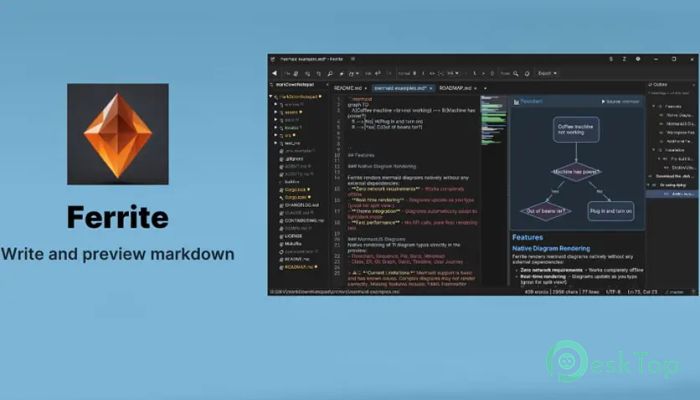
Download Ferrite 0.2.8 for Windows.
Ferrite Overview
It is built for people who want speed without clutter. Created using Rust and the egui framework, this editor opens quickly, stays responsive, and feels solid even with large files. The layout is clean, the tools are practical, and the focus stays on writing and editing rather than menus and pop-ups.Features of Ferrite
Designed for Speed and Simplicity
The software behaves like a well-tuned sports car. It starts fast, responds instantly, and wastes no resources. Every click feels direct. Files open without delay, and switching between views happens smoothly. This makes it ideal for writers, developers, and technical users who work with text all day.
Flexible View Modes for Every Workflow
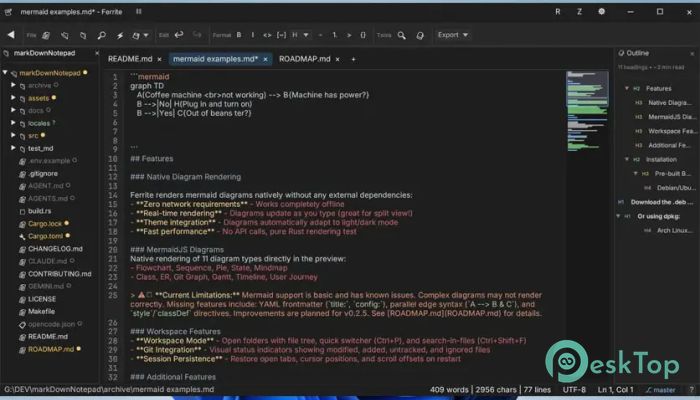
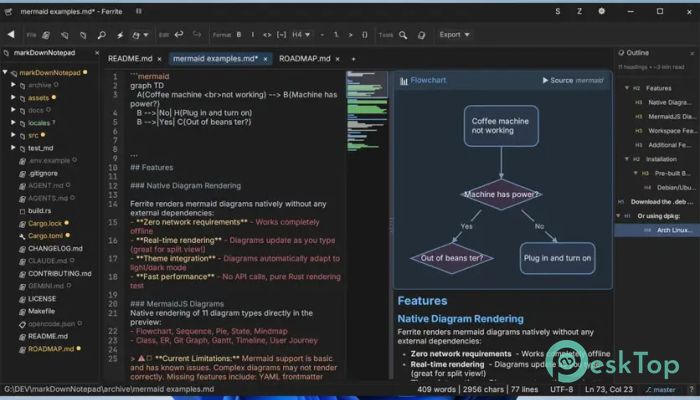
It offers three viewing styles that adapt to how you work. Raw editing mode is perfect for pure text control. Split view lets you write and preview simultaneously. Full WYSIWYG preview turns plain text into a clean visual layout. You can switch modes like changing gears, depending on the task.
Live Markdown Preview That Feels Natural
The tool handles Markdown in a way that feels natural and clear. As you type, the preview updates instantly. Synchronized scrolling keeps both sides aligned, so you never lose your place. It feels like reading a book while writing it at the same time.
Native Mermaid Diagram Support
Creating diagrams is simple and built in. Flowcharts, sequence diagrams, class structures, timelines, and more render directly inside the editor. There is no need for external tools or plugins. Visual ideas appear instantly, like sketching on a digital whiteboard.
Powerful CSV and TSV Viewer
The software turns plain tables into colorful, readable grids. Rainbow column coloring helps visually separate data. Sorting options make large datasets easier to understand. It feels less like staring at raw numbers and more like reading a well-organized spreadsheet.
Structured Data Made Readable
JSON, YAML, and TOML files open as collapsible trees. You can expand or hide sections to focus on what matters. This structure saves time and reduces mistakes, especially when dealing with complex configuration files.
Built-In Git Awareness
It connects smoothly with Git repositories. Visual indicators in the file tree show modified, new, or tracked files at a glance. This makes version control feel less technical and more visual, like traffic signals guiding your workflow.
Workspace Mode for Better Organization
The workspace layout keeps all project files in one place. File tree navigation makes moving between documents easy. You can treat your project like a map, jumping from one location to another without getting lost.
Smart Find and Replace Tools
Searching text is fast and accurate. Regex support gives advanced users extra power, while simple search works great for everyday edits. Replacing content feels controlled, not risky, which is important when working on important files.
Customizable Themes and Visual Comfort
The editor includes more than twenty-five syntax highlighting themes. Dark and light application themes help reduce eye strain. You can adjust the look to match your mood, the lighting in your room, or your personal style.
Zen Mode for Deep Focus
Zen mode removes distractions, leaving only the text in front of you. It feels like closing the door to a quiet room where ideas flow freely. This mode is perfect for long writing sessions or focused editing work.
Multi-Language and Encoding Support
The interface supports multiple languages, making it accessible to users worldwide. Auto-detection of file encoding ensures that text displays correctly, even when working with files from different systems or regions.
Lightweight Yet Reliable
The software stays stable even during long sessions. Memory usage remains low, and performance stays consistent. It feels dependable, like a notebook that never runs out of pages.
Who Should Use It
This tool suits writers, developers, technical editors, and data analysts. Anyone who works with Markdown, structured files, or plain text will appreciate its balance of power and simplicity.
System Requirements and Technical Details
Operating System: Windows 11 / 10 / 8.1 / 7
Processor: Minimum 1 GHz Processor (2.4 GHz recommended)
RAM: 2GB (4GB or more recommended)
Free Hard Disk Space: 200MB or more is recommended

-
Program size11.44 MB
-
Version0.2.8
-
Program languagemultilanguage
-
Last updatedBefore 5 Month
-
Downloads14
 Reportizer
 AccdbMerge
 RdpGuard
 Checkbook For Excel
 SysTools SQL Recovery
 Pointdev Ideal Dispatch