
 Arabic
  English
  Turkish
  Chinese
  Japanese
  Russian
  Spanish
  German
  French
  Hindi
Hindi Download Gram Code Editor 3.2.0 for Windows
Download Gram Code Editor 3.2.0 for Windows.
Gram Code Editor Overview
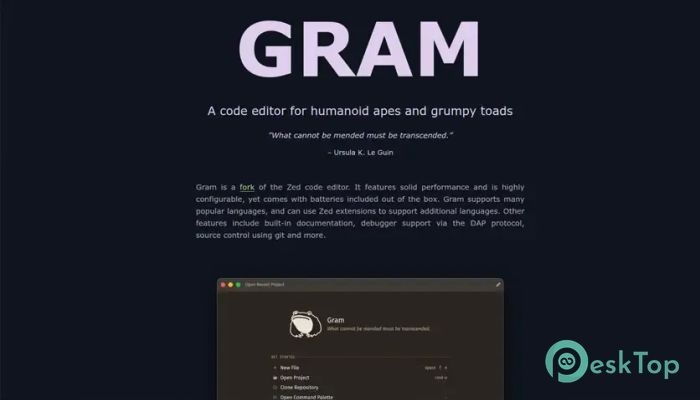
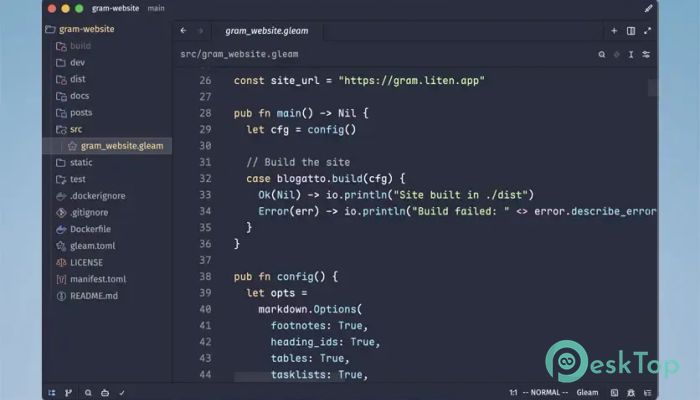
Writing code should feel smooth, not like fighting with your tools. This software delivers exactly that by offering excellent performance, modern features, and a clean interface. Built as a fork of the popular Zed editor, it combines speed with flexibility while keeping everything easy to use. The editor comes ready to use from the moment you install it. Instead of spending hours adding essential features, you can start coding immediately. Whether you're creating websites, desktop applications, or scripts, it provides a reliable workspace for every project.Features of Gram Code Editor
Fast and Responsive Performance
Speed is one of its biggest strengths. Files open quickly, projects load without long waiting times, and navigation feels smooth even when working with large codebases. Every action responds almost instantly, helping you stay focused on your work.
The lightweight design also keeps system resource usage low. This means you can run other development tools alongside it without slowing down your computer.
Highly Configurable Workspace
Every programmer has a unique workflow, and the software makes customization simple. You can adjust themes, keyboard shortcuts, layouts, fonts, and editor behavior to match your personal coding style.
Instead of forcing you into one setup, the tool adapts to your preferences. It feels like arranging your own workshop where every tool is exactly where you need it.
Support for Multiple Programming Languages
The editor works with many popular programming languages and file formats right out of the box. Whether you're writing HTML, CSS, JavaScript, Python, C++, Rust, Go, or other common languages, syntax highlighting and language support are already included.
If you need additional language support, you can also use Zed extensions. This makes it easy to expand its capabilities without replacing your main coding environment.
Built-In Developer Tools
The software includes many useful features that developers expect from a modern editor. Instead of installing separate utilities, you can use built-in documentation, project navigation, and several productivity tools from a single interface.
Having everything together saves time and helps reduce distractions. You can spend more time building software and less time switching between different applications.
Integrated Debugger Support
Finding bugs becomes much easier thanks to support for the Debug Adapter Protocol (DAP). This allows developers to connect compatible debuggers directly to their projects and inspect variables, breakpoints, and program execution.
Rather than guessing where something went wrong, you can step through your code line by line and identify problems with confidence.
Built-In Git Source Control
Version control is an essential part of software development, and the editor includes Git integration. You can view changes, manage commits, and monitor project history without constantly leaving your coding environment.
This built-in support keeps your workflow organized while making collaboration with teammates much more convenient.
Extension Support for Greater Flexibility
Every project has different requirements, so the tool supports extensions that expand its functionality. By using compatible Zed extensions, you can add new programming languages, improve workflows, and personalize the editing experience.
This flexible approach ensures the editor continues to grow alongside your development needs rather than becoming outdated.
Clean and User-Friendly Interface
A clutter-free workspace makes programming more enjoyable. The interface focuses on simplicity while keeping powerful features within easy reach. Menus are organized logically, allowing both beginners and experienced developers to work comfortably.
The modern design reduces distractions and helps you stay focused on writing quality code throughout the day.
Ideal for Different Development Projects
The editor fits many types of programming tasks. It can be used for web development, desktop software, scripting, backend services, open-source contributions, and educational projects.
Whether you're writing a few lines of code or managing thousands of project files, it scales smoothly without becoming complicated.
System Requirements and Technical Details
Operating System: Windows 11 / 10 / 8.1 / 7
Processor: Minimum 1 GHz Processor (2.4 GHz recommended)
RAM: 2GB (4GB or more recommended)
Free Hard Disk Space: 200MB or more is recommended

-
Program size53.20 MB
-
Version3.2.0
-
Program languagemultilanguage
-
Last updatedBefore 2 Month
-
Downloads8
 Reportizer
 AccdbMerge
 RdpGuard
 Checkbook For Excel
 SysTools SQL Recovery
 Pointdev Ideal Dispatch