
 Arabic
  English
  Turkish
  Chinese
  Japanese
  Russian
  Spanish
  German
  French
  Hindi
Hindi Download Jenkins 2.541.1 for Windows

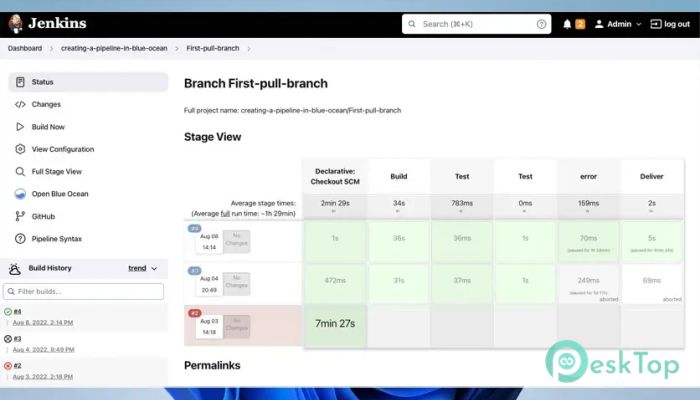
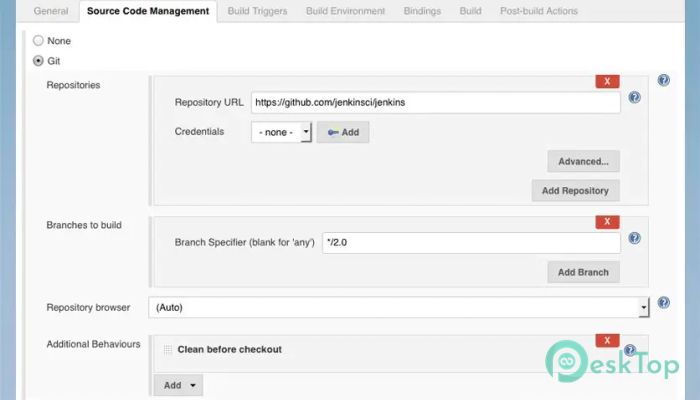
Download Jenkins 2.541.1 for Windows.
Jenkins Overview
It is a self-contained, open-source automation server that helps developers reduce manual effort in their daily workflow. Think of it like a tireless assistant that never gets bored with repeating the same task. It connects the different stages of software development into a single, smooth pipeline, allowing teams to work faster and with fewer mistakes. What makes it stand out is its flexibility. The software adapts easily to both small personal projects and large enterprise systems. Whether you are coding alone or working in a big team, it fits right in without forcing you to change your habits. Why Automation Matters in Modern Development Software development today moves fast, almost like a highway with no speed limit. Manual steps slow everything down and increase the chance of errors. This tool acts like cruise control, keeping things steady and reliable. By automating repetitive steps, developers spend less time clicking buttons and more time solving real problems. It turns complex workflows into predictable routines, which boosts confidence during releases. How It Simplifies Building Projects Building projects can feel like stacking blocks. Miss one piece, and the whole structure falls. The software ensures that every build follows the same steps. Source code is pulled automatically, dependencies are handled, and builds run without guesswork. This consistency reduces the classic “it works on my machine” problem. Everyone gets the same result, no matter where the build runs.Features of Jenkins
Testing Made Faster and Smarter
Testing is like a safety net under a tightrope walker. Without it, one slip can be disastrous. The tool runs tests automatically whenever changes are made, catching issues early before they grow into serious problems.
Instead of waiting until the end, feedback arrives quickly. Developers can fix bugs while the code is still fresh in their minds, saving both time and frustration.
Static Code Analysis for Better Quality
Clean code is easier to maintain, just like a tidy workspace helps you think clearly. Static code analysis checks code quality rules automatically and highlights potential risks.
This approach maintains consistent standards across teams. Small issues are spotted early, preventing technical debt from piling up like unpaid bills.
Smooth Deployment Workflows
Deploying software used to be stressful, similar to launching a rocket with crossed fingers. Automation removes much of that anxiety. The software handles deployments step by step, ensuring the correct version is deployed to the correct environment.
Rollback options add extra safety. If something goes wrong, reverting changes is quick and controlled instead of chaotic.
Plugin Ecosystem That Extends Capabilities
One of its biggest strengths is the massive plugin ecosystem. Plugins work like add-on tools in a toolbox, each designed for a specific job. From version control systems to cloud platforms, there is a plugin for almost everything.
This means the software grows with your needs. You start simple and add features only when required, keeping setups clean and manageable.
Saving Time Through Repetitive Task Automation
Repetitive tasks drain energy. Automating them is like putting chores on autopilot. Once configured, jobs run on their own schedule or in response to events.
This reliability frees mental space. Developers can focus on design, performance, and innovation instead of routine maintenance.
Scales Well From Small Teams to Enterprises
Scalability is another strong point. What works for a single developer also works for hundreds of contributors. Pipelines can be simple or highly complex without losing clarity.
This adaptability makes it suitable for startups and large organizations alike. Growth does not require replacing tools; it only requires expanding configurations.
Community and Open Source Advantage
Being open source brings transparency and trust. A large community constantly improves features, fixes bugs, and shares best practices.
Learning resources are everywhere, making it easier for beginners to get started and for experts to fine-tune advanced setups.
System Requirements and Technical Details
Operating System: Windows 11 / 10 / 8.1 / 7
Processor: Minimum 1 GHz Processor (2.4 GHz recommended)
RAM: 2GB (4GB or more recommended)
Free Hard Disk Space: 200MB or more is recommended

-
Program size92.76 MB
-
Version2.541.1
-
Program languagemultilanguage
-
Last updatedBefore 8 Month
-
Downloads13
 Reportizer
 AccdbMerge
 RdpGuard
 Checkbook For Excel
 SysTools SQL Recovery
 Pointdev Ideal Dispatch