
 Arabic
  English
  Turkish
  Chinese
  Japanese
  Russian
  Spanish
  German
  French
  Hindi
Hindi Download Larry Video Download Manager 1.0 for Windows
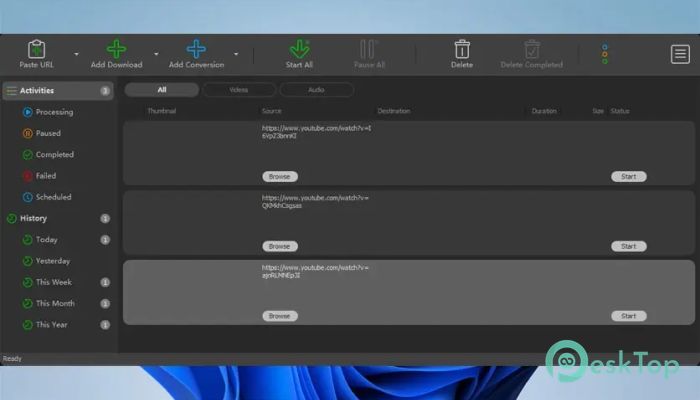
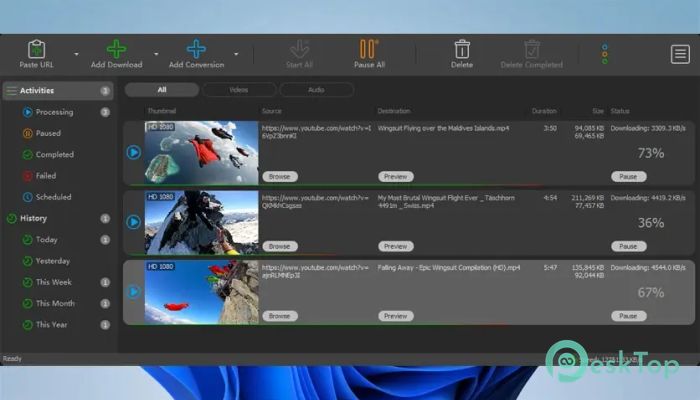
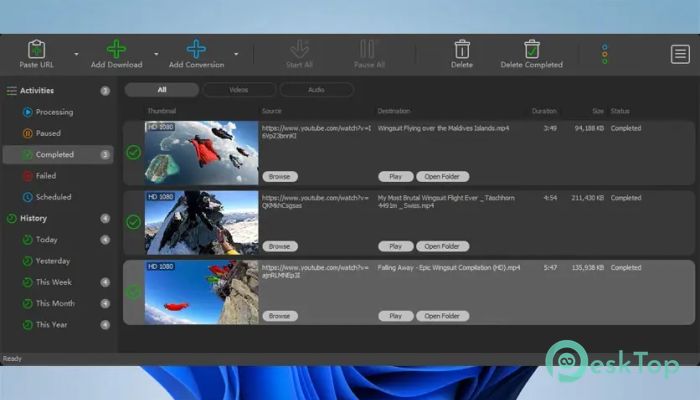
Download Larry Video Download Manager 1.0 for Windows.
Larry Video Download Manager Overview
It is built for people who often download videos and dislike slow speeds, broken downloads, and messy conversions. Instead of juggling multiple apps, the software keeps downloading, managing, and converting in one place. Paste a link or drag it in, select quality, and let it do the heavy lifting. The tool also focuses on speed by splitting files into parts, which can make large downloads feel much quicker than a normal single stream.Features of Larry Video Download Manager
Internet Video Downloading Made Easy
The software's primary function is to download videos from popular and everyday websites. It supports major platforms such as YouTube, Facebook, and TikTok, as well as many other video sites. That means you are not stuck with a single website or a single link style. If you can play a video on a supported site, you can likely save it for offline viewing. It feels like having a “save button” for the internet.
High-Speed Download Accelerator
Slow downloads are frustrating, especially when a video is large or your connection is unstable. The tool uses smart segmentation, which means it breaks a single large download into smaller parts and reassembles them faster. Think of it like sending multiple people to carry boxes instead of one person doing everything alone. In many cases, this can boost speed noticeably and reduce waiting time.
Supports HD, 2K, 4K, and Even 8K Quality
Quality matters when downloading music videos, tutorials, or high-resolution content. It supports high resolutions up to 8 K, including HD 720p, Full HD 1080p, QHD 2K, 4K, and 8K when available from the source. This helps you keep the same sharp look you see online. If you prefer smaller files, you can also choose lower resolutions to save storage space.
Download Only the Audio When You Need It
Sometimes you do not need the full video. Maybe you only want a podcast-style talk, a lecture, or a song. The software can download just the audio stream when the site provides it. This saves time, reduces file size, and keeps your folder clean. It is like taking only the useful part instead of carrying the whole suitcase.
Playlist Downloader for Batch Saves
Downloading videos one by one can feel like repeatedly tapping the same button. The tool supports playlist downloads, so you can download an entire playlist in a few clicks. This is helpful for learning playlists, music collections, or saved series. You set it once, and it keeps going while you do something else.
Download Multiple Videos at the Same Time
It supports simultaneous downloads, allowing you to download multiple videos at once. This is great when you have a lot to save before a trip or when you are collecting resources for offline study. Instead of waiting for each file to finish, the software manages multiple tasks together in a controlled way.
Schedule Downloads and Conversions
Scheduling is useful when you want downloads to start at a specific time, like late at night when your internet is less busy. The tool can automatically start scheduled downloads or conversions on the date and time you choose. It is like setting an alarm clock, but for your downloads, so work happens while you sleep or focus on other tasks.
Pause and Resume Without Losing Progress
Internet issues happen, and sometimes you need to stop a download to free up bandwidth. When a download is paused, interrupted, or broken, the software can resume from where it stopped. This is a lifesaver for large video files, because restarting from the beginning is painful. It helps you maintain momentum rather than repeating the same steps over and over.
Preview Video or Audio While Downloading
Ever downloaded something and later realized it was the wrong video? The tool includes a preview option that lets you view or listen to an incomplete file while it downloads. This lets you confirm you grabbed the right content early, instead of wasting time finishing a file you do not even want.
Download History and Better File Tracking
If you download a lot, it is easy to lose track of what you saved and when. The software can store download history, so you can review your past downloads and stay organized. It also provides a more detailed view of downloaded files, making it easier to find what you need without digging through random folders.
Built-In Video and Audio Converter
Downloading is only half the story. Often, you need a specific format for editing, sharing, or playing in certain apps. The tool also serves as a converter, supporting many formats, including MP4, WebM, MKV, FLV, WMV, MOV, MPG, OGV, TS, VOB, and more. For audio, it covers formats like MP3, AAC, AC3, OGG, M4A, FLAC, WAV, WMA, and MP2. This means you can convert files without installing another separate converter.
Device-Friendly Optimization
Different devices like different file types and settings. The software can optimize video output for devices such as iPhone, iPad, iPod, Samsung Galaxy, Android phones, and Android tablets. This helps you avoid playback problems and keeps videos smooth on your device. It is like having “ready-to-play” settings without manually adjusting complex options.
Extract Audio Streams from Video Files
If you already downloaded a video but now only want the audio, the tool can extract audio tracks and save them in common audio formats. This is useful for turning long videos into audio files for offline listening. It is also helpful when you want to keep a music track or a lecture audio without storing the full video file.
Ready-Made Presets and Custom Settings
Not everyone wants to tweak technical settings. The tool provides ready-made presets for popular video and audio formats, so you can pick quickly and move on. If you are more advanced, you can also customize the format settings. It provides a simple path for quick work and a deeper path for fine control.
Simple Drag-and-Drop Workflow
Ease of use matters, especially for people who download daily. You can drag and drop a video link from your browser into the Drop Box or directly into the software window to start downloading. This saves time and removes the boring copy-paste loop. It feels natural, like dropping a file into a folder.
Extra Playback Help with an Optional Media Player
Sometimes downloaded files do not play well on older players, or you may not have the right codec. If your current player struggles, we recommend an optional Ultimate Media Player for smoother playback. This can be useful when you want a quick “play and go” solution without hunting for compatibility fixes.
System Requirements and Technical Details
Operating System: Windows 11 / 10 / 8.1 / 7
Processor: Minimum 1 GHz Processor (2.4 GHz recommended)
RAM: 2GB (4GB or more recommended)
Free Hard Disk Space: 200MB or more is recommended

-
Program size177.25 MB
-
Version1.0
-
Program languagemultilanguage
-
Last updatedBefore 8 Month
-
Downloads20
 Transmission
 Abelssoft YouTube Song Downloader Plus 2026
 Fast Video Downloader
 3D Youtube Downloader
 Open Video Downloader (youtube-dl-gui)
 qBittorrent