
 Arabic
  English
  Turkish
  Chinese
  Japanese
  Russian
  Spanish
  German
  French
  Hindi
Hindi Download Mayweb 3.0.1 for Windows
Download Mayweb 3.0.1 for Windows.
Mayweb Overview
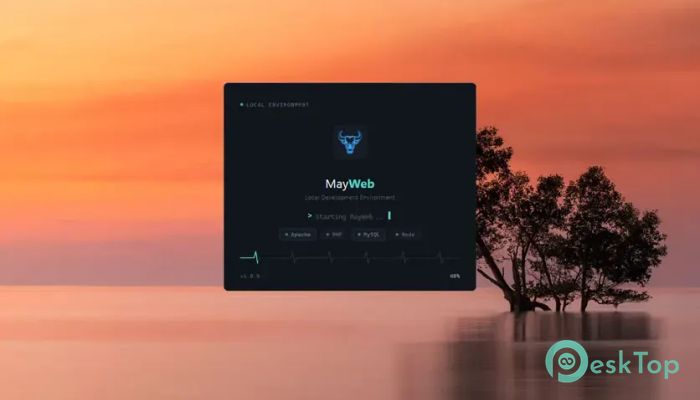
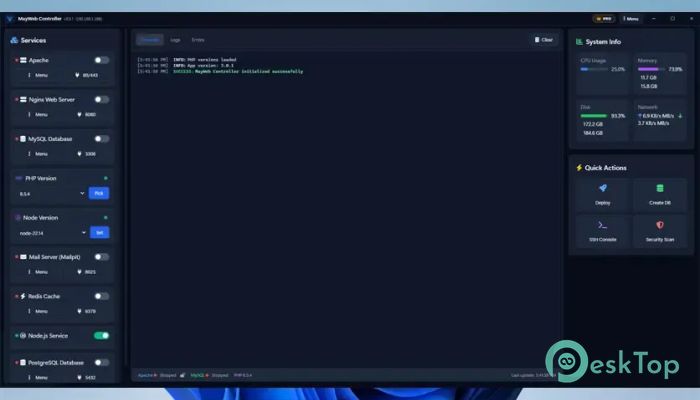
It is a modern local development environment created for developers who want a fast, clean, and reliable workspace. It combines all the essential web development tools into a single, simple interface, making it easy to create and manage projects without complicated configuration. Whether you build websites with plain PHP, Laravel, WordPress, or other frameworks, it gives you everything needed to start working within minutes. The software supports Apache, Nginx, MySQL, MariaDB, Redis, and multiple PHP versions. Instead of installing and managing each component separately, you can control everything from one dashboard. This saves time, reduces errors, and keeps your development environment organized.Features of Mayweb
Fast Local Development Environment
The software is designed to get your development environment running in just a few clicks. Starting services like Apache, Nginx, MySQL, MariaDB, and Redis takes only seconds. You no longer need to edit configuration files manually or remember complex commands.
Its lightweight design keeps system resources low while delivering excellent performance. It feels like driving a sports car rather than a heavy truck, letting your projects load quickly and respond smoothly.
Dynamic PHP Version Switching
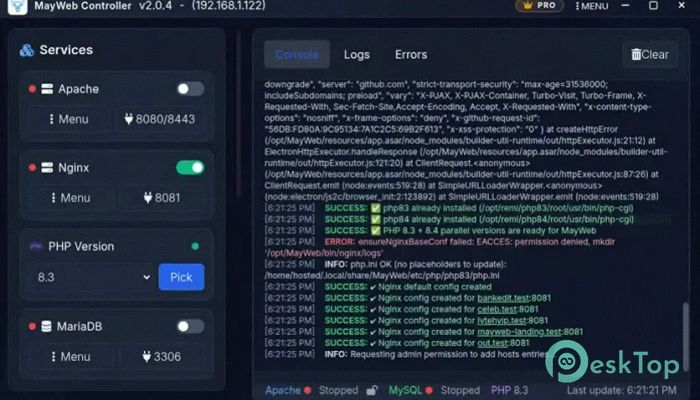
Different projects often require different PHP versions. The tool makes switching between them almost effortless. You can instantly change PHP versions without reinstalling software or creating separate environments.
It also allows you to enable or disable PHP extensions with ease. This flexibility makes testing applications much faster and helps ensure compatibility across multiple development projects.
Simple Service Management
Managing development services becomes incredibly simple through the modern dashboard. You can start, stop, or restart Apache, Nginx, MySQL, MariaDB, Redis, and other supported services with a single click.
Everything is displayed in a clean interface, giving you full control without opening multiple terminal windows. This improves productivity and keeps your workflow focused.
Automatic Virtual Hosts
Creating virtual hosts manually can be confusing, especially for beginners. The software removes that hassle by automatically detecting projects and creating clean virtual hosts with attractive URLs.
Your local websites become easier to organize and access. Instead of using long folder paths, you can simply open neat .test domains directly in your browser.
Trusted Local SSL Certificates
Modern websites rely on HTTPS, even during development. The tool includes a built-in SSL certificate generator powered by OpenSSL, allowing you to create trusted certificates for local projects.
This lets you test secure connections exactly as they work on live servers. It also helps developers catch SSL-related issues before deployment.
Optimized for Popular CMS and Frameworks
The software is specially optimized for Laravel and WordPress, making project setup much faster. Instead of spending time configuring environments, you can focus on writing code and building features.
It also works perfectly with custom PHP applications, giving developers the freedom to create projects of any size while maintaining excellent performance.
One-Click Deployment
Moving a project from your computer to a live server should not be difficult. The tool simplifies deployment with a convenient one-click publishing feature.
Whether you are working on a WordPress website, a Laravel application, or your own PHP project, you can quickly push your work online and save valuable development time.
Advanced Database Management
Database management becomes much easier with the built-in administration tools. You can create new databases, update the root password, view connection details, and manage credentials without leaving the application.
This central management system reduces unnecessary steps and helps you stay productive throughout your development process.
Developer-Friendly Interface
The software was built with developers in mind. Logs, console access, keyboard shortcuts, and monitoring tools are available directly inside the interface. Everything feels natural, helping you spend more time coding and less time searching through menus.
Real-time resource monitoring also shows how much memory and CPU your services use, allowing you to optimize performance as needed.
Safer and More Reliable Development
Safety is an important part of every development environment. The tool includes sensible default settings, predictable network ports, and automatic security checks before services start running.
These built-in protections reduce common configuration mistakes and provide a more stable environment for everyday development work.
System Requirements and Technical Details
Operating System: Windows 11 / 10 / 8.1 / 7
Processor: Minimum 1 GHz Processor (2.4 GHz recommended)
RAM: 2GB (4GB or more recommended)
Free Hard Disk Space: 200MB or more is recommended

-
Program size162.50 MB
-
Version3.0.1
-
Program languagemultilanguage
-
Last updatedBefore 2 Month
-
Downloads17
 Reportizer
 AccdbMerge
 RdpGuard
 Checkbook For Excel
 SysTools SQL Recovery
 Pointdev Ideal Dispatch