
 Arabic
  English
  Turkish
  Chinese
  Japanese
  Russian
  Spanish
  German
  French
  Hindi
Hindi Download MLogicTech Py2MSIX Python to App Store Packager 1.0.1 for Windows
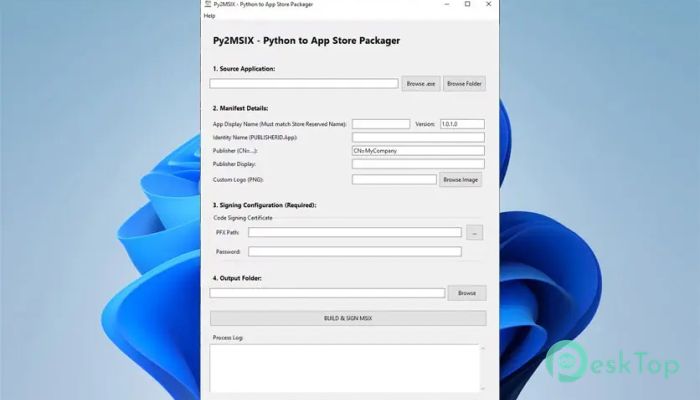
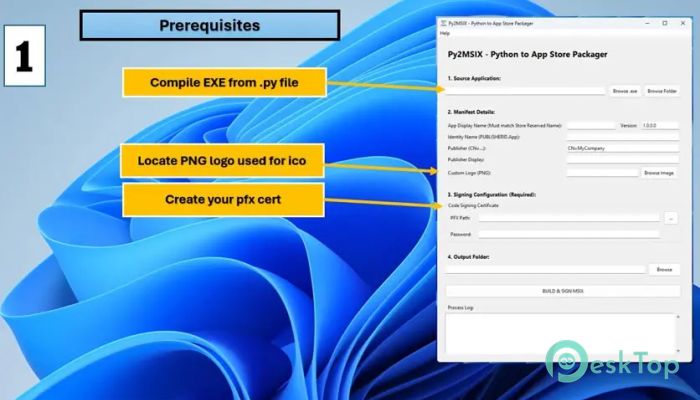
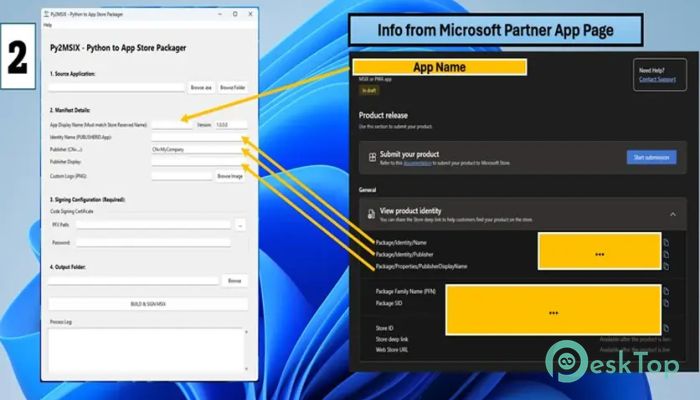
Download MLogicTech Py2MSIX Python to App Store Packager 1.0.1 for Windows.
MLogicTech Py2MSIX Python to App Store Packager Overview
It is built for developers who want a smooth path from a working Python project to a store-ready application. Instead of wrestling with command-line tools, certificates, and lengthy documentation, the software brings everything into a single, clean interface. You select your script or folder, adjust a few settings, and let the tool handle the rest. Think of it as a bridge that carries your Python work safely onto the Microsoft Store highway.Features of MLogicTech Py2MSIX Python to App Store Packager
Purpose and Core Idea
The main goal is to remove friction from app packaging. Many developers hesitate to publish because MSIX feels confusing and time-consuming. This tool removes that mental roadblock. It wraps Python code into a compliant MSIX package, prepares the required structure, and keeps everything aligned with store rules. You focus on building features, while the software handles the tedious but critical packaging work.
Simple Dashboard Experience
The dashboard feels more like a control panel than a developer utility. Buttons are clear, options are explained in plain language, and progress is visible at every step. Instead of typing commands and hoping nothing breaks, you click through a guided flow. It is like using a map instead of guessing directions in a new city.
Automatic MSIX Packaging
It automatically creates an MSIX package from your Python script or compiled executable. The tool understands what the Microsoft Store expects and structures files accordingly. This saves hours of manual setup and reduces errors that often lead to store rejections. The process feels fast, clean, and predictable.
Manifest Creation Made Easy
Creating a correct app manifest is one of the trickiest parts of store publishing. The software handles this by generating a compliant manifest file behind the scenes. You enter basic app details, including name, version, and permissions. It fills in the technical gaps, much like a form assistant that knows precisely what the system needs.
Built-In App Signing
Signing an application can feel intimidating, especially for first-time publishers. This tool simplifies that step by integrating signing into the workflow. It manages certificates and ensures the final package is correctly signed. This means fewer errors and a smoother submission experience when you upload your app.
Perfect for Beginners and Professionals
It works equally well for newcomers and experienced developers. Beginners appreciate the guided approach and lack of technical hurdles. Professionals enjoy the speed and reliability it brings to their workflow. Whether you are publishing your first utility or maintaining a portfolio of apps, the software adapts to your pace.
Supports Scripts and Executables
You are not limited to raw scripts only. The tool can package full Python folders and compiled executables too. This flexibility makes it useful for a wide range of project types, from small automation tools to complete desktop applications. It treats your project like finished work, not a fragile experiment.
Reduces Store Rejection Risk
Store rejections are frustrating and often unclear. By automatically adhering to MSIX standards, the software reduces the risk of common errors. It acts like a safety net, catching issues before submission. This leads to faster approvals and fewer back-and-forths with store guidelines.
Time Saving Workflow
Manual packaging can take days when learning from scratch. With this solution, the same task can be done in minutes. It feels like switching from hand washing clothes to using a washing machine. The result is the same, but the effort is dramatically lower.
Ideal for Store Focused Publishing
If your goal is the Microsoft Store, the tool is designed for that destination. Every feature points toward compliance, simplicity, and speed. It does not try to be everything at once. Instead, it does one job very well and removes unnecessary distractions.
System Requirements and Technical Details
Operating System: Windows 11 / 10
Processor: Minimum 1 GHz Processor (2.4 GHz recommended)
RAM: 2GB (4GB or more recommended)
Free Hard Disk Space: 200MB or more is recommended

-
Program size29.30 MB
-
Version1.0.1
-
Program languagemultilanguage
-
Last updatedBefore 9 Month
-
Downloads22
 Reportizer
 AccdbMerge
 RdpGuard
 Checkbook For Excel
 SysTools SQL Recovery
 Pointdev Ideal Dispatch