
 Arabic
  English
  Turkish
  Chinese
  Japanese
  Russian
  Spanish
  German
  French
  Hindi
Hindi Download NCH Express Accounts Free 1.0 for Windows
Download NCH Express Accounts Free 1.0 for Windows.
NCH Express Accounts Free Overview
Designed for small business owners who want control without complexity, this accounting solution focuses on tracking cash flow in a clean and organized way. It helps record income, expenses, payments, and purchases, so financial data never feels scattered. Everything stays in one place, making daily bookkeeping feel less like a chore and more like a routine task. The software runs offline after installation, so your data remains accessible even without an internet connection. Automatic backups quietly protect your records in the background, giving peace of mind while you focus on running your business.Features of NCH Express Accounts Free
Easy Cash Flow Tracking
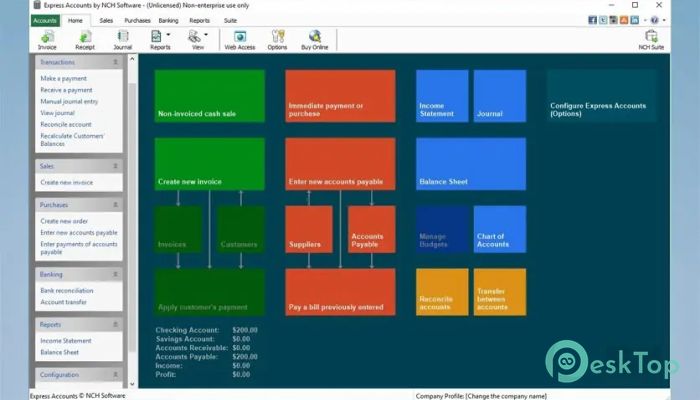
Keeping an eye on money coming in and going out is the heartbeat of any business. This tool makes it simple to track payments, deposits, and cash movements without digging through spreadsheets. Transactions are recorded clearly, so balances are always clear at a glance.
Instead of guessing where your money went, it presents a clear financial trail. It feels like having a digital notebook that updates automatically whenever cash moves.
Sales and Accounts Receivable Management
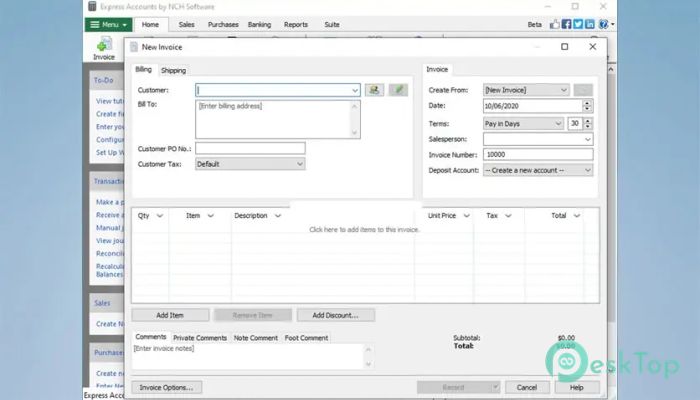
Handling sales becomes smoother and more predictable with built-in invoicing and recurring order tools. It automatically updates accounts receivable as invoices are paid, saving time and reducing errors. You can create professional quotes, sales orders, and invoices that look polished and trustworthy.
This setup ensures that customer, payment, and sales data remain connected. It is like having an intelligent assistant that remembers who owes what and keeps records tidy.
Accounts Payable and Expense Control
Managing outgoing payments is just as important as tracking income. This software helps organize bills, purchases, and supplier payments within a single workflow. Purchase orders can be generated quickly, and checks can be created and printed without extra tools.
Careful expense tracking makes it easier to understand where money is spent. This insight helps avoid surprises and supports better budgeting decisions.
Financial Analysis and Reporting Tools
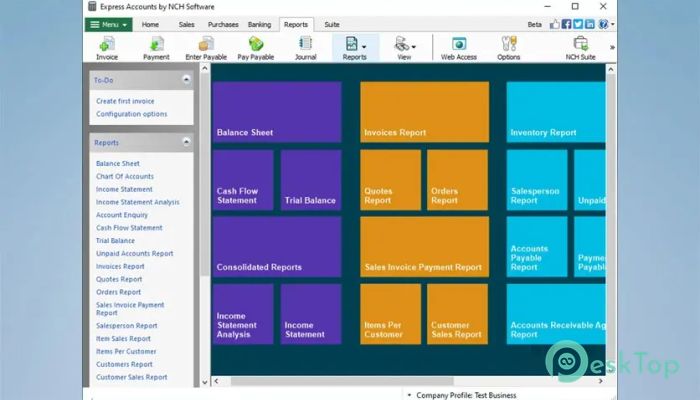
Understanding business performance becomes easier with access to over twenty essential financial reports. Income statements show profit and loss, while balance sheets present assets and liabilities in a clear format.
Reports can also analyze sales by customer, salesperson, or item. These insights help identify strengths and areas for improvement, making planning more informed and less stressful.
Tax Preparation and Compliance Support
Financial reports generated by the software help prepare tax returns faster and with fewer mistakes. For businesses that need VAT reporting, it supports automatic MTD VAT reporting to HMRC, reducing manual work.
This feature turns tax season from a headache into a more manageable process, like having a checklist that fills itself.
Integration and Multi-Business Support
Inventory management becomes easier through integration with Inventoria, keeping stock data aligned with sales and purchases. In the commercial version, a single installation can manage multiple companies, including those using different currencies.
This flexibility makes it suitable for growing operations seeking a single, consistent accounting environment.
Offline Access and Data Security
Once installed, everything runs locally on your system. This offline capability ensures continued access to financial records at any time. Automatic integrated backups add an extra layer of protection, safeguarding important data without manual effort.
It feels like having a locked filing cabinet that quietly replicates itself.
User-Friendly Experience
The interface is built for everyday users, not accounting experts. Menus are straightforward, and tasks follow logical steps. Whether creating invoices or checking balances, actions feel natural and quick.
This simplicity reduces learning time and helps users stay focused on business goals rather than on software details.
System Requirements and Technical Details
Operating System: Windows 11 / 10 / 8.1 / 7
Processor: Minimum 1 GHz Processor (2.4 GHz recommended)
RAM: 2GB (4GB or more recommended)
Free Hard Disk Space: 200MB or more is recommended

-
Program size2.50 MB
-
Version1.0
-
Program languagemultilanguage
-
Last updatedBefore 9 Month
-
Downloads21
 Chess King 2026
 Easy German Platinum
 Easy French Platinum
 Easy English Platinum
 Moneyspire Desktop
 Concept Grid