
 Arabic
  English
  Turkish
  Chinese
  Japanese
  Russian
  Spanish
  German
  French
  Hindi
Hindi Download OpenAI Codex 26.429.8261.0 for Windows
Download OpenAI Codex 26.429.8261.0 for Windows.
OpenAI Codex Overview
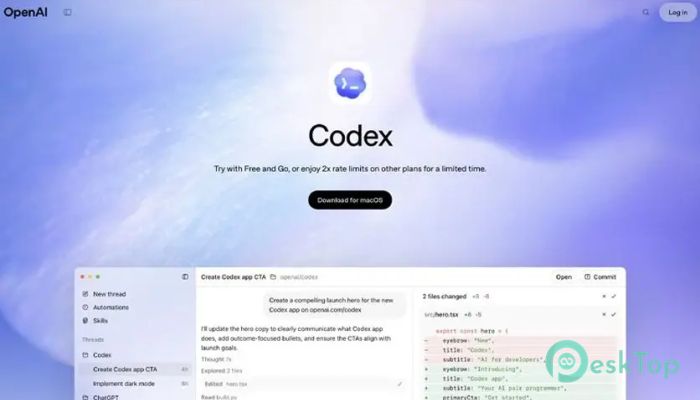
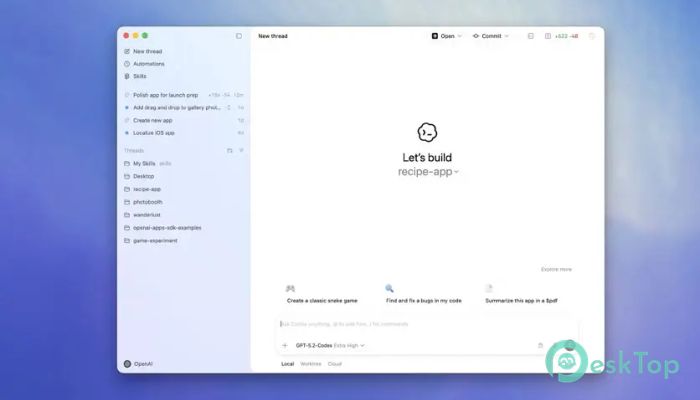
It is an advanced coding assistant designed to help developers turn ideas into working software more efficiently. Instead of spending hours writing repetitive code or fixing small issues, developers can rely on this intelligent system to handle many tasks automatically. It works like a digital teammate that understands programming languages and helps complete tasks from start to finish. The platform acts as a command center for modern development. It can analyze existing code, build new features, perform complex refactoring, and even assist with migrations. Powered by advanced coding models, it helps programmers move faster without sacrificing quality. Think of it like having an experienced engineer sitting beside you all day. The tool reads your instructions, understands your project's structure, and writes clean, efficient code. This makes development smoother, especially for large and complex software projects.Features of OpenAI Codex
Agentic Coding Environment
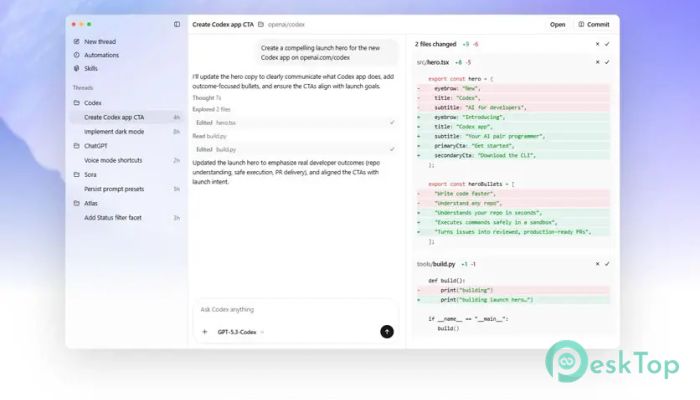
One of the most impressive aspects of the software is its agentic coding environment. Instead of simply generating code snippets, the system acts as an autonomous assistant capable of completing entire tasks. Developers can assign work, and the system handles it step by step until the job is finished.
This environment allows multiple coding agents to work simultaneously on different tasks. Each agent focuses on a specific part of the project, such as building features, fixing bugs, or optimizing existing code. As a result, large development tasks that normally take weeks can be completed in just a few days.
It is similar to running a well-organized workshop where every worker knows exactly what to do. The software distributes the workload efficiently, ensuring that projects move forward quickly and smoothly.
Built-In Worktrees and Cloud Environments
The tool includes built-in worktrees and cloud environments, allowing developers to run multiple development branches in parallel. This is extremely useful when testing new ideas without disturbing the main project.
Instead of manually setting up complex environments, everything is handled automatically. The software creates safe development spaces where agents can test code, experiment with features, and verify results.
This approach saves a huge amount of time. Developers no longer need to spend hours configuring environments or managing dependencies. The system prepares everything behind the scenes so the team can focus on building software.
Smart Skills for Coding and Beyond
The platform is not limited to writing code. With its advanced Skills system, it can contribute to several parts of the development workflow. For example, it can understand existing codebases, generate documentation, and build prototypes.
Documentation is often one of the most neglected parts of software development. Many teams struggle to keep their documentation up to date. The software solves this problem by automatically generating and updating documentation from the current code.
Another useful feature is code understanding. When developers join a new project, it can take days or even weeks to understand the system's structure. The software can quickly analyze the code and explain how different components work together.
This makes onboarding faster and helps teams maintain consistency across projects.
Automations That Work in the Background
The software also includes automation features that handle routine tasks automatically. These tasks may seem small, but they often consume a lot of developer time.
For example, it can manage issue triage by reviewing bug reports and organizing them based on priority. It can also monitor alerts and detect potential problems before they become serious.
Another helpful automation feature is CI/CD support. Continuous integration and deployment are essential for modern development, but maintaining these pipelines can be complex. The system can automatically monitor and manage them, ensuring smooth deployments.
By handling repetitive work, the tool allows developers to focus on what truly matters—building innovative products.
Improved Code Quality and Testing
High-quality code is essential for stable software, and the software helps teams maintain strong coding standards. It performs detailed analysis and suggests improvements that reduce errors and improve performance.
It also assists with testing. The system can automatically generate test cases, ensuring that new features work correctly and do not break existing functionality. This reduces the chances of bugs slipping into production.
Imagine having a vigilant code reviewer who checks every line before it is merged. That is essentially what the system does. It identifies issues early so developers can fix them before they cause problems.
This approach helps teams ship software with confidence.
Accelerating Team Productivity
For development teams, speed and collaboration are extremely important. The software acts like a productivity engine that accelerates every stage of the development process.
Instead of working alone on complex problems, developers receive assistance from intelligent agents that analyze tasks and suggest solutions. These agents can write functions, restructure code, and even recommend better architectural designs.
Teams can also collaborate more effectively because the system maintains consistency across the codebase. Coding standards, formatting, and best practices are automatically applied.
This results in cleaner code, fewer mistakes, and faster project completion.
Why Developers Love AI Coding Assistants
Modern software development is becoming increasingly complex. Projects involve multiple programming languages, frameworks, and tools. Keeping everything organized can be challenging.
AI coding assistants simplify this complexity. They act as intelligent partners, helping developers focus on solving real problems rather than dealing with repetitive work.
For beginners, the software provides guidance and helps them learn faster. For experienced developers, it removes many of the routine tasks that slow down productivity.
It is like having a powerful toolbox that not only contains tools but also knows how to use them.
System Requirements and Technical Details
Operating System: Windows 11 / 10
Processor: Minimum 1 GHz Processor (2.4 GHz recommended)
RAM: 2GB (4GB or more recommended)
Free Hard Disk Space: 500MB or more is recommended

-
Program size410.79 MB
-
Version26.429.8261.0
-
Program languagemultilanguage
-
Last updatedBefore 5 Month
-
Downloads181
 Reportizer
 AccdbMerge
 RdpGuard
 Checkbook For Excel
 SysTools SQL Recovery
 Pointdev Ideal Dispatch