
 Arabic
  English
  Turkish
  Chinese
  Japanese
  Russian
  Spanish
  German
  French
  Hindi
Hindi Download Paseo AI 0.3.1 for Windows
Download Paseo AI 0.3.1 for Windows.
Paseo AI Overview
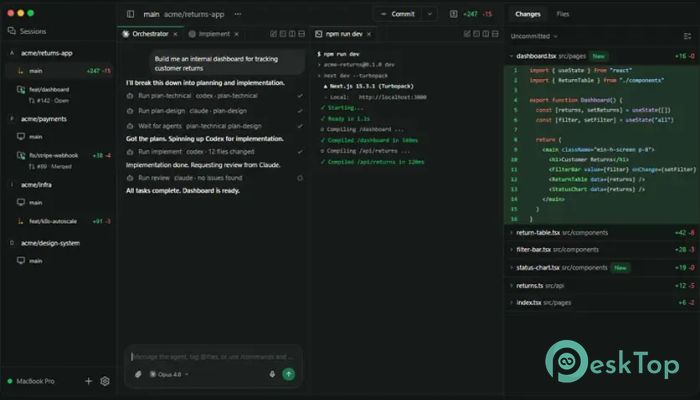
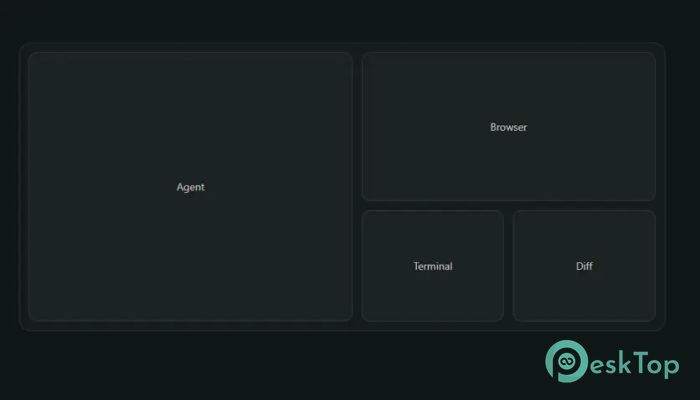
It is an advanced open-source platform designed for developers who want to run AI coding agents directly in their local environment rather than relying on cloud-based tools. It connects your system to powerful agents such as Claude Code, Codex, and OpenCode, allowing you to automate development tasks while maintaining full control over your code and data. The tool is built for flexibility, speed, and privacy, making it ideal for modern software workflows. It works like a personal command center for AI-driven development. Instead of switching between multiple tools or cloud dashboards, you can manage everything from one interface. Whether you are building apps, reviewing code, or automating repetitive tasks, the software brings everything together into a smooth, unified experience.Features of Paseo AI
Modern Self-Hosted AI Coding Environment
The software creates a local-first development environment where AI agents run directly on your machine. This means your projects stay within your system instead of being uploaded to external servers. It feels like having a powerful assistant sitting inside your own workspace, ready to execute coding tasks whenever needed.
This setup is especially useful for developers who care about performance and privacy. Since everything runs locally, there is no dependency on cloud latency, making tasks faster and more reliable.
Voice Support for Hands-Free Control
One of the standout features of the tool is its built-in voice support. You can communicate with your AI agents using natural speech instead of typing commands. This makes the workflow more fluid and interactive, almost like having a real conversation with your development assistant.
On-device speech processing ensures that voice data is handled locally, keeping it secure while still delivering fast response times. It is particularly helpful during multitasking or when working on complex projects.
Multi-Provider Agent Support
The platform supports multiple AI providers, allowing users to switch between different models such as Claude Code, Codex, and OpenCode. This flexibility ensures that developers can choose the best tool for each task depending on performance, accuracy, or cost requirements.
Instead of being locked into a single ecosystem, the tool serves as a bridge connecting all major AI coding systems through a unified interface. This makes experimentation and comparison much easier for developers.
Git Worktrees for Safe Experimentation
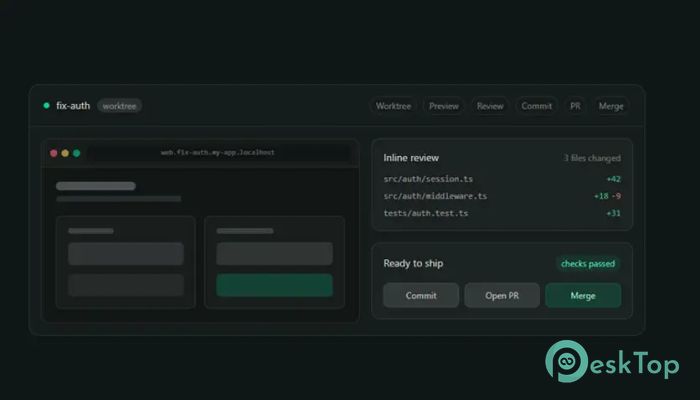
To make development safer and more organized, the software uses Git worktrees. This allows AI agents to work in isolated branches without affecting your main project. You can test changes, run experiments, and review outputs without risking your stable codebase.
This feature works like having multiple parallel workspaces for your project. Each agent can explore different solutions, and you can choose the best result before merging it into your main branch.
Real-Time Streaming and Notifications
The tool provides real-time streaming of agent outputs, so you can see exactly what the AI is doing in real time. This transparency helps you understand the decision-making process and track progress step by step.
In addition, push notifications alert you when tasks are completed. This means you don’t need to constantly monitor the system. You can focus on other work and return when the results are ready.
Self-Hosted Privacy Focused Architecture
Privacy is one of the strongest aspects of this platform. Since it is self-hosted, all your code, projects, and AI interactions remain on your own machine or server. Nothing is sent to third-party cloud services unless you explicitly configure it.
This approach gives developers full ownership of their data. It is like having a private lab where you control every experiment without outside interference.
Remote Access and Encrypted Relay
The software also supports optional remote access through an encrypted relay system. This allows you to connect to your local development environment from anywhere in the world while keeping your data secure.
It is useful for developers who work on the go. Whether you are using a laptop, desktop, or even a terminal, you can access your AI agents safely without exposing your system to security risks.
System Requirements and Technical Details
Operating System: Windows 11 / 10 / 8.1 / 7
Processor: Minimum 1 GHz Processor (2.4 GHz recommended)
RAM: 2GB (4GB or more recommended)
Free Hard Disk Space: 200MB or more is recommended

-
Program size110.14 MB
-
Version0.3.1
-
Program languagemultilanguage
-
Last updatedBefore 2 Month
-
Downloads42
 Reportizer
 AccdbMerge
 RdpGuard
 Checkbook For Excel
 SysTools SQL Recovery
 Pointdev Ideal Dispatch