
 Arabic
  English
  Turkish
  Chinese
  Japanese
  Russian
  Spanish
  German
  French
  Hindi
Hindi Download PDFZilla SecureDrive 1.0 for Windows
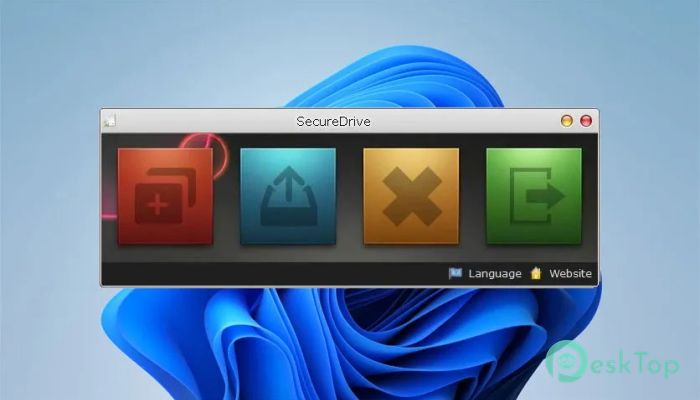
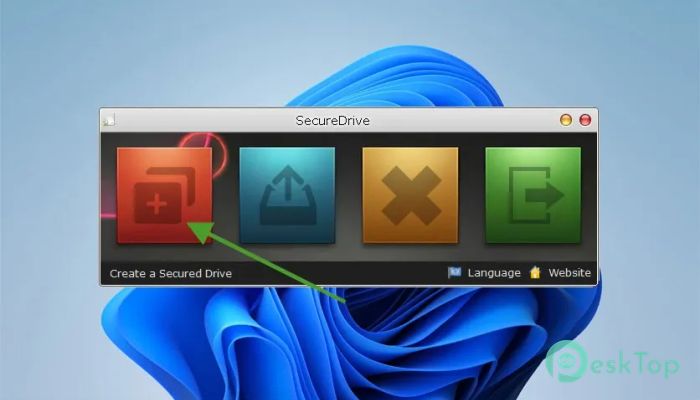
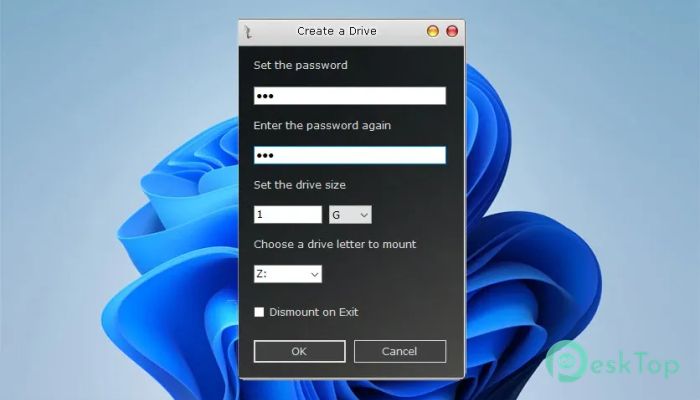
Download PDFZilla SecureDrive 1.0 for Windows.
PDFZilla SecureDrive Overview
When it comes to protecting sensitive data, many tools feel either too complex or too limited. This software changes that by offering a balanced approach that combines security and simplicity. It creates encrypted virtual drives that behave just like regular storage on your computer, making protection feel natural rather than complicated. The tool works by turning your confidential files into a secure container accessible only to you. Think of it like a digital safe that looks like a normal folder on the outside but is fully locked from the inside. This makes it ideal for users who want strong protection without having to learn technical steps.Features of PDFZilla SecureDrive
Encrypted Virtual Volumes
One of this utility's core strengths is its ability to create encrypted volumes. These are special files that act like hidden storage spaces. Everything stored inside them is automatically encrypted, meaning even if someone gains access to the file, they cannot read its contents without the correct password.
It works like placing your valuables in a locked vault. Even if the vault is moved or copied, the contents remain protected. This makes it perfect for storing documents, personal media, or confidential work files.
Seamless Windows Integration
The best part about this software is how naturally it fits into the Windows environment. Once you mount a volume, it appears as a normal drive letter just like your hard disk or USB drive. You can open files, drag and drop folders, and even run programs directly from it.
There is no need to learn anything new. It feels like using your everyday storage, except everything is protected behind strong encryption. This smooth experience makes it suitable for beginners and advanced users alike.
Multi-Volume Support
Managing data becomes easier when you can organize it properly. The tool allows you to create multiple encrypted volumes, each acting as its own secure container. You can organize your files into categories such as work, personal, or backup archives.
This flexibility helps you stay organized while maintaining strict control over each section. Every volume can have its own password and size, giving you full control over how your data is stored and protected.
Flexible Session Management
Different users have different workflows, and this utility understands that well. You can choose to keep your encrypted drive mounted even after closing the main program. This allows you to continue working without interruptions.
On the other hand, if security is your priority, you can enable automatic dismount when exiting. This ensures that your protected files are instantly locked once you finish your session. It’s like closing a vault door behind you every time you leave.
Read-Only Protection Mode
Sometimes, you only need to view your files without making any changes. That’s where the read-only mode comes in. It lets you open your encrypted volume in a safe environment where no files can be modified, deleted, or infected.
This is especially useful when dealing with sensitive archives or when accessing files on shared systems. It acts as a protective shield, preventing accidental changes or harmful actions like ransomware attacks.
Stealth and Privacy Features
Privacy is not just about encryption but also about leaving no trace. This software stores your data inside a single container file. When the volume is dismounted, it disappears completely from the system view.
There are no leftover files or visible traces in the operating system. It’s like having a hidden drawer that only appears when you unlock it. This ensures maximum confidentiality for your information.
Lightweight and Efficient Performance
Many security tools slow down your system, but this one is designed to be lightweight. It performs encryption and decryption in real time without putting a heavy load on your CPU.
You can work with large files, move folders, or run applications without noticing any lag. This smooth performance makes it ideal for daily use, even on systems with limited resources.
Ease of Use for Everyone
One of the biggest advantages is its ease of use. The interface is simple and clean, making it easy for anyone to get started. You don’t need technical knowledge to create or manage encrypted volumes.
It feels like setting up a regular folder, but with an added layer of strong protection. This makes it a great choice for students, professionals, and anyone who values privacy.
Practical Use Cases
This tool can be used in many real-life situations. If you are a developer, you can protect your source code. If you handle financial data, you can store records safely. Even for personal use, it’s perfect for keeping private photos, documents, or passwords secure.
It’s like having a personal security guard for your files, always watching and protecting them in the background without getting in your way.
System Requirements and Technical Details
Operating System: Windows 11 / 10
Processor: Minimum 1 GHz Processor (2.4 GHz recommended)
RAM: 2GB (4GB or more recommended)
Free Hard Disk Space: 200MB or more is recommended

-
Program size4.26 MB
-
Version1.0
-
Program languagemultilanguage
-
Last updatedBefore 3 Month
-
Downloads10
 Trellix Endpoint Security
 Abelssoft KeyDepot 2026
 Bitdefender Antivirus Free
 PDFZilla SecureDrive
 Passbolt
 RoboForm Password Manager