
 Arabic
  English
  Turkish
  Chinese
  Japanese
  Russian
  Spanish
  German
  French
  Hindi
Hindi Download Phoenix Code Editor 5.0.5 for Windows
Download Phoenix Code Editor 5.0.5 for Windows.
Phoenix Code Editor Overview
It is designed to make coding feel smooth, guided, and even fun. Built for web developers, students, and designers, the tool offers an impressive mix of visual features and coding intelligence. Its clean interface keeps everything simple, allowing you to focus on writing great code without distractions. Whether you're adjusting HTML structure or experimenting with CSS styling, the editor offers visuals, previews, and innovative suggestions that make your workflow faster and more enjoyable.Features of Phoenix Code Editor
Live Preview
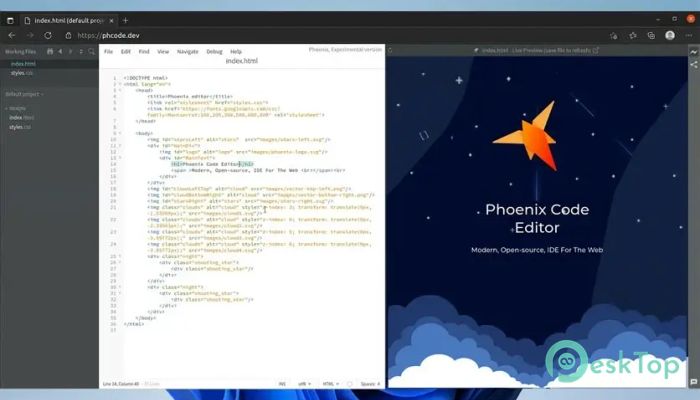
One of the standout features of the software is its instant live preview. You can see how your HTML and CSS code looks without refreshing the page, which saves time and removes guesswork. This feature works like a window into your project, updating instantly whenever you edit something. With built-in tools like color pickers, font-size dials, and border-radius sliders, you can style elements visually while still writing clean code. It feels like shaping your webpage in real time.
Code Intelligence for the Web
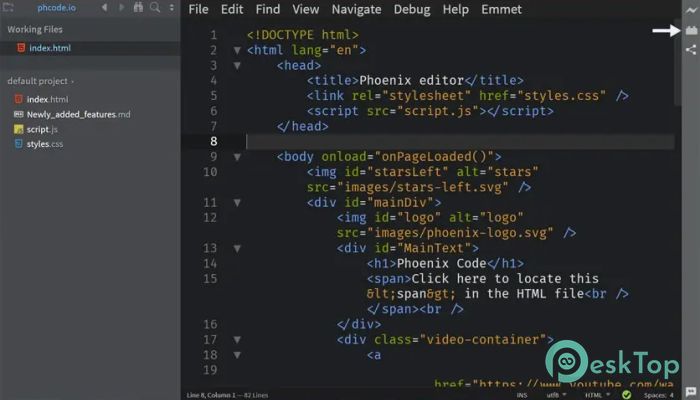
To boost your productivity, the tool includes advanced code intelligence. It predicts what you want to write next, suggests elements or properties, and highlights errors before they cause trouble. It makes coding smoother and faster, especially for beginners who need a little guidance. Each update refines these capabilities, making the editor smarter with every new release.
Lightning-Fast Search
Working on large files or multiple folders is easier thanks to the instant search tool. You can quickly find text, tags, functions, or selectors across your entire project. You can narrow your search by file types, excluded folders, and even advanced filters such as regular expressions. This makes navigation simple and saves you from manually digging through long lines of code.
Git Integration Made Easy
Managing versions is simpler because the editor includes built-in Git functionality. You can stage changes, commit them, and sync updates in just one click. This reduces the need to switch between applications. Everything stays organized in a single window, helping you stay focused while keeping your project under version control.
User-Friendly Interface
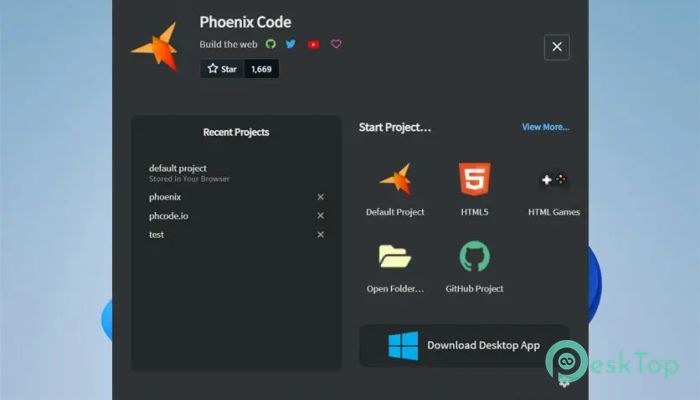
The interface is made with comfort in mind. Clean menus, intuitive shortcuts, and a simple layout make the experience smooth even for beginners. If you’ve used heavy IDEs before and found them overwhelming, this tool feels like a refreshing, lightweight alternative.
Perfect for Learning and Teaching
Because it blends visual feedback with real coding, it is ideal for students and instructors. Watching changes appear immediately helps beginners understand concepts faster. It supports HTML, CSS, and JavaScript, which is excellent for anyone starting their web development journey.
Faster Development Workflow
The editor removes friction from everyday tasks. Whether you're debugging, searching for files, previewing designs, or committing code, each step feels quicker. The combination of visual tools and smart coding assistance helps produce cleaner code in less time.
Customization Options
You can personalize many parts of the editor. Adjust themes, font sizes, UI layout, and more. This flexibility helps you create a workspace that suits your comfort, especially when coding for long hours.
System Requirements and Technical Details
Operating System: Windows 11 / 10 / 8.1 / 7
Processor: Minimum 1 GHz Processor (2.4 GHz recommended)
RAM: 2GB (4GB or more recommended)
Free Hard Disk Space: 200MB or more is recommended

-
Program size42.69 MB
-
Version5.0.5
-
Program languagemultilanguage
-
Last updatedBefore 7 Month
-
Downloads40
 Reportizer
 AccdbMerge
 RdpGuard
 Checkbook For Excel
 SysTools SQL Recovery
 Pointdev Ideal Dispatch