
 Arabic
  English
  Turkish
  Chinese
  Japanese
  Russian
  Spanish
  German
  French
  Hindi
Hindi Download PikPak 1.0 for Windows
Download PikPak 1.0 for Windows.
PikPak Overview
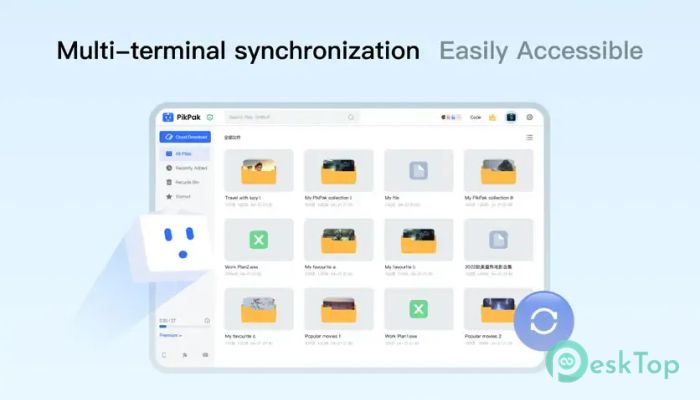
It is a modern cloud storage solution designed for people who want a faster, safer way to save, manage, and access their online files. Instead of downloading large files directly to your computer, it transfers them to your private cloud drive using powerful remote servers. This saves time, reduces bandwidth usage, and keeps your files available whenever you need them. The software combines cloud storage, cloud download, and online streaming into a single, simple platform. Whether you save files from torrent links, magnet links, or social media, everything stays organized inside your private cloud account. Its clean interface makes it easy for beginners while offering advanced features for experienced users.Features of PikPak
Fast Cloud Download Technology
One of the biggest advantages of the software is its high-speed cloud download feature. Instead of relying on your internet connection to download every file, the remote servers handle the work for you. Think of it as hiring a professional delivery service instead of carrying heavy boxes yourself.
The enterprise-grade infrastructure provides massive bandwidth, allowing more than 80% of supported files to be transferred into your private cloud within seconds. This means less waiting and more productivity.
Support for Torrent and Magnet Links
The tool makes downloading content from torrent and magnet links simple. Just paste the link into your cloud account, and the remote server starts processing it immediately. Your computer does not need to stay online during the transfer because everything happens in the cloud.
This feature is especially useful when downloading large files. Instead of occupying your local storage during the process, everything is safely stored online until you decide to access it.
Save Content from Social Media
The software also supports saving content from various social media platforms. With only a few clicks, you can store videos, files, and shared links directly inside your personal cloud drive.
This helps users keep important online content in one secure location. Rather than having to search multiple websites later, everything remains organized and ready whenever needed.
Private and Secure Cloud Storage
Privacy is one of its strongest features. All cloud download tasks are completed on secure remote servers rather than on your personal device. Every communication between your computer and the servers is protected using encrypted protocols.
This encrypted connection helps protect your saved content from unauthorized access. Since downloads happen remotely, your internet service provider cannot monitor what you choose to save inside your private cloud drive.
Smooth 4K Video Streaming
The software is more than a storage service. It also supports high-quality 4K video playback directly from the cloud. You do not have to download every video before watching it.
Streaming directly from cloud storage saves local disk space while providing a smooth viewing experience. This makes it perfect for users who enjoy watching large media files without filling their computer with unnecessary data.
Powerful Enterprise-Level Network
The platform uses enterprise-grade servers with high bandwidth to deliver reliable performance. Large files that normally take hours to download can often appear in your cloud drive within just a few moments.
This powerful infrastructure ensures stable transfers even when handling large collections of files. It provides a consistent experience whether you are downloading documents, videos, software, or other digital content.
Easy File Organization
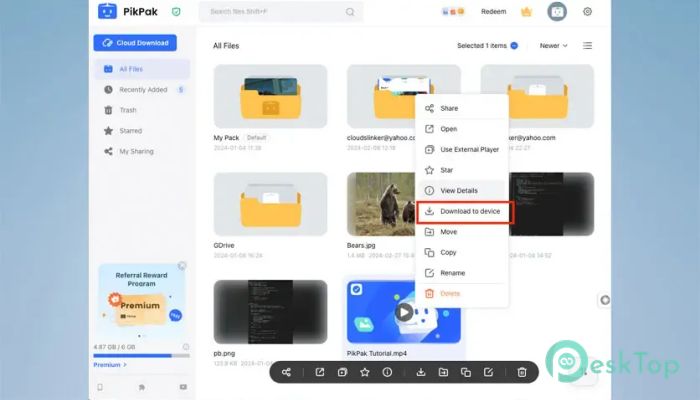
Managing files becomes much easier with the built-in organization tools. Users can create folders, sort content, search files quickly, and keep everything arranged in a clean structure.
This organized approach saves time and reduces confusion. Instead of scrolling through endless downloads, you can quickly locate exactly what you need.
Access Files Anytime
Since everything is stored in the cloud, your files remain available wherever you have internet access. Whether you are using your Windows PC or another supported device, you can sign in and continue where you left off.
This flexibility makes the service ideal for students, professionals, and anyone who works across multiple devices throughout the day.
Simple and User-Friendly Interface
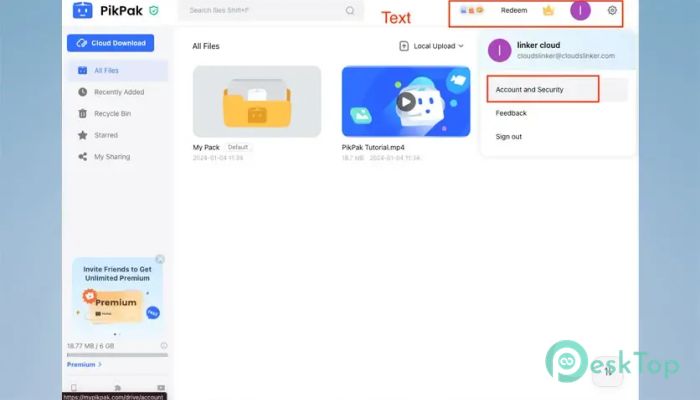
The software offers a clean interface that keeps every important feature within easy reach. Adding download links, browsing folders, streaming videos, and managing files all require only a few clicks.
Even first-time users can quickly understand how everything works. The straightforward layout reduces complexity while improving productivity.
System Requirements and Technical Details
Operating System: Windows 11 / 10 / 8.1 / 7
Processor: Minimum 1 GHz Processor (2.4 GHz recommended)
RAM: 2GB (4GB or more recommended)
Free Hard Disk Space: 200MB or more is recommended

-
Program size120.60 MB
-
Version1.0
-
Program languagemultilanguage
-
Last updatedBefore 2 Month
-
Downloads25
 Transmission
 Abelssoft YouTube Song Downloader Plus 2026
 Fast Video Downloader
 3D Youtube Downloader
 Open Video Downloader (youtube-dl-gui)
 qBittorrent