
 Arabic
  English
  Turkish
  Chinese
  Japanese
  Russian
  Spanish
  German
  French
  Hindi
Hindi Download Plotly Studio 1.0 for Windows

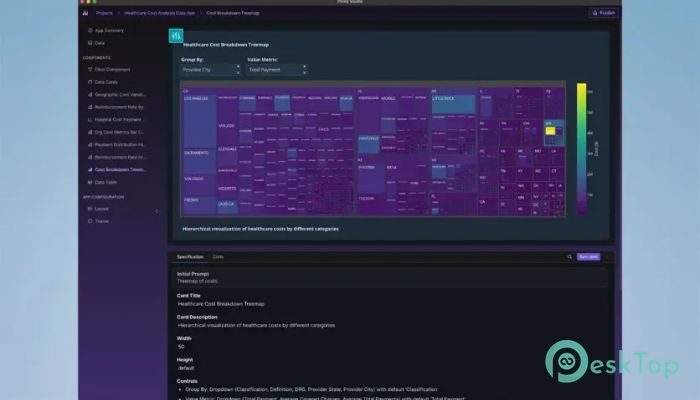
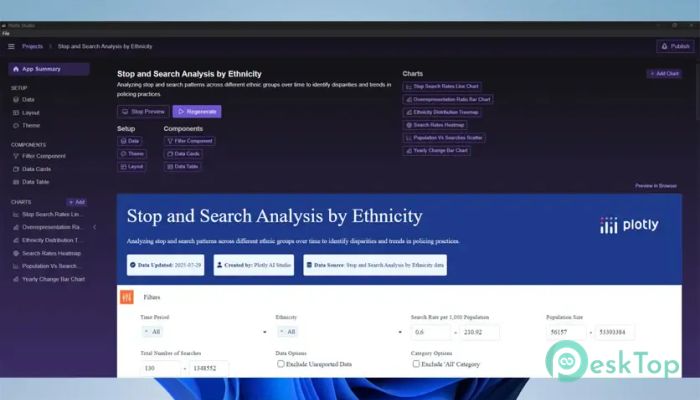
Download Plotly Studio 1.0 for Windows.
Plotly Studio Overview
It is built for people who work with data every day. Whether you are a business analyst, researcher, engineer, or student, it gives you an intelligent workspace where AI and Python work together. Instead of simply answering questions, the platform behaves like a real analyst by connecting to data, exploring it step by step, writing code, running it, and refining the results until meaningful insights appear. The software focuses on transparency instead of guesswork. Every action is backed by real Python code, making it easy to understand how conclusions are reached. This approach gives users confidence because every calculation, transformation, and visualization can be reviewed and verified.Features of Plotly Studio
AI That Thinks Like an Analyst
Unlike ordinary AI assistants that provide quick answers, the software follows a professional workflow. It connects to data sources, analyzes the available information, writes Python scripts, executes them, checks the results, and refines the analysis as needed.
This process feels like working with an experienced teammate who carefully examines every detail instead of making assumptions. The result is more accurate reports and fewer mistakes during analysis.
Real Python Code for Every Task
One of the biggest strengths of the tool is its use of real Python code. Every step performed by the AI is generated as executable code rather than as hidden operations. Users can inspect, edit, or reuse the scripts whenever necessary.
This makes learning easier for beginners while giving professionals complete control over their projects. It also removes the mystery behind AI-generated results because everything remains visible.
Connect to Multiple Data Sources
Working with information from different places can be difficult, but the software makes the process much smoother. It can connect to multiple datasets and combine them into one workflow for deeper analysis.
Instead of manually copying and organizing data, users can let the platform handle the heavy lifting. This saves valuable time and allows analysts to focus on finding useful insights rather than preparing files.
Smart Data Exploration
Exploring data is like searching for hidden treasure. The software helps uncover patterns, trends, and relationships that might otherwise remain unnoticed. It can filter information, summarize values, create new metrics, and organize datasets into meaningful structures.
Because every step is performed logically, users always know how the final result was produced. This creates a more trustworthy and professional workflow.
Automatic Debugging and Error Handling
Writing code often leads to unexpected errors, but the tool helps solve them automatically. If a query fails or a script produces an issue, it examines the problem, corrects the code, and continues working whenever possible.
This reduces frustration and helps users spend more time analyzing data rather than fixing syntax errors or debugging scripts.
Transparent and Verifiable Results
Many AI systems provide answers without explaining how they reached them. This platform takes a different approach by showing its work throughout the entire process. Every calculation, transformation, and visualization is backed by visible code.
If the available information is unclear or incomplete, it asks questions instead of making risky assumptions. This improves accuracy and builds trust in the final analysis.
Create Meaningful Visualizations
Charts and graphs transform complex numbers into stories that everyone can understand. The software makes it simple to create clear visualizations that highlight trends, comparisons, and patterns.
These visuals help teams present findings more effectively during meetings, research projects, and business reporting without requiring extensive manual work.
Designed for Professional Workflows
The platform fits naturally into professional analytics environments. It supports long analysis sessions where datasets evolve over time, allowing users to continuously refine calculations, create additional metrics, and improve reports.
Instead of restarting every task from scratch, the software remembers the workflow and continues building on previous work. This makes large projects easier to manage from beginning to end.
Reliable Decision Making
Data is only valuable when people can trust it. By combining AI assistance with transparent coding and careful validation, the tool helps organizations make better business decisions based on evidence rather than assumptions.
Whether preparing financial reports, researching trends, or analyzing customer behavior, it provides a dependable environment for producing accurate results.
System Requirements and Technical Details
Operating System: Windows 11 / 10 / 8.1 / 7
Processor: Minimum 1 GHz Processor (2.4 GHz recommended)
RAM: 2GB (4GB or more recommended)
Free Hard Disk Space: 200MB or more is recommended

-
Program size76.82 MB
-
Version1.0
-
Program languagemultilanguage
-
Last updatedBefore 2 Month
-
Downloads13
 Reportizer
 AccdbMerge
 RdpGuard
 Checkbook For Excel
 SysTools SQL Recovery
 Pointdev Ideal Dispatch