
 Arabic
  English
  Turkish
  Chinese
  Japanese
  Russian
  Spanish
  German
  French
  Hindi
Hindi Download Qoder IDE 1.0 for Windows

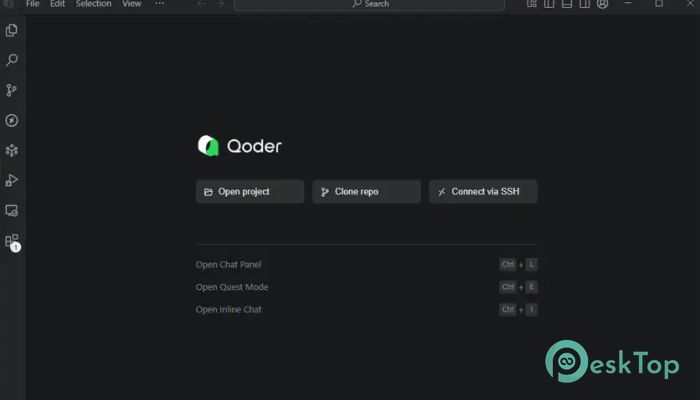
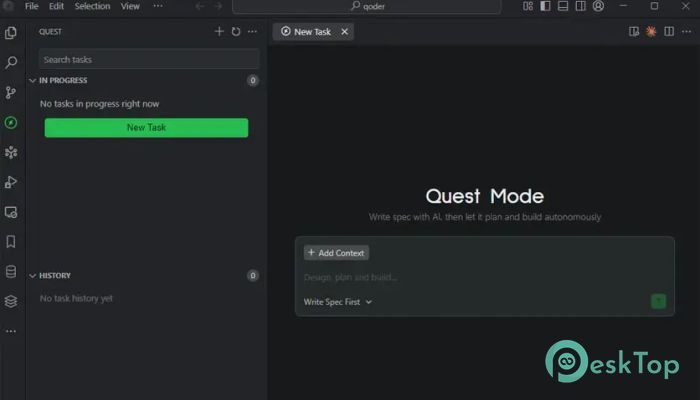
Download Qoder IDE 1.0 for Windows.
Qoder IDE Overview
This platform brings together advanced context engineering and automated agents to help developers work faster and smarter. Instead of handling everything manually, you can rely on built-in intelligence that understands your project structure, deeply analyzes code, and assists with problem-solving in real time.Features of Qoder IDE
The tool offers many valuable features that make coding easier and more efficient. Some highlights include:
Intelligent AI agents that can analyze, write, and debug code
Automated workflows that reduce repetitive tasks
Deep project understanding thanks to enhanced context engineering
Clean and user-friendly interface suitable for beginners and professionals
Real-time suggestions that help you build functions faster
Ability to handle complex software development tasks
Built-in tools for refactoring and code cleanup
Smooth integration with existing project structures
Support for multiple programming languages
Continuous learning models that improve accuracy over time
How the Software Works
This advanced environment functions like a virtual coding partner. Instead of waiting for traditional suggestions, the tool actively interprets the entire codebase. It identifies patterns, dependencies, and hidden issues the moment you start working. Think of it like having an intelligent assistant that already understands what you want to build before you finish typing.
It analyzes files collectively rather than individually, providing a holistic view of your project. This helps it offer deeper insights, more reliable fixes, and faster task automation.
AI Agent Automation
The autonomy of its agents is what sets the tool apart. These AI-driven assistants can take on complicated tasks such as:
Generating new modules or components
Fixing errors by analyzing related files
Handling repetitive coding tasks automatically
Writing documentation or comments
Updating code structures during refactors
Enhanced Context Understanding
One of the strongest aspects of this platform is its context engineering. Instead of reacting only to what you type, the system reads your entire codebase to make better decisions. Imagine talking to someone who remembers every detail of your project—this environment works in much the same way.
This improved understanding helps it deliver better code suggestions, detect issues earlier, and produce accurate implementations.
User-Friendly Interface
Beyond its intelligent features, the tool offers a clean and smooth interface. Everything feels organized, and navigating through projects becomes effortless. You can switch between files quickly, manage tasks easily, and access tools without searching through complicated menus.
Improved Productivity
Because much of the heavy lifting is automated, developers save hours. Routine work like debugging, rewriting functions, or generating repetitive structures becomes easier. This boosts overall productivity, especially for large or growing projects.
System Requirements and Technical Details
Operating System: Windows 11 / 10 / 8.1 / 7
Processor: Minimum 1 GHz Processor (2.4 GHz recommended)
RAM: 2GB (4GB or more recommended)
Free Hard Disk Space: 200MB or more is recommended

-
Program size156.37 MB
-
Version1.0
-
Program languagemultilanguage
-
Last updatedBefore 10 Month
-
Downloads21
 Reportizer
 AccdbMerge
 RdpGuard
 Checkbook For Excel
 SysTools SQL Recovery
 Pointdev Ideal Dispatch