
 Arabic
  English
  Turkish
  Chinese
  Japanese
  Russian
  Spanish
  German
  French
  Hindi
Hindi Download QuteBrowser 3.6.3 for Windows
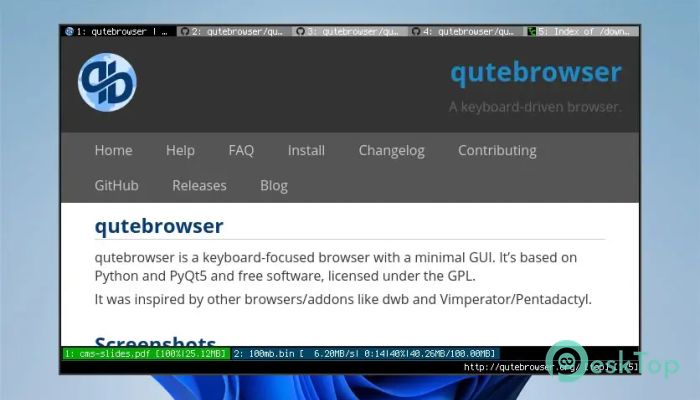
Download QuteBrowser 3.6.3 for Windows.
QuteBrowser Overview
It is designed for people who like to stay on the keyboard while browsing the web. Instead of relying on a mouse and heavy menus, it focuses on simple shortcuts and a minimal interface. Think of it like driving a manual car instead of an automatic one. You have more control, and once you learn it, everything feels faster and smoother.Features of QuteBrowser
Keyboard-First Browsing Experience
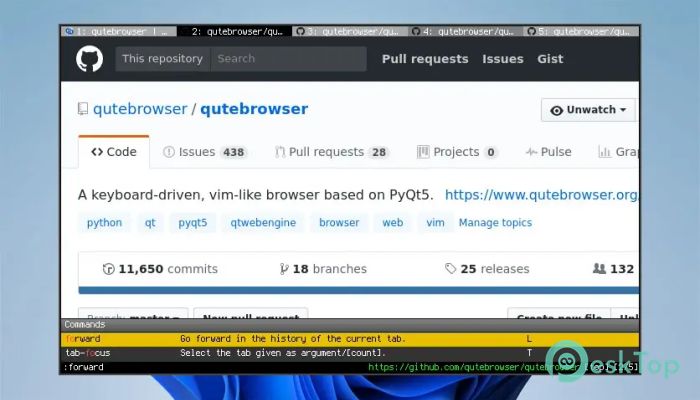
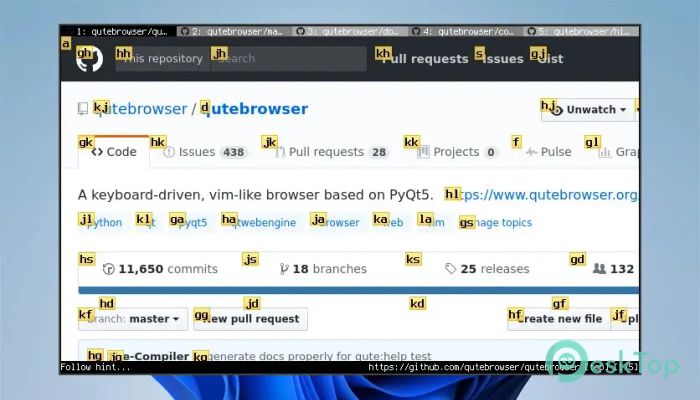
The biggest strength of this tool is its keyboard-focused design. Almost every action can be done using key commands. Opening links, switching tabs, scrolling pages, and searching content all happen without touching the mouse. This makes daily browsing feel more fluid, especially for developers, writers, and power users who already live on the keyboard.
Minimal and Clean Interface
The interface keeps distractions to a minimum. There are no flashy buttons or crowded toolbars fighting for attention. What you see is mostly the web content itself. This clean layout helps users stay focused and reduces visual noise, much like working on a tidy desk rather than a cluttered one.
Built with Python and Qt
Under the hood, the software is built using Python and the Qt framework. This makes it flexible, efficient, and easy to extend. Python acts like the brain, handling logic and customization, while Qt manages how things look and behave on the screen. Together, they create a solid and reliable browsing foundation.
Highly Customizable Behavior
Customization is one of its strongest features. Users can tweak settings, shortcuts, and behaviors through simple configuration files. Want different key bindings or special rules for certain websites? It can be adjusted without having to dig through complex menus. It feels like tuning an instrument until it plays exactly the way you want.
Inspired by Power-User Browsers
The browser takes inspiration from older keyboard-driven tools and addons that focused on speed and efficiency. Those ideas have been refined into a modern solution that feels fresh yet familiar. If you enjoyed command-based navigation in the past, this experience will feel like coming home.
Open Source and Actively Developed
This software is free and open source, licensed under the GPL. That means anyone can study, modify, and improve it. Active development ensures regular updates, bug fixes, and improvements. The community-driven approach keeps it evolving instead of standing still.
Performance and Resource Usage
Because of its minimal design, it avoids wasting system resources. It runs smoothly even on modest hardware. Pages load quickly, and the browser stays responsive during long sessions. It’s like choosing a lightweight backpack instead of carrying unnecessary weight.
Ideal Use Cases
This browser is especially useful for programmers, writers, researchers, and Linux-style workflow fans. It fits perfectly into setups where efficiency matters more than flashy visuals. Once the shortcuts become muscle memory, browsing becomes a fast, almost effortless routine.
System Requirements and Technical Details
Operating System: Windows 11 / 10 / 8.1 / 7
Processor: Minimum 1 GHz Processor (2.4 GHz recommended)
RAM: 2GB (4GB or more recommended)
Free Hard Disk Space: 500MB or more is recommended

-
Program size143.90 MB
-
Version3.6.3
-
Program languagemultilanguage
-
Last updatedBefore 8 Month
-
Downloads10
 Samsung Browser
 Suprow
 SSuite NetSurfer Prometheus Browser
 Wavebox Browser
  Waterfox
 Tor Browser