
 Arabic
  English
  Turkish
  Chinese
  Japanese
  Russian
  Spanish
  German
  French
  Hindi
Hindi Download r2modman 3.2.17 for Windows
Download r2modman 3.2.17 for Windows.
r2modman Overview
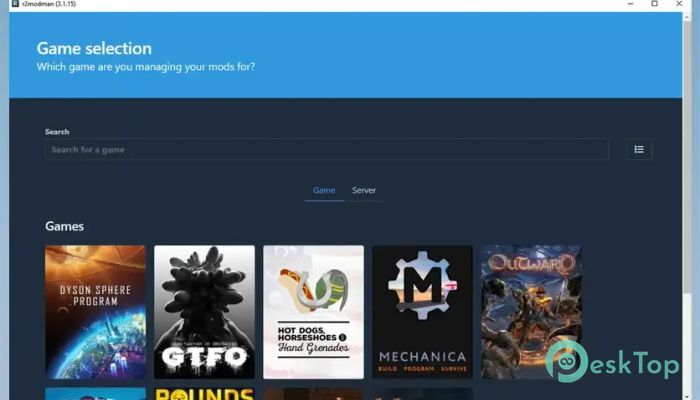
It is built for players who love modding but do not want to deal with messy folders, broken files, or confusing setups. It gives you a clean, organized space to browse, install, update, and manage mods for popular games. Instead of manually dragging files into game directories, you can handle everything from one simple dashboard. The tool works closely with Thunderstore, which means you get direct access to a huge collection of community-made mods. Whether you play Risk of Rain 2, Valheim, Dyson Sphere Program, GTFO, BONEWORKS, or other supported titles, it keeps everything neat and under control.Features of r2modman
Support for Multiple Popular Games
One of the biggest strengths of this software is its wide game support. It works smoothly with titles like Risk of Rain 2, Dyson Sphere Program, Valheim, GTFO, BONEWORKS, and more. Instead of installing different managers for each game, you can use one tool to handle them all.
It feels like having one remote control for all your entertainment devices. You switch between games easily and manage their mods without confusion. This makes it perfect for players who enjoy experimenting across different titles.
Clean and Simple User Interface
No one likes complicated menus. The interface here is clean, modern, and easy to understand. Even if you are new to modding, you can quickly learn how things work. Buttons are clearly labeled, and everything is organized logically.
The design keeps distractions at bay and focuses solely on what matters: your mods. You can search, filter, and sort content without feeling overwhelmed. It turns modding into something fun instead of stressful.
Safe Mod Installation
Safety is important when you are modifying games. This tool installs mods without modifying your original game files. That means you can still launch and play through Steam normally without worrying about breaking anything.
Think of it like using a protective layer between your game and your mods. If something goes wrong, you can easily disable or remove a mod. Your base installation stays safe and clean.
Mod Profiles for Easy Switching
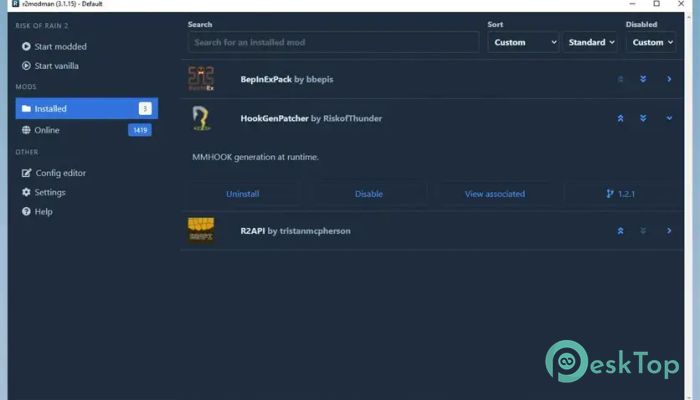
Sometimes you want one set of mods for solo play and another for multiplayer with friends. Instead of uninstalling and reinstalling everything, you can create different profiles. Each profile stores its own set of mods and settings.
Switching between them is quick and smooth. It feels like changing outfits in a game. One click, and you are ready with a completely different mod setup.
Export and Share Profiles
Sharing mods with friends can be frustrating if everyone has to install each file manually. With this software, you can export your entire profile, including mods and configurations. Your friends can import it and instantly match your setup.
This feature saves time and avoids compatibility issues. It makes multiplayer sessions more enjoyable because everyone runs the same environment without confusion.
Direct Mod Downloads from Thunderstore
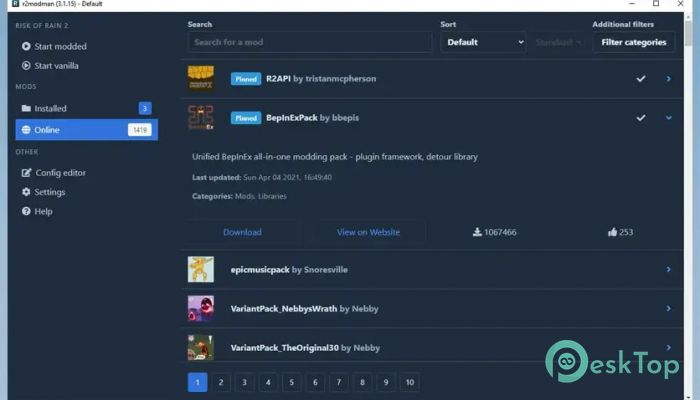
You do not need to open a browser and search manually. The tool lets you browse and download mods directly in the manager. You can view descriptions, versions, and dependencies in one place.
This direct connection makes the process smooth and fast. It feels like shopping in an online store, but instead of products, you are picking exciting new features for your favorite games.
Easy Updates and Version Control
Keeping mods up to date is important to avoid crashes or compatibility issues. The software shows which mods are outdated and lets you update them with a simple click. No need to track versions manually.
It acts like a smart assistant, reminding you when something needs attention. That way, your gameplay stays stable and up to date.
Built-In Configuration Editor
Many mods include configuration files that let you tweak settings. Instead of digging through folders, you can edit configs directly inside the manager. Everything is presented in an organized format.
This makes customization easier and more accessible. You can fine-tune your experience without feeling like you are hacking into your own computer.
Automatic Updates
The tool itself also receives updates. When a new version is available, it updates automatically. You do not need to reinstall or download files manually.
This ensures you always have the latest improvements and bug fixes. It is like having a car that services itself quietly in the background.
System Requirements and Technical Details
Operating System: Windows 11 / 10 / 8.1 / 7
Processor: Minimum 1 GHz Processor (2.4 GHz recommended)
RAM: 2GB (4GB or more recommended)
Free Hard Disk Space: 200MB or more is recommended

-
Program size127.00 MB
-
Version3.2.17
-
Program languagemultilanguage
-
Last updatedBefore 2 Month
-
Downloads5
 Reportizer
 AccdbMerge
 RdpGuard
 Checkbook For Excel
 SysTools SQL Recovery
 Pointdev Ideal Dispatch