
 Arabic
  English
  Turkish
  Chinese
  Japanese
  Russian
  Spanish
  German
  French
  Hindi
Hindi Download Recoveryfix SQLite Viewer 1.0 for Windows
Download Recoveryfix SQLite Viewer 1.0 for Windows.
Recoveryfix SQLite Viewer Overview
Managing database files can feel complicated, especially when they are damaged or inaccessible. This is where the software steps in as a helpful solution. It allows users to open tool database files quickly without needing technical expertise. Whether you are dealing with normal files or corrupted ones, the tool ensures smooth access and clear viewing. The tool is designed with simplicity in mind. It presents database content in a structured and easy-to-understand format. From tables to triggers, everything is displayed in a tree-like layout, making navigation effortless. Even if the file is damaged, it tries to recover and display as much information as possible.Features of Recoveryfix SQLite Viewer
Access Tool Files Without Hassle
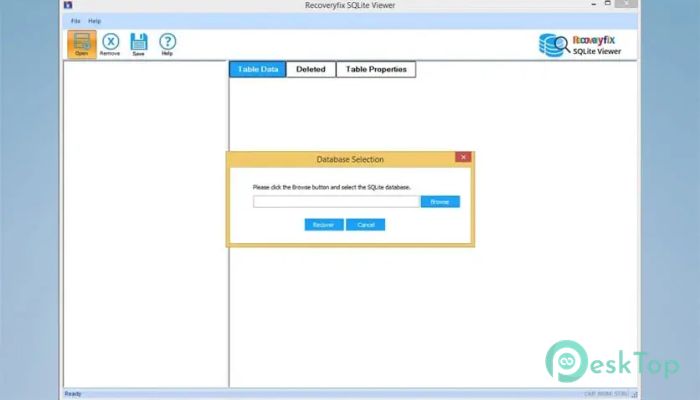
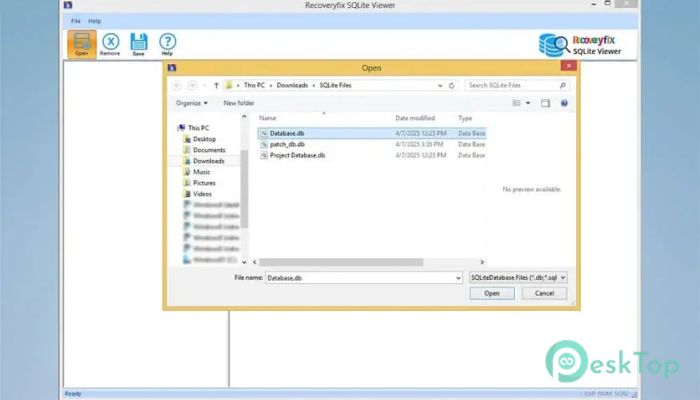
Opening database files can sometimes feel like unlocking a puzzle. This tool removes that complexity by allowing you to access tool files instantly. You do not need any technical background or additional software. Just load the file and start exploring its content.
It supports multiple tool file formats, making it versatile for different use cases. Whether your file is in .sqlite, .db, or .sqlite3 format, the software handles it smoothly. This flexibility makes it a practical choice for both beginners and professionals.
View Corrupted and Damaged Files
One of the most impressive features is its ability to open damaged or corrupted database files. Think of it like a rescue tool that helps you recover valuable information from broken files. Instead of losing important data, you can still view and analyze it.
The software scans the file carefully and extracts readable information. Even when a file seems completely unusable, it often reveals hidden data. This makes it extremely useful in critical situations where data recovery is important.
Preview Deleted Records Easily
Sometimes important records are accidentally deleted. This tool lets you preview the deleted entries. It works like a rewind button, allowing you to see what was removed from the database.
This feature is especially useful for investigation or recovery purposes. It helps users track changes and understand what data has been lost. The process is simple and does not require any advanced setup.
Organized Tree Structure for Better Navigation
Understanding database content becomes easier when everything is well organized. The software displays all items in a tree-like hierarchy. This structure makes navigation smooth and intuitive.
You can quickly move between tables, indexes, triggers, and other elements. It feels like browsing your computer's folders. This visual clarity saves time and improves productivity.
Multiple Viewing Modes
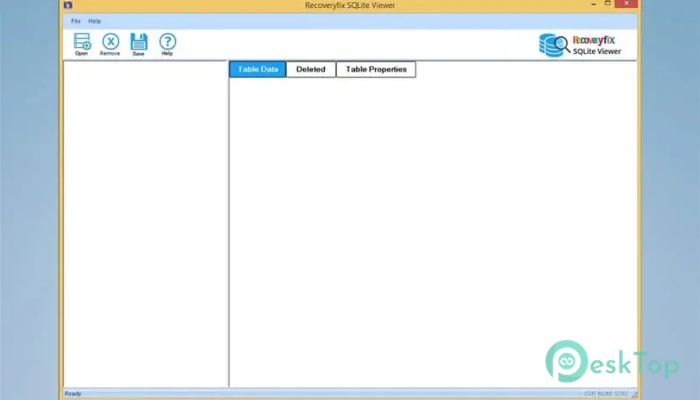
Different users have different needs when exploring database files. That is why the tool offers separate viewing modes. You can switch between tables, deleted records, and properties as needed.
This flexibility makes it easier to focus on specific details. Whether you want to analyze data or check file properties, everything is just a click away. It adapts to your workflow instead of forcing you to adjust.
No File Size Limitations
Large database files can often slow down or crash many tools. This software handles them without any size restrictions. Whether your file is small or massive, it opens smoothly.
This feature is particularly helpful for professionals working with large datasets. You do not need to worry about splitting files or losing data. Everything stays intact and accessible.
Supports Various Tool Formats
The tool works with a wide range of file formats. This includes .sqlite, .sqlite3, .db, .db3, .s3db, and .sl3. This broad compatibility ensures you can open almost any tool database file.
It eliminates the need for multiple tools. Instead of switching between programs, you can rely on a single solution for all your needs. This saves both time and effort.
Works on All Windows Versions
Compatibility is another strong point. The software runs smoothly on both newer and older versions of Windows. Whether you are using Windows 11 or an older system, it performs consistently.
This makes it accessible to a wide range of users. You do not need to upgrade your system just to use the tool. It adapts to your environment without any issues.
Simple and User-Friendly Interface
The interface is clean and easy to understand. Even if you are new to database tools, you will feel comfortable using them. Everything is arranged logically, making navigation effortless.
It avoids unnecessary complexity and focuses on essential features. This simplicity ensures that users can complete their tasks quickly without confusion.
System Requirements and Technical Details
Operating System: Windows 11 / 10 / 8.1 / 7
Processor: Minimum 1 GHz Processor (2.4 GHz recommended)
RAM: 2GB (4GB or more recommended)
Free Hard Disk Space: 200MB or more is recommended

-
Program size22.25 MB
-
Version1.0
-
Program languagemultilanguage
-
Last updatedBefore 5 Month
-
Downloads15
 Reportizer
 AccdbMerge
 RdpGuard
 Checkbook For Excel
 SysTools SQL Recovery
 Pointdev Ideal Dispatch