
 Arabic
  English
  Turkish
  Chinese
  Japanese
  Russian
  Spanish
  German
  French
  Hindi
Hindi Download Sidekick Browser 1.0 for Windows
Download Sidekick Browser 1.0 for Windows.
Sidekick Browser Overview
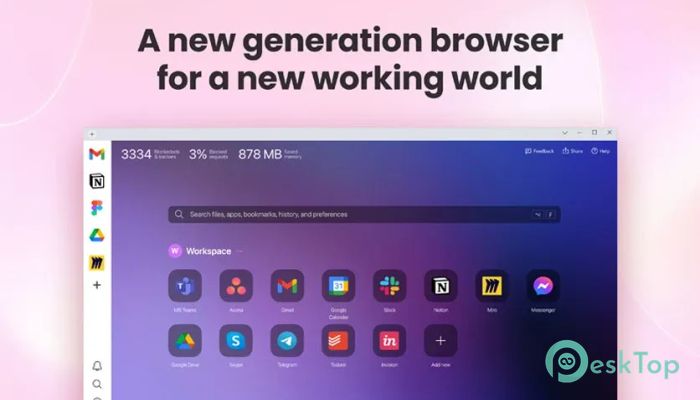
This modern browsing solution is built with productivity in mind. Unlike other browsers that thrive on attention-grabbing ads and distractions, it focuses on keeping your workflow streamlined. The software integrates all your essential apps, messengers, and work tools in one space, making it easier to manage daily tasks without losing focus.Features of Sidekick Browser
Lightning-Fast Performance
The tool is known for its speed. It is up to three times faster than some traditional browsers, thanks to its advanced memory optimization and tab suspension technology. By reducing the resource load, it ensures you can browse without lag and switch between tasks smoothly.
Privacy and Security
Privacy is at the heart of this browser. It blocks intrusive ads, trackers, and data collectors, ensuring your online activities stay safe. Unlike other platforms, it never sells your personal data, giving you complete peace of mind when browsing or working online.
Integrated Workspace
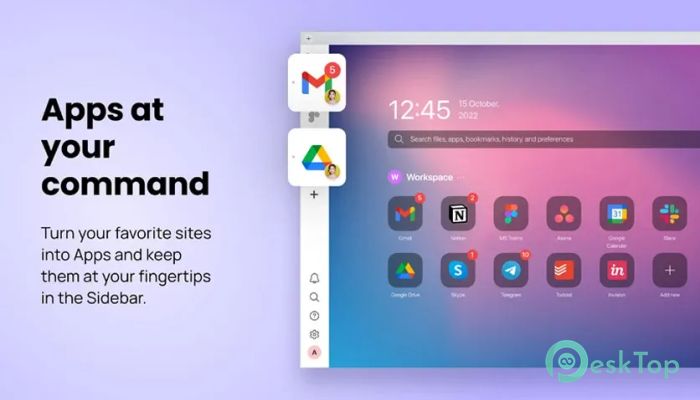
One of the most remarkable features of the software is its ability to connect everything in one place. From messengers to project management tools, you can keep them in a sidebar for quick access. No more juggling between countless tabs, as everything you need is only one click away.
Tab Management
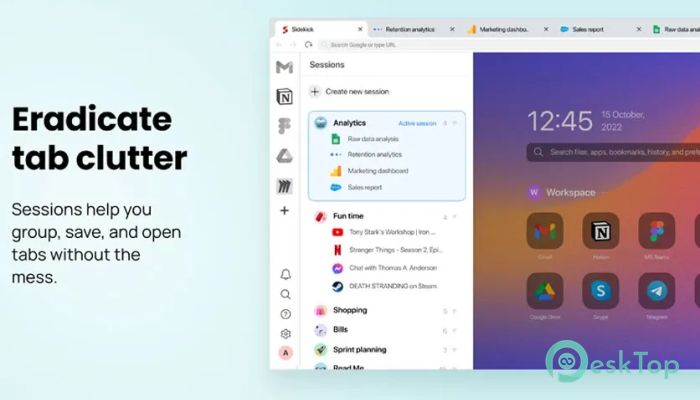
We all know the frustration of messy tabs. The tool addresses this issue with its session system, which allows you to group, save, and reopen tabs without creating unnecessary clutter. It’s like having neatly labeled folders instead of piles of scattered papers.
Universal Search
The software features a powerful search function that allows you to find apps, documents, or specific tabs instantly. Imagine having a personal assistant that fetches exactly what you need in seconds, saving time and keeping you on track.
Split-View Multitasking
Multitasking has never been more effortless. With the split-view feature, you can edit documents, reply to messages, and manage tasks side by side in one window. It helps you balance multiple activities without the stress of switching back and forth.
Focus Mode
Staying productive often means avoiding distractions. The focus mode allows you to mute notifications with one click, creating a distraction-free zone where you can dive deep into meaningful work.
Multi-Account Support
If you use several accounts for tools like Gmail, Slack, or Notion, this browser lets you stay logged into all of them at once. You can switch between accounts instantly without repeatedly signing in or out, making it perfect for both personal and professional use.
Free and Premium Options
Most features are free to use, but premium options are available for users who want unlimited access. Paid features include unlimited apps in the sidebar, additional workspaces, password sharing, and priority customer support. A unique benefit is that you can invite friends and unlock a free plan for life, rather than paying for a subscription.
System Requirements and Technical Details
Operating System: Windows 11 / 10 / 8.1 / 7
Processor: Minimum 1 GHz Processor (2.4 GHz recommended)
RAM: 2GB (4GB or more recommended)
Free Hard Disk Space: 200MB or more is recommended

-
Program size13.93 MB
-
Version1.0
-
Program languagemultilanguage
-
Last updatedBefore 3 Month
-
Downloads52
 Samsung Browser
 Suprow
 SSuite NetSurfer Prometheus Browser
 Wavebox Browser
  Waterfox
 Tor Browser