
 Arabic
  English
  Turkish
  Chinese
  Japanese
  Russian
  Spanish
  German
  French
  Hindi
Hindi Download Skales 1.0 for Windows
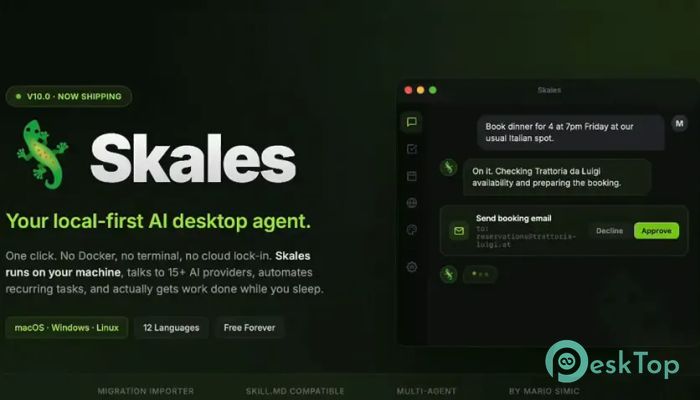
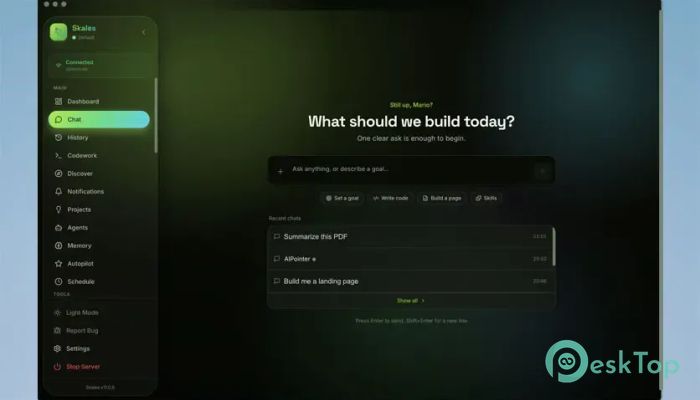
Download Skales 1.0 for Windows.
Skales Overview
It is designed to bring artificial intelligence closer to users by running directly on their devices instead of relying entirely on cloud services. It works as a smart desktop assistant that can handle a wide range of tasks, from coding and browsing to email management and media generation. The platform is available for Windows, making it a flexible solution for a wide range of users. Unlike many online AI services that require accounts and subscriptions, the software offers a free personal-use experience with no account registration required. You can start using its built-in AI capabilities immediately and later connect your preferred AI model if needed.Features of Skales
Runs Directly on Your Computer
One of the biggest advantages of the tool is its local-first approach. Instead of sending every task to a remote server, it operates directly on your machine. Think of it as having a personal assistant sitting right beside you rather than somewhere across the internet.
This setup provides greater control over your workflows and can help users who prefer to keep their activities closer to home. It also reduces the hassle of depending entirely on external cloud platforms.
Works with Multiple AI Models
The software is not limited to a single AI provider. Users can connect popular models from Claude, GPT, Gemini, Grok, DeepSeek, and Mistral. This flexibility allows people to choose the model that best suits their needs.
Whether you need creative writing assistance, programming support, research help, or productivity features, the platform can adapt to different AI ecosystems without forcing you into a single option.
Support for Local AI Models
For users who prefer complete control, the tool also works with local AI solutions such as Ollama and LM Studio. This means you can run AI models directly on your own hardware without relying on internet-based services.
It creates a private environment where data remains under your control. For developers, researchers, and privacy-focused users, this feature can be incredibly valuable.
Built-In AI Trial Experience
Getting started is simple. The platform includes a built-in AI experience known as tool IQ. New users can start using AI features immediately, without searching for API keys or configuring complex settings.
This makes the learning curve much smoother. Even someone new to artificial intelligence can start exploring advanced features within minutes of installation.
Goal-Based Automation
Instead of responding only to commands, the software can work toward larger objectives. Users can assign goals and allow the assistant to perform multiple steps automatically.
Imagine giving instructions once and watching the tool complete a series of actions in the background. This approach saves time and helps streamline repetitive workflows.
Helpful for Coding Tasks
Developers can use the platform to write code, review scripts, generate ideas, and solve programming problems. It acts as an intelligent coding companion, available throughout the development process.
From small scripts to larger projects, the assistant can help reduce manual effort and improve productivity. It can also assist with debugging and code explanations.
Email and Calendar Management
Managing daily schedules can be time-consuming, but the tool helps simplify these tasks. It can assist with organizing emails, creating drafts, reviewing messages, and managing calendar events.
This functionality turns the software into a productivity partner that helps users stay organized and focused on important work.
Smart Web Browsing Assistance
Browsing the web becomes more efficient with AI-powered assistance. The platform can help gather information, summarize content, and perform online research tasks faster than traditional methods.
Rather than manually opening dozens of tabs, users can rely on intelligent guidance to find relevant information quickly and efficiently.
Media Generation Capabilities
The software can also support media creation tasks. Users can generate creative content, brainstorm ideas, and produce various forms of digital media using connected AI models.
This makes it useful for content creators, marketers, designers, and anyone looking to boost creativity with AI-powered assistance.
Simple Setup and User-Friendly Design
Many advanced AI platforms require lengthy setup procedures, but the tool keeps things straightforward. Installation is quick, and the interface is designed to be approachable for beginners.
Its clean design helps users focus on tasks instead of spending time learning complicated controls. Both casual users and professionals can benefit from the streamlined experience.
System Requirements and Technical Details
Operating System: Windows 11 / 10 / 8.1 / 7
Processor: Minimum 1 GHz Processor (2.4 GHz recommended)
RAM: 2GB (4GB or more recommended)
Free Hard Disk Space: 200MB or more is recommended

-
Program size190.05 MB
-
Version1.0
-
Program languagemultilanguage
-
Last updatedBefore 2 Month
-
Downloads13
 Reportizer
 AccdbMerge
 RdpGuard
 Checkbook For Excel
 SysTools SQL Recovery
 Pointdev Ideal Dispatch