
 Arabic
  English
  Turkish
  Chinese
  Japanese
  Russian
  Spanish
  German
  French
  Hindi
Hindi Download Soft of KoSM Video Downloader 1.0 for Windows
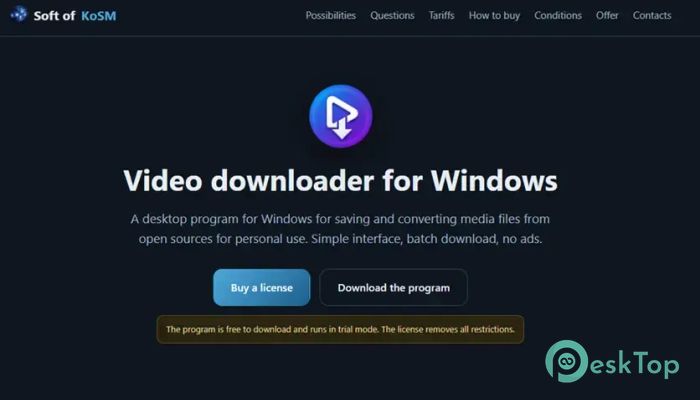
Download Soft of KoSM Video Downloader 1.0 for Windows.
Soft of KoSM Video Downloader Overview
Downloading online videos should feel as simple as saving a document, and this software makes that possible. It is designed for Windows users who want a fast and reliable way to save media files from open sources without relying on browser extensions or online download websites. The tool features a clean interface that keeps everything straightforward. Simply copy a video link, paste it into the program, choose the output quality and format, and let the download begin. Even if you are new to video downloading, you can start using it within minutes.Features of Soft of KoSM Video Downloader
Simple and User-Friendly Interface
The software focuses on simplicity instead of unnecessary extras. Every important option is displayed clearly, so you don't have to waste time searching through complicated menus. It feels like driving a car with an easy dashboard where every button is exactly where you expect it.
The clean layout also improves productivity. Without ads, pop-ups, or confusing settings, you can concentrate only on downloading your favorite videos.
Fast Video Downloads
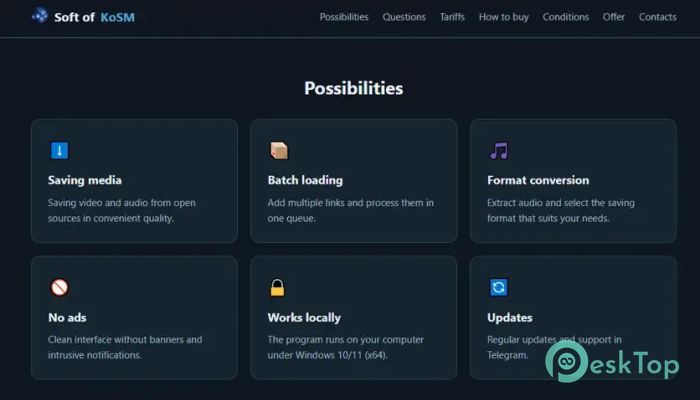
Saving videos is the tool's main purpose, and it does so efficiently. Just paste the video URL, choose the preferred resolution, and start downloading. With a few clicks, the selected media is saved directly to your computer as a regular file.
Since everything happens locally on your Windows PC, there is no need to depend on online download services or command-line utilities. This makes the process more secure and much more convenient.
Convert Videos into Different Formats
Sometimes you need more than just downloading a file. The software lets you convert videos into formats that better suit your needs. Whether you want a smaller file size or a different video format, the built-in conversion options make the task easy.
This flexibility allows you to prepare videos for laptops, tablets, smartphones, media players, or personal archives without using separate conversion software.
Extract Audio with Ease
Not every download needs the video itself. The tool can extract audio tracks from supported videos, making it easy to save music, podcasts, interviews, lectures, or other sound content.
For example, if you enjoy a video's soundtrack, you can convert it to an MP3 file and listen to it later without opening the video again. It is a simple way to build your personal offline audio collection.
Batch Download Multiple Files
Downloading one file at a time can be slow when you have several videos to save. That is why the software includes a practical batch download feature. You can add multiple video links to the queue and let the program process them automatically.
This feature saves valuable time because you can start the entire list and let the software complete it while you focus on something else.
Choose Your Preferred Quality
Different situations require different video quality levels. The tool lets you choose the resolution and output quality before starting the download. Whether you need a smaller file for storage or a higher-quality version for viewing, the decision is completely yours.
This flexibility helps you balance storage space, download speed, and playback quality according to your personal preferences.
No Browser Extensions Required
Many download solutions depend on browser add-ons that may stop working after updates. This desktop application eliminates that problem entirely by running as a standalone Windows program.
You simply launch the software, paste your links, and begin downloading without installing extra browser plugins or using complicated online tools.
Ad-Free Experience
One of the biggest advantages of the software is its distraction-free environment. Unlike many free online download websites filled with advertisements and misleading buttons, this application keeps the interface clean and professional.
The result is a smoother experience where every click performs the action you actually expect.
Reliable for Personal Media Collection
The software is designed for saving media from open sources for personal use. It allows users to keep educational videos, tutorials, presentations, public media, and other supported content available offline whenever needed.
Having local copies means you can watch or listen to your favorite content without depending on an internet connection, making it useful during travel or in areas with limited connectivity.
System Requirements and Technical Details
Operating System: Windows 11 / 10 / 8.1 / 7
Processor: Minimum 1 GHz Processor (2.4 GHz recommended)
RAM: 2GB (4GB or more recommended)
Free Hard Disk Space: 200MB or more is recommended

-
Program size160.76 MB
-
Version1.0
-
Program languagemultilanguage
-
Last updatedBefore 2 Month
-
Downloads22
 Transmission
 Abelssoft YouTube Song Downloader Plus 2026
 Fast Video Downloader
 3D Youtube Downloader
 Open Video Downloader (youtube-dl-gui)
 qBittorrent