
 Arabic
  English
  Turkish
  Chinese
  Japanese
  Russian
  Spanish
  German
  French
  Hindi
Hindi Download SQL Backup Master OEM Edition 5.0.472.0 for Windows
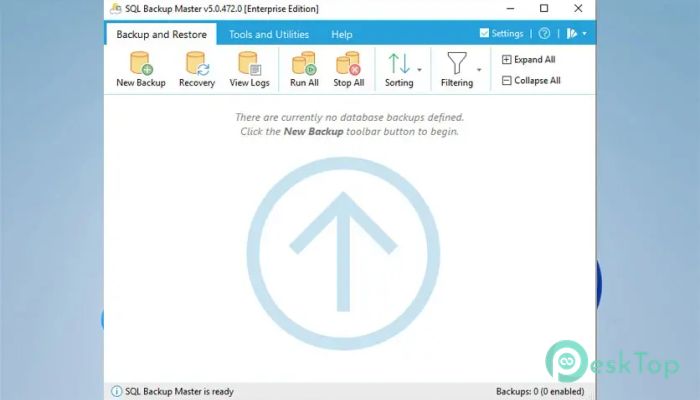
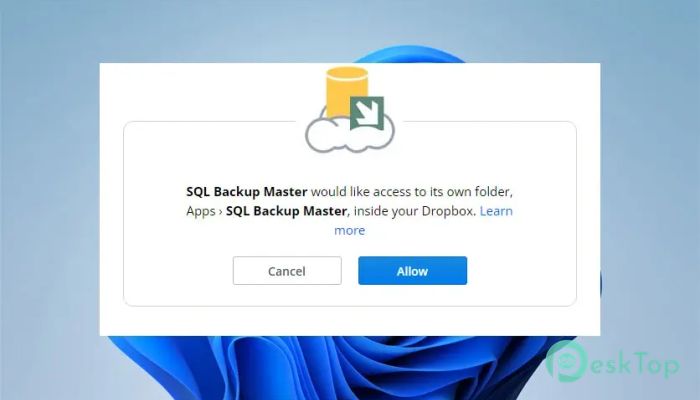
Download SQL Backup Master OEM Edition 5.0.472.0 for Windows.
SQL Backup Master OEM Edition Overview
This software offers a convenient solution for creating, storing, and managing SQL Server database backups. It integrates seamlessly with multiple cloud services like Dropbox, Google Drive, Amazon S3, OneDrive, and Azure. Users can also save backups to local folders, network drives, or FTP servers, ensuring data safety and easy recovery when needed. Designed with user-friendliness in mind, it allows both IT professionals and beginners to set up backup jobs without complex configurations. With advanced scheduling, compression, and encryption features, this program ensures database security while operating quietly in the background.Features of SQL Backup Master OEM Edition
Performs full, differential, and transaction log backups.
Offers flexible and automated backup scheduling.
Supports a wide range of destinations, including local folders, network storage, and FTP servers.
Integrates with popular cloud storage services like Google Drive, Dropbox, Box, and Azure.
Provides compression and encryption options to safeguard sensitive data.
Delivers email notifications for success, failure, and warning alerts.
Automatically removes outdated backups to save space.
Allows the execution of SQL or batch scripts before and after backup jobs.
Includes an intuitive backup log viewer and recovery manager.
Runs as a background service to avoid interruptions during daily work.
Cloud Backup Capabilities
One of the most substantial advantages of this software is its broad compatibility with cloud services. You can store your database backups on trusted platforms, such as Dropbox, Amazon S3, and Microsoft Azure. By doing so, it ensures redundancy and accessibility from anywhere, providing peace of mind in case of unexpected data loss or hardware failure.
Automation and Scheduling
The tool allows users to set up backup schedules tailored to their specific needs. Whether you need daily, weekly, or monthly backups, the built-in scheduler automates the entire process. This means you no longer have to remember to back up your databases manually — it’s all handled automatically in the background.
Security and Encryption
Data security is at the core of this software. It uses advanced encryption algorithms to ensure that your database files remain confidential and tamper-proof during transfer and storage. With its strong password protection, you can rest assured that only authorized users will have access to your backups.
Backup Compression
To save valuable storage space, the tool includes an efficient compression system that reduces the size of your database backups without compromising performance. This feature helps minimize bandwidth usage when uploading backups to cloud storage, making the process faster and more efficient.
Notification and Reporting
It comes with a built-in email notification feature that keeps you informed about the status of your backup job. You’ll receive alerts for successful backups, warnings, or failures, allowing you to take quick action when needed. The detailed logs and reports also make it easy to track all backup activities in one place.
Recovery and Restoration
Restoring a database is straightforward with the help of its recovery tools. Users can quickly locate and restore backups from any connected storage source. The clear and simple interface eliminates the risk of confusion during the recovery process, ensuring your data is backed up and running with minimal downtime.
Custom Script Execution
Another valuable feature is the ability to execute SQL or batch scripts before or after backup operations. This enables database administrators to customize their workflow, automate maintenance tasks, or perform data validation checks seamlessly alongside backup routines.
Performance and Reliability
Built for stability, the software runs as a Windows service, which means it performs backups even when the main interface is closed. Its lightweight design ensures minimal system resource usage while maintaining top-notch performance. Users benefit from consistent backups without slowing down other applications.
Why It’s a Must-Have for Database Management
Whether you’re managing personal projects or enterprise-level databases, this program is a reliable safeguard against data loss. It blends automation, security, and ease of use in one compact package, reducing the complexity often associated with database backup management. With its flexibility in integrating with both cloud and on-premise environments, it provides a comprehensive solution for data protection and disaster recovery.
System Requirements and Technical Details
Operating System: Windows 11 / 10 / 8.1 / 7
Processor: Minimum 1 GHz Processor (2.4 GHz recommended)
RAM: 2GB (4GB or more recommended)
Free Hard Disk Space: 200MB or more is recommended

-
Program size30.54 MB
-
Version5.0.472.0
-
Program languagemultilanguage
-
Last updatedBefore 11 Month
-
Downloads12
 Reportizer
 AccdbMerge
 RdpGuard
 Checkbook For Excel
 SysTools SQL Recovery
 Pointdev Ideal Dispatch