
 Arabic
  English
  Turkish
  Chinese
  Japanese
  Russian
  Spanish
  German
  French
  Hindi
Hindi Download SQLMaestro DB2 Maestro 23.5.0.1 for Windows
Download SQLMaestro DB2 Maestro 23.5.0.1 for Windows.
SQLMaestro DB2 Maestro Overview
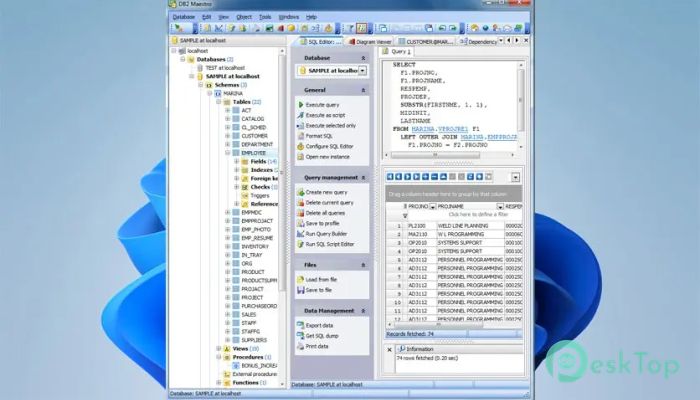
This professional database utility is built for people who want full control without unnecessary complexity. It brings everything into a single, clean workspace, helping users manage structures, handle data, and write queries without switching between tools. The layout is logical, so even complex tasks remain manageable.Features of SQLMaestro DB2 Maestro
Wide Compatibility Across DB2 Versions
It works smoothly with DB2 versions ranging from 8.x to 9.x, making it suitable for both older systems and newer environments. This flexibility is useful when maintaining legacy databases while still supporting modern setups. You do not need separate utilities for different versions, which saves time and effort.
Simple Database Object Management
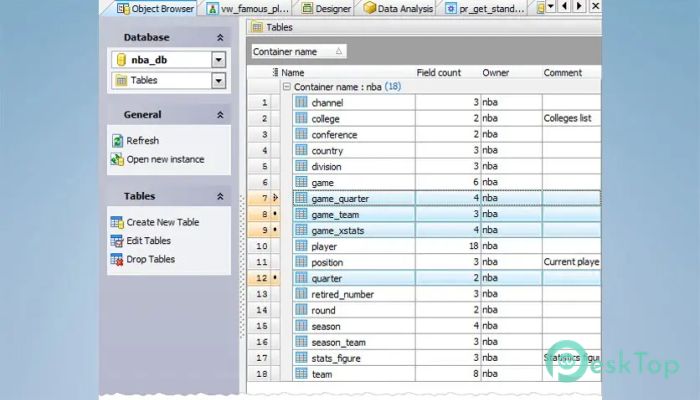
Managing tables, views, indexes, and procedures feels straightforward. Everything is clearly organized, much like folders in a file manager. This approach helps reduce mistakes and keeps database structures easy to understand, even in large projects.
Built-In Database Designer
The visual designer acts like a blueprint for your database. Relationships, keys, and dependencies are shown clearly, making it easier to plan changes before applying them. It feels similar to sketching a map before starting a journey, helping avoid wrong turns.
Secure Access Control Made Easy
Security settings are accessible without digging through complex menus. User roles, permissions, and access rules can be reviewed and adjusted quickly. This helps maintain a safe environment while keeping administration tasks stress-free.
Flexible Data Editing and Management
Working with records becomes more comfortable thanks to built-in editing, sorting, grouping, and filtering tools. Handling rows feels like working in a smart spreadsheet, allowing quick changes and easy reviews without writing extra queries.
Advanced SQL Editing Experience
The SQL editor is designed for productivity. Code folding keeps scripts readable, while multithreading allows multiple tasks to run concurrently. This makes query writing feel smoother, as if several hands were helping with the work.
Visual Query Builder for Faster Results
Complex queries become easier with the visual builder. Subqueries and UNION operations can be created visually, reducing manual errors. It is especially helpful for users who prefer to see the logic laid out rather than typing everything from scratch.
Reliable Data Import and Export Options
Moving data between systems is simple thanks to support for popular formats. Whether exporting reports or importing external datasets, the process stays clean and predictable, helping maintain data accuracy.
Powerful BLOB Viewing and Editing
Binary data can be challenging to handle, but the integrated viewer and editor make it manageable. Large objects can be inspected and modified without leaving the main workspace, saving time and reducing tool switching.
System Requirements and Technical Details
Operating System: Windows 11 / 10 / 8.1 / 7
Processor: Minimum 1 GHz Processor (2.4 GHz recommended)
RAM: 2GB (4GB or more recommended)
Free Hard Disk Space: 200MB or more is recommended

-
Program size26.18 MB
-
Version23.5.0.1
-
Program languagemultilanguage
-
Last updatedBefore 9 Month
-
Downloads6
 Reportizer
 AccdbMerge
 RdpGuard
 Checkbook For Excel
 SysTools SQL Recovery
 Pointdev Ideal Dispatch