
 Arabic
  English
  Turkish
  Chinese
  Japanese
  Russian
  Spanish
  German
  French
  Hindi
Hindi Download SQLMaestroGroup Code Factory for MySQL 17.4.0.12 for Windows
Download SQLMaestroGroup Code Factory for MySQL 17.4.0.12 for Windows.
SQLMaestroGroup Code Factory for MySQL Overview
This utility is designed for people who work with MySQL daily and want speed without complexity. Think of it as a smart workshop where every tool is within arm’s reach. Instead of writing long queries from scratch, you can visually build them, fine-tune details, and execute tasks smoothly. It focuses on productivity while keeping things simple and readable.Features of SQLMaestroGroup Code Factory for MySQL
Clean and Practical User Interface
The layout feels like a well-organized desk. Everything has its place, so you don't have to hunt through menus. Panels are adjustable, tools are easy to reach, and the workspace adapts to your workflow. This flexibility helps beginners feel comfortable and lets experienced users move faster.
Visual Query Builder for Faster Work
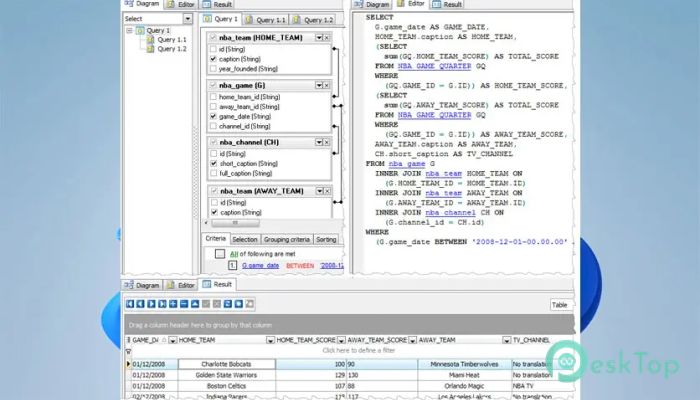
One of the biggest strengths is the visual query builder. Instead of memorizing complex syntax, you can build queries step by step using visual blocks. It feels like assembling puzzle pieces rather than writing lines of code. This approach reduces errors and saves time, especially when dealing with complex joins.
Advanced SQL Editor Experience
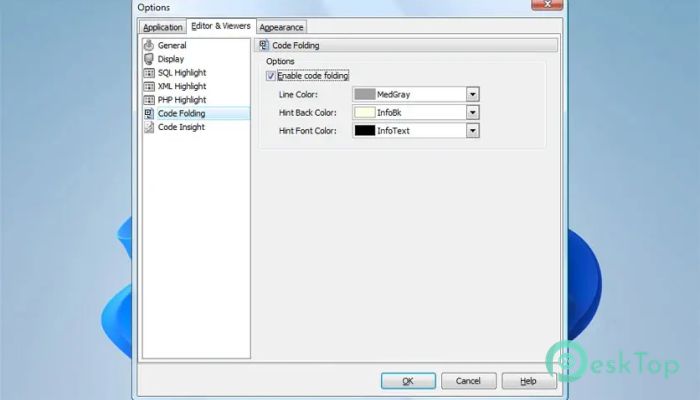
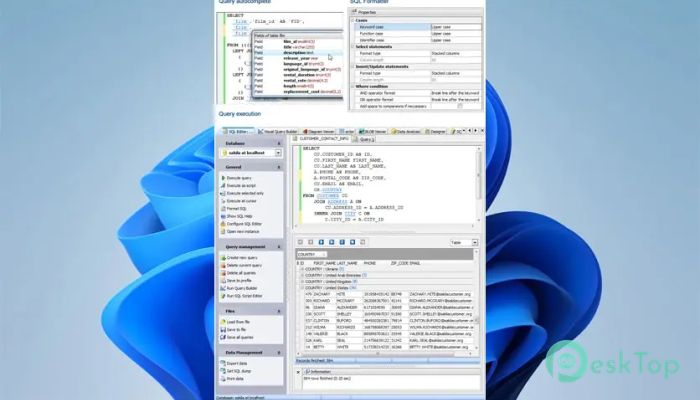
The built-in editor is designed to feel like a smart notebook. Code folding keeps long scripts tidy, while syntax highlighting makes commands easier to read. These features help you focus on logic instead of formatting. Writing queries becomes smoother, like typing with auto-guided lanes.
Multi-Threaded Query Execution
Running multiple queries simultaneously is straightforward. Thanks to multithreading, multiple tasks can run concurrently without slowing the system. It feels like cooking on multiple burners rather than waiting for one dish to finish.
Efficient Data Management Tools
Managing records is straightforward and flexible. You can edit rows, group data, sort values, and apply filters in just a few clicks. This makes working with large datasets less tiring and more organized. It turns raw tables into meaningful information.
Wide Range of Export Options
Sharing data is simple because exporting supports up to 18 different file formats. Whether you need reports, backups, or external analysis, the process stays smooth. It works like a universal adapter, fitting almost any destination.
Flexible Data Import Capabilities
Bringing external data into your database is just as easy. Files such as Excel sheets, CSVs, and plain text can be imported quickly. This saves hours of manual entry and keeps your workflow moving forward.
Powerful BLOB Viewer and Editor
Handling binary data is often tricky, but here it feels manageable. The built-in viewer and editor allow you to inspect and modify BLOB content directly. This feature is especially useful when dealing with images or complex binary records.
SQL Script Editing and Execution
Script management tools help you write, edit, and run scripts without friction. You can organize scripts like chapters in a book and execute them when needed. This makes repetitive tasks faster and more reliable.
Visual Diagrams and Customization
Numeric data can be turned into visual diagrams that make trends easier to understand. Additionally, the interface can be customized to match personal preferences. It feels like adjusting the seat and mirrors before a long drive.
Everyday Assistant for Database Tasks
This solution acts like a dependable co-worker. From quick edits to detailed analysis, it stays responsive and helpful. The focus on practical tools makes daily MySQL work less stressful and more efficient.
System Requirements and Technical Details
Operating System: Windows 11 / 10 / 8.1 / 7
Processor: Minimum 1 GHz Processor (2.4 GHz recommended)
RAM: 2GB (4GB or more recommended)
Free Hard Disk Space: 200MB or more is recommended

-
Program size19.20 MB
-
Version17.4.0.12
-
Program languagemultilanguage
-
Last updatedBefore 8 Month
-
Downloads12
 Reportizer
 AccdbMerge
 RdpGuard
 Checkbook For Excel
 SysTools SQL Recovery
 Pointdev Ideal Dispatch