
 Arabic
  English
  Turkish
  Chinese
  Japanese
  Russian
  Spanish
  German
  French
  Hindi
Hindi Download Tera Tech Real Time Website Monitor Pro 3.0 for Windows
Download Tera Tech Real Time Website Monitor Pro 3.0 for Windows.
Tera Tech Real Time Website Monitor Pro Overview
This professional desktop utility is built to help users stay informed about website health at all times. It monitors websites, pages, and online services in real time and clearly reports their current status. The main goal is simple: to detect problems early so action can be taken before visitors or customers are affected.Features of Tera Tech Real Time Website Monitor Pro
Simple and Clean User Interface
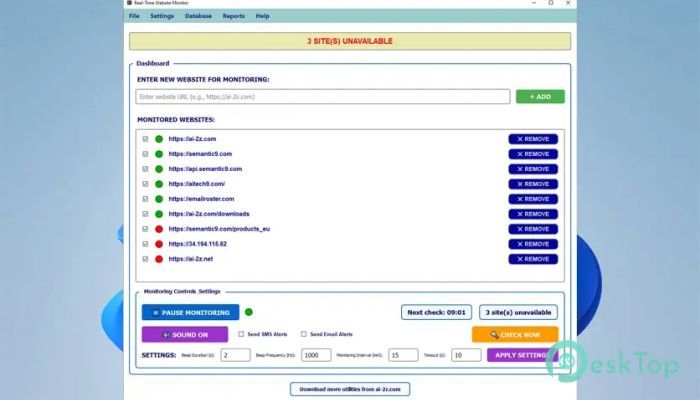
The software features a modern, easy-to-understand interface. Color-coded indicators instantly show whether a website is online, slow, or unreachable. Green, red, and yellow states remove guesswork and help you understand the situation at a glance. Even with many websites being monitored, everything remains organized and easy to read.
Real-Time Monitoring That Never Sleeps
It continuously checks website availability at user-defined intervals. Whether you want checks every few seconds or once a day, the tool adapts easily. Real-time updates keep you aware of the current status, much like a heartbeat monitor for your online presence.
Instant Downtime Detection
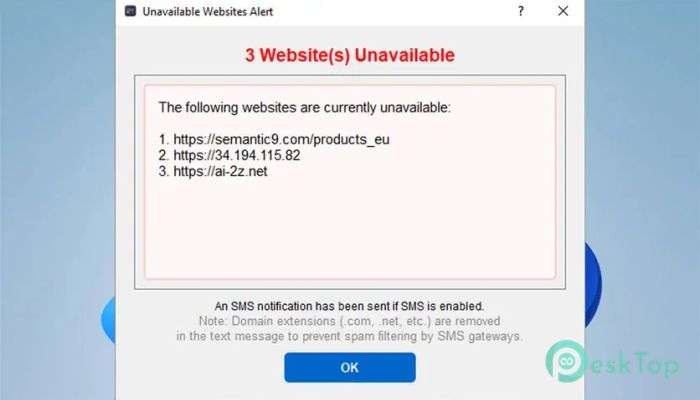
When a website becomes inaccessible, detection happens immediately. There is no waiting or manual refreshing. This fast response allows quick troubleshooting, reducing downtime and protecting user trust. It works like an early-warning alarm that rings when something goes wrong.
Multiple Alert Options for Immediate Action
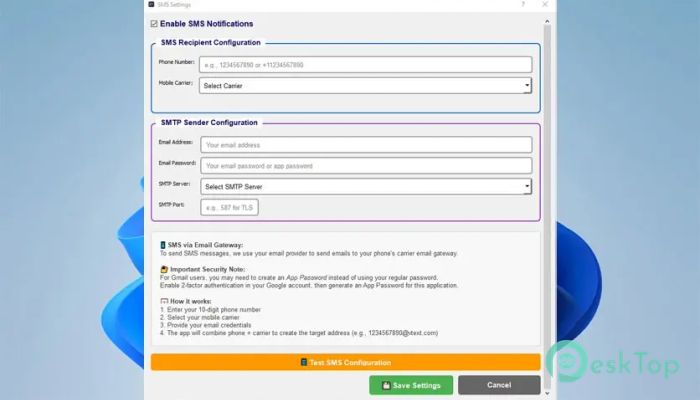
Alerts are one of its strongest features. You can enable sound notifications for local awareness, receive email messages with detailed information, or even get SMS alerts listing affected websites. Visual alerts on the screen add another layer of attention, making sure nothing slips by unnoticed.
Flexible Monitoring Controls
The tool provides complete control over how monitoring is configured. You can pause or resume checks at any time without losing settings. Individual websites can be enabled or disabled using simple checkboxes. There is also a “Check Now” option for instant status updates.
Advanced Reporting for Better Insights
Downtime and uptime reports provide valuable insights into website performance. Reports show which pages are inaccessible and since when, along with the last check timestamps. Exporting these reports to CSV files makes sharing and analysis easy, especially for teams and clients.
Handles Large Website Lists Smoothly
Monitoring dozens or even hundreds of websites is handled effortlessly. Thanks to its threaded architecture, the interface remains smooth and responsive even during constant checks. This makes it suitable for system administrators, developers, and business owners managing multiple online assets.
Smart Configuration and Storage
All settings are automatically saved to an integrated local database. Import and export options allow quick setup on new systems or easy backups. Automatic URL formatting ensures correct website addresses by adding missing prefixes, reducing setup errors.
Optimized for Windows Performance
Designed specifically for Windows, it leverages native system features to deliver reliable alerts and seamless operation. Both HTTP and HTTPS websites are supported, and the software runs efficiently in the background without consuming unnecessary system resources.
System Requirements and Technical Details
Operating System: Windows 11 / 10
Processor: Minimum 1 GHz Processor (2.4 GHz recommended)
RAM: 2GB (4GB or more recommended)
Free Hard Disk Space: 200MB or more is recommended

-
Program size41.04 MB
-
Version3.0
-
Program languagemultilanguage
-
Last updatedBefore 9 Month
-
Downloads7
 Reportizer
 AccdbMerge
 RdpGuard
 Checkbook For Excel
 SysTools SQL Recovery
 Pointdev Ideal Dispatch