
 Arabic
  English
  Turkish
  Chinese
  Japanese
  Russian
  Spanish
  German
  French
  Hindi
Hindi Download Tiger API Client 0.6.0 for Windows
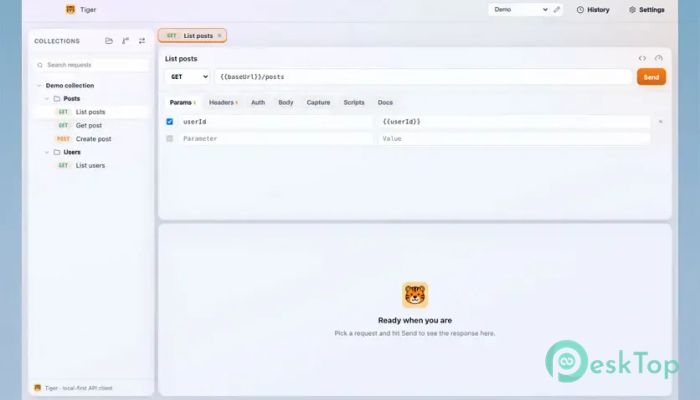
Download Tiger API Client 0.6.0 for Windows.
Tiger API Client Overview
Modern API development requires tools that are fast, flexible, and easy to manage. This software takes a different approach from traditional API clients by storing every request as a plain-text file on your computer. Instead of locking your work inside a database or cloud account, it keeps everything accessible, portable, and version-controlled. The tool is built for developers who love Git-based workflows. It allows users to commit API collections, create branches, review changes, and collaborate with teammates just like they do with source code. This makes project management cleaner and more transparent.Features of Tiger API Client
Git-Native API Management
One of the biggest strengths of the software is its Git-native design. Every API request is saved as a simple .tiger file on disk. Think of it as treating API collections like source code files instead of hidden project data.
This approach makes version control incredibly simple. Developers can track changes, compare revisions, and restore previous versions whenever needed. Teams can also review API modifications through pull requests before merging them into production workflows.
Local-First and Privacy-Focused Design
Many API tools require users to create accounts or sync data through online services. The tool removes these requirements completely. Everything stays on the local machine, giving users full control over their files and projects.
This local-first approach improves privacy and security. Sensitive API requests, tokens, and collections remain under the user's control without depending on external servers. It feels like keeping important documents in your own office rather than in someone else's warehouse.
Beautiful and Modern User Interface
Despite being developer-focused, the software offers a polished and attractive interface. It features a clean glass-style design that feels modern and responsive. Navigation is simple, making it easy to organize and manage API requests.
Users can switch between light and dark themes according to their preferences. Whether working during the day or coding late at night, the interface remains comfortable and easy on the eyes.
Built-In MCP Server Support
A standout feature is the integrated MCP server. This allows AI assistants and coding tools to interact directly with API requests. Developers can connect compatible assistants and execute requests without leaving their preferred workflow.
This capability bridges AI-powered development environments and API testing. Instead of manually copying requests, users can automate tasks and speed up their daily work.
Request Chaining for Automation
Working with APIs often requires using data from one request in another. The software addresses this challenge through its request-chaining system. Response values can be captured automatically and stored as variables for future calls.
This feature reduces repetitive work and helps build more advanced testing scenarios. For example, a login request can generate a token that is automatically used in the next API call without any manual input.
Easy Import and Migration Tools
Switching from another API client can sometimes feel like moving houses. Fortunately, the tool includes a complete importer suite that helps users migrate existing collections and projects with minimal effort.
This allows developers to continue working with their current APIs while enjoying the benefits of a Git-friendly workflow. The migration process is straightforward and helps save valuable time.
Perfect for Team Collaboration
Collaboration becomes much easier when API collections behave like source code. Team members can review changes, discuss modifications, and merge updates using familiar development practices.
Because requests are stored as files, they can be shared via repositories, tracked with commits, and organized with branches. This creates a smooth workflow for both small teams and large development organizations.
Open Source and Community Driven
The software is completely open source, which means anyone can inspect the code, contribute improvements, or customize it to fit specific needs. Developers are not locked into a proprietary ecosystem.
The community-driven nature of the project encourages innovation and transparency. Users benefit from regular improvements and feedback from developers around the world.
Why Developers Prefer It
Traditional API tools often separate API management from development workflows. This platform closes that gap by integrating directly with Git practices. It feels natural for developers because requests, collections, and changes are handled just like application code.
Its combination of local storage, AI integration, request automation, modern design, and open-source flexibility makes it a powerful choice for API development and testing.
System Requirements and Technical Details
Operating System: Windows 11 / 10 / 8.1 / 7
Processor: Minimum 1 GHz Processor (2.4 GHz recommended)
RAM: 2GB (4GB or more recommended)
Free Hard Disk Space: 200MB or more is recommended

-
Program size97.99 MB
-
Version0.6.0
-
Program languagemultilanguage
-
Last updatedBefore 2 Month
-
Downloads6
 Reportizer
 AccdbMerge
 RdpGuard
 Checkbook For Excel
 SysTools SQL Recovery
 Pointdev Ideal Dispatch