
 Arabic
  English
  Turkish
  Chinese
  Japanese
  Russian
  Spanish
  German
  French
  Hindi
Hindi Download Toms Log Intelligence 1.0 for Windows
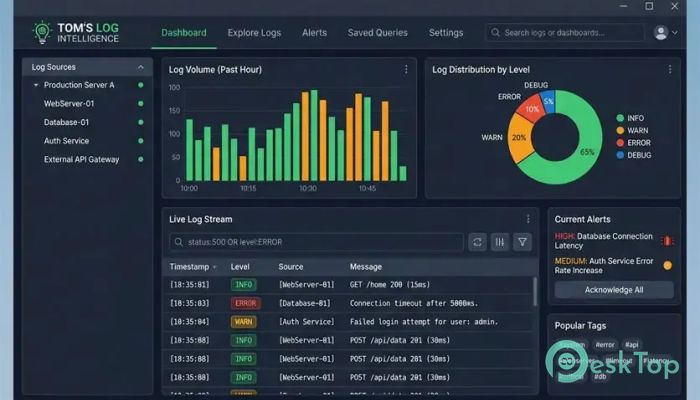
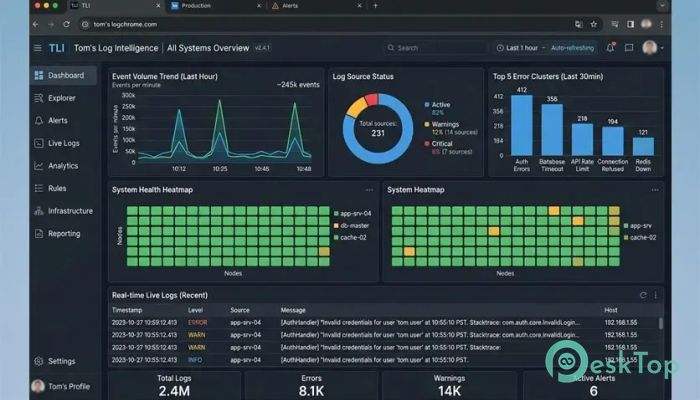
Download Toms Log Intelligence 1.0 for Windows.
Toms Log Intelligence Overview
Managing web server logs can feel like searching for a needle in a haystack. Thousands or even millions of log entries can quickly become overwhelming. This software simplifies the process by converting raw log data into organized, easy-to-understand reports. Instead of manually scanning endless text files, users can instantly discover valuable information about visitors, bots, downloads, security threats, and website performance. The tool supports Apache, Nginx, and IIS log files, making it suitable for a wide range of websites and server environments. It can even process compressed .gz files directly from cPanel backups, saving valuable time and effort.Features of Toms Log Intelligence
Transform Raw Logs into Useful Reports
Server logs contain a huge amount of information, but reading them manually is often frustrating and inefficient. The software acts like a smart translator, turning complicated log entries into visual summaries and organized statistics.
Users can quickly identify which pages receive the most traffic, where visitors are coming from, and how different types of bots interact with their websites. This makes decision-making faster and more accurate.
Advanced Bot Detection System
One of the standout features is its ability to identify and classify automated traffic. Using a database of more than 83 bot signatures, the tool can recognize search engine crawlers, AI bots, monitoring services, scrapers, and other automated visitors.
This detailed classification helps website owners understand exactly who is accessing their content. Rather than seeing anonymous traffic, users gain a clear picture of which bots are indexing, analyzing, or collecting information from their websites.
AI Crawler Monitoring
Artificial intelligence crawlers are becoming increasingly common across the internet. The software provides dedicated insights into AI-related traffic, helping users understand how these systems interact with their content.
By tracking AI crawler activity, website administrators can evaluate crawl frequency, identify trends, and make informed decisions regarding content accessibility and server resources.
Security Threat Analysis
Web servers constantly face unwanted requests from malicious actors. The software helps uncover suspicious activity by identifying potential attacks, unusual behavior, and known threat patterns hidden within server logs.
Instead of discovering problems after damage occurs, users can proactively monitor security risks and respond before they become serious issues. This adds an extra layer of visibility to website management.
Download Activity Tracking
Understanding what visitors download can provide valuable business insights. The tool offers detailed reporting on file downloads, helping users determine which resources are most popular.
Whether managing software downloads, documents, media files, or digital products, users can measure engagement and better understand visitor interests through comprehensive download statistics.
Crawl Coverage Insights
Search engine visibility depends heavily on effective crawling. The software helps identify gaps in crawl coverage by showing which pages are being accessed and which may be overlooked.
This information helps website owners improve indexing performance and ensure that important content receives the attention it deserves from search engines and other automated systems.
Support for Multiple Log Formats
Different servers generate logs in different formats. The software eliminates compatibility concerns by supporting Apache, Nginx, and IIS logs within a single environment.
Users can analyze data from multiple server types without needing separate tools. This flexibility makes it ideal for developers, administrators, agencies, and businesses managing diverse hosting infrastructures.
Easy Navigation Through Dedicated Tabs
The platform organizes information across eight specialized tabs. Each section focuses on a specific area of analysis, allowing users to quickly access the data they need.
This structured approach improves productivity and makes large log files easier to explore. Instead of feeling buried in technical data, users can navigate reports with confidence and clarity.
Fast Processing Performance
Large log files can be challenging to analyze, especially when they contain millions of requests. The software is designed to process substantial amounts of data efficiently while maintaining accuracy.
This speed enables users to gain insights quickly without waiting for lengthy analysis procedures, making routine log reviews much more practical.
Who Can Benefit from This Tool?
The software is useful for website owners, SEO professionals, system administrators, security analysts, developers, and digital marketers. Anyone responsible for maintaining or improving a website can benefit from the detailed information it provides.
By turning technical log files into understandable reports, it helps both beginners and experienced professionals make smarter decisions based on real data.
System Requirements and Technical Details
Operating System: Windows 11 / 10 / 8.1 / 7
Processor: Minimum 1 GHz Processor (2.4 GHz recommended)
RAM: 2GB (4GB or more recommended)
Free Hard Disk Space: 200MB or more is recommended

-
Program size897.82 KB
-
Version1.0
-
Program languagemultilanguage
-
Last updatedBefore 3 Month
-
Downloads9
 Reportizer
 AccdbMerge
 RdpGuard
 Checkbook For Excel
 SysTools SQL Recovery
 Pointdev Ideal Dispatch