
 Arabic
  English
  Turkish
  Chinese
  Japanese
  Russian
  Spanish
  German
  French
  Hindi
Hindi Download TRAE Work 2.3.55113 for Windows
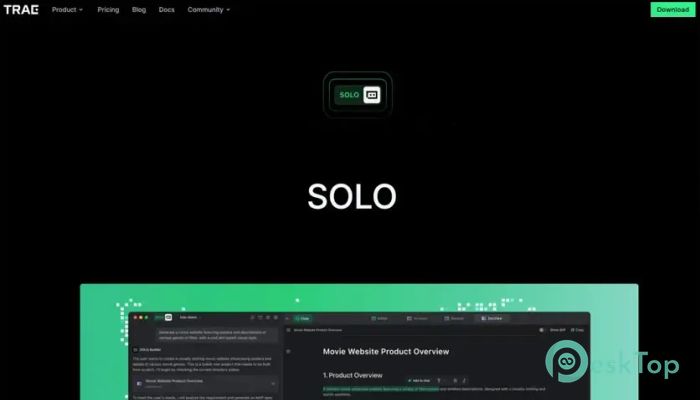
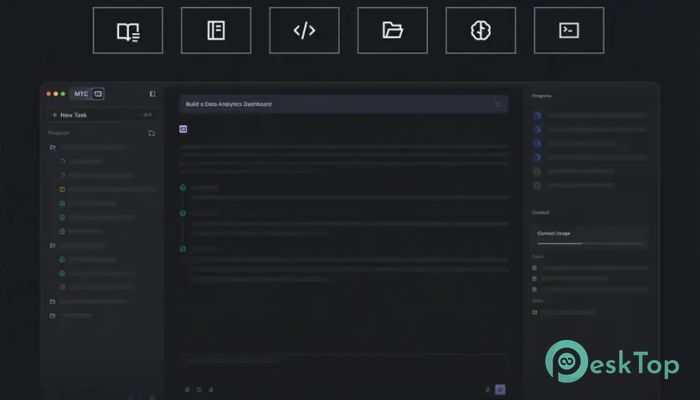
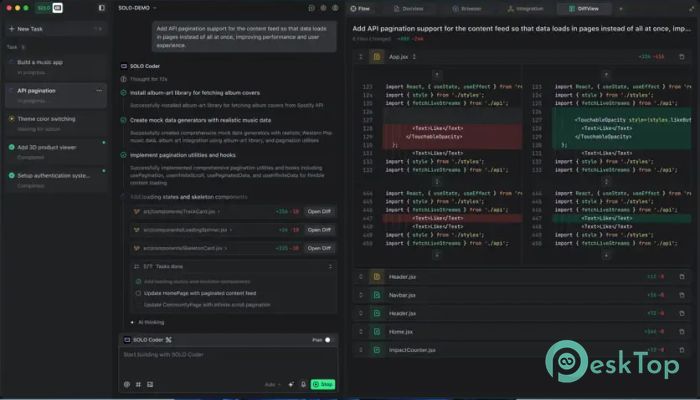
Download TRAE Work 2.3.55113 for Windows.
TRAE Work Overview
Modern work can feel messy when files, apps, and tasks are spread everywhere. This software solves that problem by consolidating everything into a single, clean workspace. It helps users organize projects, automate repetitive work, and manage different file types without confusion. Whether you work with documents, spreadsheets, presentations, or coding files, the platform keeps everything connected. The tool is designed for people who want to save time and improve productivity. Instead of manually handling every small task, users can describe what they need, and the system handles the process automatically. It works like having a smart digital assistant that never gets tired. Because it runs in the cloud, the software can process multiple tasks at once. This means users can continue working while background operations are completed automatically. The experience feels smooth, fast, and highly organized. Smart Task Automation One of the strongest features is automatic task handling. Instead of opening multiple apps and moving files around, users simply define their goals. The software then breaks the work into smaller steps and completes them using the right tools. This creates a workflow that feels effortless. A task that normally takes hours can be completed in minutes. It works almost like an experienced assistant sitting beside you and managing every detail while you focus on creative thinking. The automation system also reduces mistakes. Since everything is handled within a single workspace, there is less risk of losing files or using outdated versions. That makes project management cleaner and more reliable. Unified Workspace Experience Managing projects across different platforms can quickly become frustrating. This platform solves that problem by keeping all files and activities in a single workspace. Documents, spreadsheets, presentations, and scripts stay together in the same environment. Users no longer need to search through folders or upload files repeatedly. Everything remains available and connected. This improves productivity because work continues without interruption. The unified design also helps teams stay organized. Instead of sharing files across many apps, everything stays centralized. It feels similar to having a digital office where every important file is always on the right desk. Support for Multiple File Types The software understands and processes many file types. It can read documents, analyze datasets, review presentations, and even understand programming scripts. This wide compatibility makes it useful for students, developers, researchers, marketers, and business professionals. For example, users can upload a spreadsheet and combine it with a project document to generate a structured report. The platform reads both files, understands their relationship, and automatically generates useful output. This ability to reason across different contexts makes the tool stand out. It does not simply store files. Instead, it actively understands the information and helps users turn raw data into meaningful results. Cloud-Powered Performance Local hardware limitations often slow down heavy tasks. This platform avoids that issue through cloud-powered processing. Large workloads can run online without depending on the user’s computer performance. Multiple tasks can operate simultaneously in the background. While one operation is processing data, another can organize files or generate content. This creates a fast and responsive experience. It is especially helpful for professionals handling large projects. Instead of waiting for one task to finish before starting another, users can continue working without delays. The workflow keeps moving even when the computer is idle. Desktop and Web Integration Flexibility is another major advantage. The software runs smoothly on both desktop and web platforms, allowing users to access their workspace from almost anywhere. Someone working at the office can continue the same project later from another device without restarting the workflow. This creates a connected experience that feels modern and convenient. The transition between devices is seamless. Files, tasks, and progress remain synchronized, allowing users to pick up exactly where they stopped. It works like carrying an entire office inside your pocket. Improved Productivity for Professionals Professionals often spend more time organizing work than actually completing it. This platform changes that by reducing manual steps and simplifying complicated processes. Writers can organize drafts and references in one place. Developers can manage scripts and project files more efficiently. Analysts can combine datasets and documents without jumping between applications. The result is better focus and faster output. Instead of feeling buried under endless tabs and folders, users stay concentrated on meaningful work. Simple and User-Friendly Interface Advanced features sometimes make software difficult to use, but this platform keeps the interface simple and approachable. The layout feels clean, modern, and easy to navigate. Even beginners can quickly understand how to upload files, manage projects, and start tasks. The learning curve remains small compared to many professional workflow tools. The design focuses on reducing distractions. Important tools remain accessible while unnecessary clutter stays hidden. This helps users feel comfortable even during complex projects. Collaboration and Workflow Efficiency Working with others becomes much easier when files and tasks are organized in one environment. Team members can review updates, share documents, and continue projects without confusion. The centralized workflow reduces communication problems because everyone works from the same source. There is no need to constantly resend files or ask which version is correct. This makes collaboration feel smoother and more professional. Teams can spend more time creating results and less time managing file chaos. Reliable Performance for Modern Work Today’s digital work environment requires speed, flexibility, and reliability. This software delivers all three through intelligent automation and cloud-based performance. Users can trust the platform to handle repetitive work while they focus on strategy and creativity. The system works quietly in the background, keeping projects moving forward without interruption. Whether handling simple daily tasks or large professional projects, the platform adapts easily to different workloads and industries.Features of TRAE Work
Smart AI-powered task automation
Single workspace for all project files
Supports documents, datasets, presentations, and scripts
Cloud-powered background processing
Desktop and web synchronization
Multi-task execution support
Clean and modern user interface
Improved collaboration workflow
Fast and organized project management
Reliable productivity enhancement tools
System Requirements and Technical Details
Operating System: Windows 11 / 10
Processor: Minimum 1 GHz Processor (2.4 GHz recommended)
RAM: 2GB (4GB or more recommended)
Free Hard Disk Space: 500MB or more is recommended
Comments

319.93 MB
Program details
-
Program size319.93 MB
-
Version2.3.55113
-
Program languagemultilanguage
-
Last updatedBefore 2 Month
-
Downloads6
 Reportizer
 AccdbMerge
 RdpGuard
 Checkbook For Excel
 SysTools SQL Recovery
 Pointdev Ideal Dispatch