
 Arabic
  English
  Turkish
  Chinese
  Japanese
  Russian
  Spanish
  German
  French
  Hindi
Hindi Download Windsurf Editor 1.12.36 for Windows

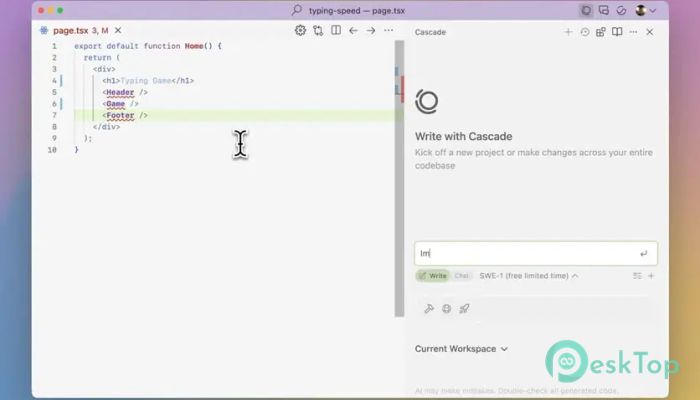
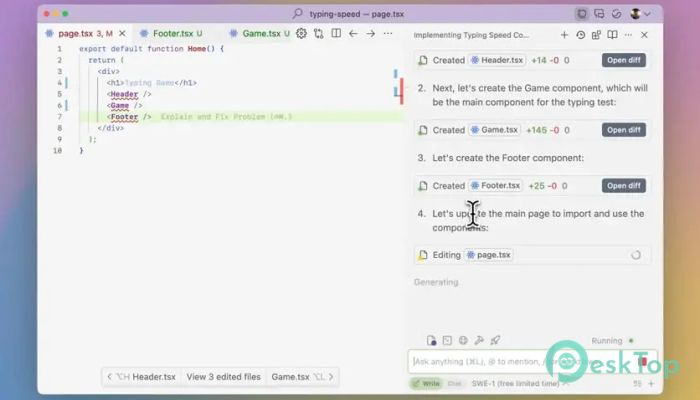
Download Windsurf Editor 1.12.36 for Windows.
Windsurf Editor Overview
This advanced development environment is designed to transform how programmers interact with their projects. It blends human input with intelligent automation, offering a workspace where AI and coding tools work side by side. Instead of switching between multiple platforms, everything you need stays inside one unified place.Features of Windsurf Editor
AI-Driven Coding Assistance
The tool features a powerful AI system that understands the context of your code. Whether you are debugging issues, generating functions, or refining structure, it stays aligned with your workflow. You can think of it as a helpful partner that predicts your next move and speeds up your development time.
Smart Context Handling
One of the standout aspects of this software is its ability to follow long coding sessions without losing track. It remembers previous lines, patterns, and project goals, making your instructions easier and faster to implement. This creates a smooth, flowing experience every time you write new code or modify existing modules.
Cascade Collaboration Feature
The Cascade capability allows the tool to operate more like an intelligent agent. Instead of performing one instruction at a time, it executes multiple tasks in a structured order. This means less manual work and more automated improvements, especially useful for big projects.
Real-Time Code Editing
The editor updates suggestions and improvements as you type. It works like a companion looking over your code, pointing out potential issues and helping you refine your ideas. This creates a balanced workflow that combines creativity and accuracy.
Integrated Developer Tools
On the platform, you will find everything you need for a smooth development experience. From version control to terminal access, file browsing, and debugging tools, everything works together without lag. This reduces distractions and keeps your mind focused on building better software.
Improved Workflow Speed
The built-in AI assistant and automation features reduce repetitive tasks. Instead of spending time fixing minor errors or rewriting code patterns, you can concentrate on designing cleaner systems. This increases productivity and reduces project delays.
User-Friendly Interface
The interface is clean, open, and welcoming even for beginners. Buttons and menus are placed where you expect them, so you can focus on work instead of searching through complicated layouts. The overall experience feels smooth and natural.
Perfect for All Skill Levels
Whether you are just starting or already an expert, the tool adapts to your style. Beginners prefer more straightforward suggestions, while experienced developers benefit from deeper analysis and faster execution. It supports many languages, making it suitable for diverse coding needs.
Security and Stability
The platform is designed to maintain reliable performance even during heavy tasks. It protects your code, keeps backups, and ensures consistent behavior across sessions. This gives confidence while working on sensitive or large-scale projects.
Why Developers Prefer It
Many developers appreciate how the editor blends human creativity with machine intelligence. It reduces manual workload, saves tim,e and helps prevent common mistakes. With everything organized and guided, you can turn ideas into working code faster than before.
System Requirements and Technical Details
Operating System: Windows 11 / 10 / 8.1 / 7
Processor: Minimum 1 GHz Processor (2.4 GHz recommended)
RAM: 2GB (4GB or more recommended)
Free Hard Disk Space: 200MB or more is recommended

-
Program size160.72 MB
-
Version1.12.36
-
Program languagemultilanguage
-
Last updatedBefore 10 Month
-
Downloads49
 Reportizer
 AccdbMerge
 RdpGuard
 Checkbook For Excel
 SysTools SQL Recovery
 Pointdev Ideal Dispatch