
 Arabic
  English
  Turkish
  Chinese
  Japanese
  Russian
  Spanish
  German
  French
  Hindi
Hindi Download Wondershare EdrawProj 1.0 for Windows
Download Wondershare EdrawProj 1.0 for Windows.
Wondershare EdrawProj Overview
Managing projects can sometimes feel like trying to solve a giant puzzle with hundreds of moving pieces. This software simplifies the entire process by bringing planning, scheduling, resource management, cost tracking, and task monitoring into a single workspace. Whether you are handling a small personal assignment or a large business project, it provides the tools needed to stay organized and productive. The platform is designed for users who want a clear view of their projects without dealing with unnecessary complexity. With intuitive controls and visual project management tools, it becomes much easier to meet deadlines and keep every task moving in the right direction.Features of Wondershare EdrawProj
Smart Project Planning
Successful projects always start with proper planning. The software helps users create detailed project schedules and organize work in a structured way. Instead of relying on scattered notes and spreadsheets, everything can be managed from one place.
Users can define goals, assign tasks, set timelines, and monitor progress throughout the project lifecycle. This organized approach helps prevent delays and keeps everyone focused on important objectives.
Personal Project Calendar
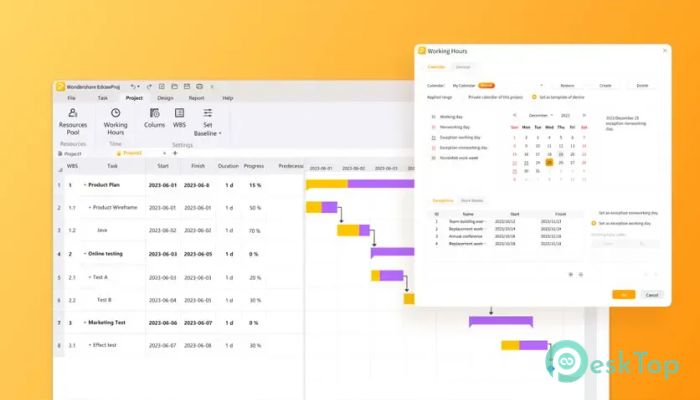
Time management is one of the biggest challenges in project execution. The tool includes a personal project calendar that makes scheduling simple and effective. It allows users to visualize important dates, milestones, and deadlines in an easy-to-understand format.
By viewing tasks on a calendar, project managers can quickly identify potential conflicts and make adjustments before problems arise. This helps maintain a steady workflow and improves overall productivity.
Powerful Gantt Chart Creation
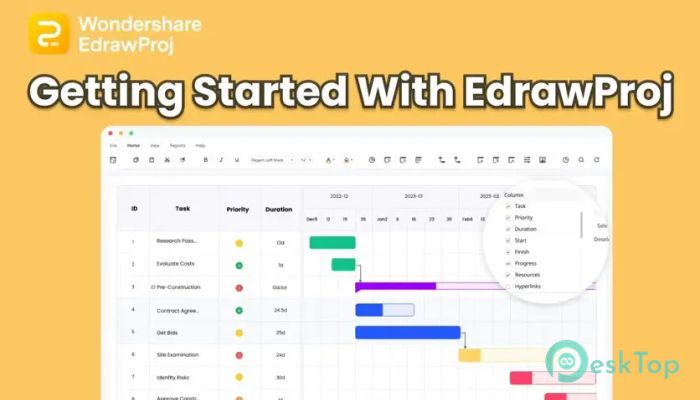
One of the most valuable features is its advanced Gantt chart functionality. Complex projects often contain many interconnected tasks, and keeping track of these relationships can be difficult. The built-in Gantt chart maker provides a clear visual representation of the entire project timeline.
Users can break large projects into smaller tasks, establish dependencies, and monitor progress with ease. Like a roadmap guiding travelers toward their destination, the Gantt chart helps teams understand exactly where they are and what comes next.
Easy Task Management
The software makes task management straightforward and flexible. Users can prioritize activities, modify start dates, adjust durations, and update schedules without complicated procedures.
Its drag-and-drop functionality allows changes to be made quickly. Moving tasks is as simple as rearranging items on a desk. Dependencies can also be established with a single click, helping maintain accurate project timelines.
Resource Monitoring and Allocation
Managing resources effectively is essential for project success. The tool includes a dedicated resource view that provides a complete summary of project resources in one place.
Managers can easily monitor workloads, availability, and assignments. This visibility helps avoid resource conflicts, prevents overloading team members, and improves overall project efficiency.
Cost Tracking and Budget Control
Keeping expenses under control is just as important as meeting deadlines. The platform helps users monitor project costs and manage budgets more effectively throughout the project lifecycle.
By tracking financial information alongside project progress, teams can identify potential budget issues early and make informed decisions before costs exceed expectations.
Visual Project Status Indicators
Understanding project status should never require lengthy reports. The software uses color-based indicators that provide instant visibility into project health.
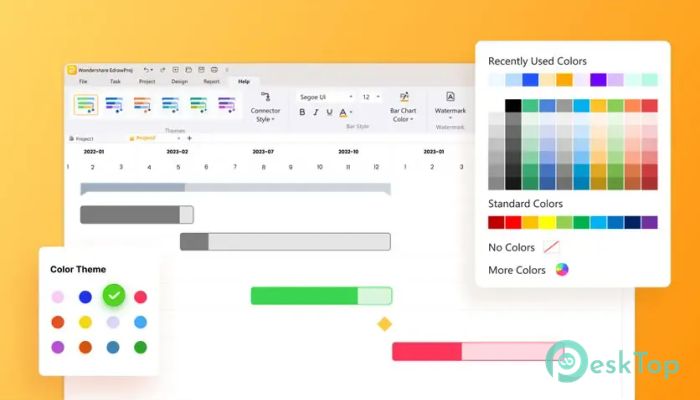
Green commonly represents completed projects, gray highlights delayed activities, and red identifies critical situations that need immediate attention. These visual cues allow users to quickly assess project conditions and take action when necessary.
Improved Team Collaboration
Collaboration becomes much smoother when everyone has access to accurate project information. The platform makes it easy to share task details, working hours, schedules, and cost calculations among team members.
With better communication, misunderstandings are reduced, and teams remain aligned on project objectives. This creates a more productive work environment and helps projects move forward efficiently.
Flexible Data Export Options
Project information often needs to be shared with clients, stakeholders, and team members. The tool simplifies this process by allowing users to export project data sheets quickly and efficiently.
These exported reports can be used for presentations, documentation, budgeting, and project reviews. This flexibility ensures that important information is always accessible when needed.
User-Friendly Interface
Not every project manager is a technical expert, and the software recognizes this reality. Its clean interface makes navigation simple, even for beginners. Most features are accessible through intuitive menus and visual controls.
This ease of use reduces the learning curve and allows users to focus on managing projects rather than learning complicated software functions.
System Requirements and Technical Details
Operating System: Windows 11 / 10 / 8.1 / 7
Processor: Minimum 1 GHz Processor (2.4 GHz recommended)
RAM: 2GB (4GB or more recommended)
Free Hard Disk Space: 200MB or more is recommended

-
Program size866.37 KB
-
Version1.0
-
Program languagemultilanguage
-
Last updatedBefore 1 Month
-
Downloads71
 Chess King 2026
 Easy German Platinum
 Easy French Platinum
 Easy English Platinum
 Moneyspire Desktop
 Concept Grid