
 Arabic
  English
  Turkish
  Chinese
  Japanese
  Russian
  Spanish
  German
  French
  Hindi
Hindi Download Zasper 0.2.0 for Windows
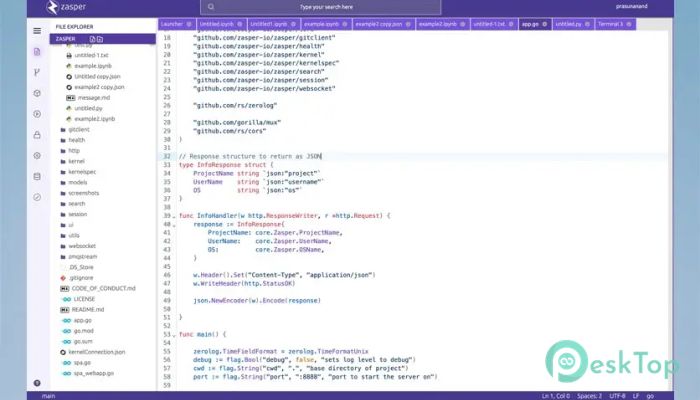
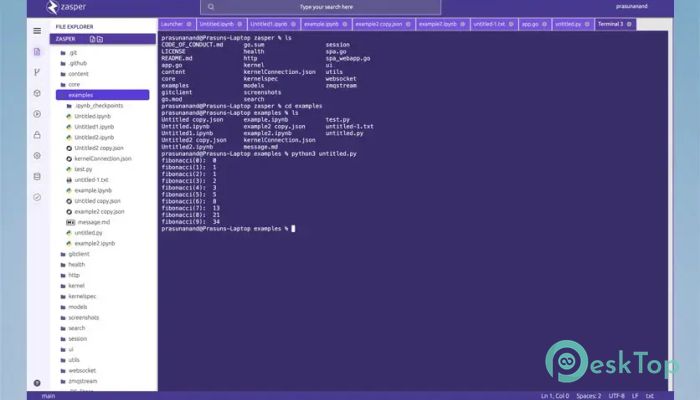
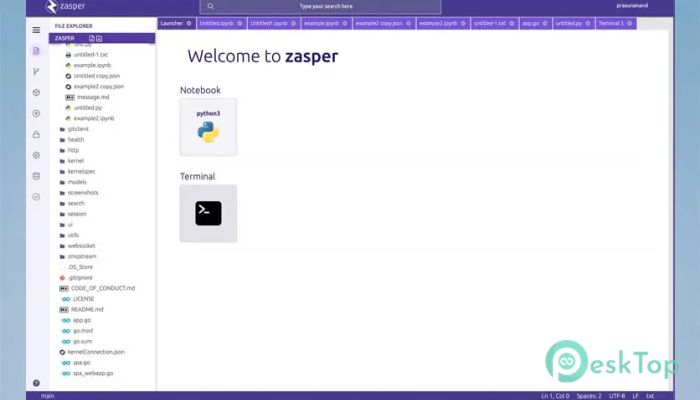
Download Zasper 0.2.0 for Windows.
Zasper Overview
This modern development environment is designed from the ground up to support massive concurrency without slowing down your workflow. It focuses on performance, stability, and efficiency, making it a strong choice for users who work with large datasets, perform real-time processing, or run multiple tasks simultaneously. Unlike traditional notebook-based tools, it fully utilizes all available CPU cores, ensuring smooth execution even under heavy load.Features of Zasper
Built for Massive Concurrency
One of the biggest strengths of this tool is its ability to manage thousands of concurrent operations effortlessly. Think of it like a well-organized highway system where traffic keeps flowing even during rush hour. While many environments struggle when tasks pile up, this solution keeps everything responsive and stable. This makes it especially helpful for advanced analytics, simulations, and parallel experiments.
Lightweight Memory Footprint
Memory efficiency is a key focus here. Instead of consuming large amounts of system resources, the software stays lean and optimized. This means your system remains responsive, even when working on complex projects. It feels similar to driving a compact sports car that delivers speed without unnecessary weight, allowing you to focus on productivity rather than resource management.
Blazing-Fast Performance
Speed plays a central role in the overall experience. Tasks execute quickly, cells respond instantly, and background operations stay smooth. This fast feedback loop helps maintain focus and momentum during development. Whether you are testing models or processing large datasets, the software minimizes wait time and keeps your workflow moving.
Designed for Data Science Workflows
The environment is purpose-built for interactive computing, making it ideal for data science tasks. It supports rapid experimentation, iterative analysis, and real-time feedback. Instead of juggling multiple tools, everything feels unified and streamlined. This simplicity reduces friction and allows users to spend more time thinking and less time configuring.
Efficient Use of CPU Cores
Unlike many traditional tools that rely heavily on a single core, this platform scales across all available CPU cores. Imagine a team where everyone works together instead of waiting for one person to finish. This approach dramatically improves performance on modern multi-core systems and ensures consistent results even under demanding workloads.
Stable and Reliable Environment
Stability is another major advantage. Long-running sessions remain reliable without unexpected slowdowns or crashes. This is especially useful for extended experiments or continuous data processing tasks. The software feels dependable, like a sturdy bridge that supports heavy traffic without showing signs of strain.
Simple and Focused Interface
The interface keeps distractions to a minimum. Instead of overwhelming users with cluttered menus, it provides a clean, focused workspace. This design helps both beginners and experienced professionals feel comfortable. Everything is placed where it makes sense, reducing the learning curve and improving overall efficiency.
Ideal for Modern Interactive Computing
Interactive computing demands speed, flexibility, and responsiveness. This solution delivers all three by combining smart architecture with efficient resource management. It adapts well to modern workflows where real-time insights and rapid iteration are essential. As workloads grow, it scales gracefully without sacrificing performance.
Future-Ready Architecture
The underlying design is built with future demands in mind. As data sizes increase and workflows become more complex, this environment remains ready to adapt. Its architecture supports growth, ensuring that users are not limited by outdated constraints. This forward-thinking approach makes it a long-term companion for evolving projects.
System Requirements and Technical Details
Operating System: Windows 11 / 10 / 8.1 / 7
Processor: Minimum 1 GHz Processor (2.4 GHz recommended)
RAM: 2GB (4GB or more recommended)
Free Hard Disk Space: 200MB or more is recommended

-
Program size6.75 MB
-
Version0.2.0
-
Program languagemultilanguage
-
Last updatedBefore 8 Month
-
Downloads3
 Reportizer
 AccdbMerge
 RdpGuard
 Checkbook For Excel
 SysTools SQL Recovery
 Pointdev Ideal Dispatch