
 Arabic
  English
  Turkish
  Chinese
  Japanese
  Russian
  Spanish
  German
  French
  Hindi
Hindi Download Zeal 0.7.2 for Windows
Download Zeal 0.7.2 for Windows.
Zeal Overview
This solution is built for developers who prefer speed, focus, and reliability while coding. Instead of opening multiple browser tabs or relying on an active connection, it stores documentation locally, keeping everything just a few clicks away. Think of it like a personal library on your computer, always open and always ready.Features of Zeal
Purpose and Core Idea
The main idea behind the software is simple: remove distractions and delays from development work. When documentation loads instantly, productivity improves naturally. It feels like having a trusted handbook beside you while writing code, saving time that would otherwise be lost searching online.
Offline Documentation Access
One of its strongest advantages is offline usage. Once the documentation sets are downloaded, everything works without an internet connection. This is helpful during travel, power outages, or when networks are restricted. The tool quietly does its job in the background, letting you focus fully on logic and problem-solving.
Support for Multiple Languages and Frameworks
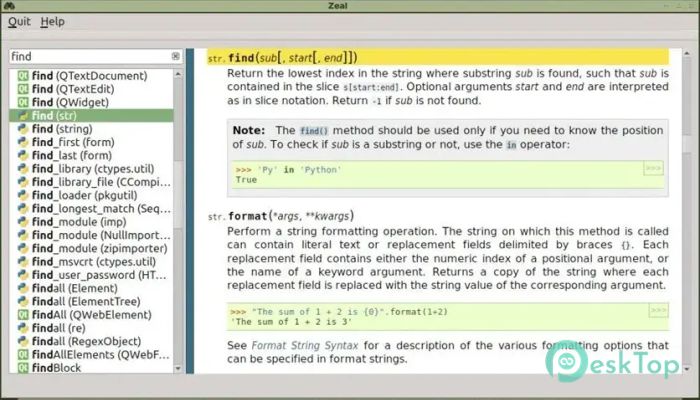
The software supports documentation for many popular programming languages, libraries, and frameworks. Whether you work with Python, JavaScript, PHP, or system-level languages, it brings all references together in one place. This unified access removes the need to switch between different sites or formats.
Simple and Clean Interface
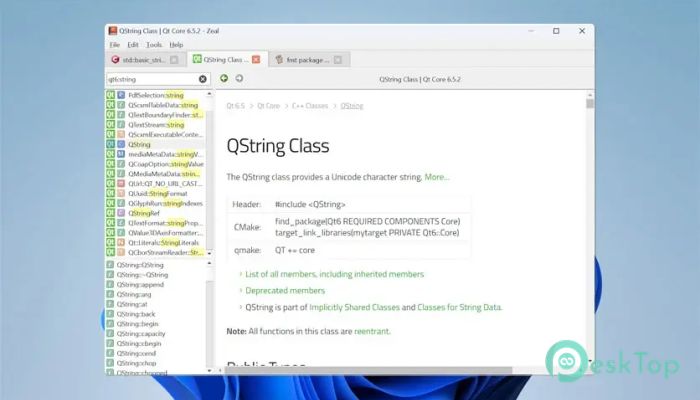
The interface is minimal and developer-friendly. There are no flashy elements or unnecessary visuals. Everything is arranged logically, so finding classes, functions, or examples feels natural. It is like a well-organized toolbox, with every item in its place.
Fast Search Experience
Searching inside the documentation is quick and accurate. As you type, results appear instantly, helping you reach the needed section without scrolling endlessly. This quick response feels like muscle memory, making development smoother and less tiring.
Easy Docset Management
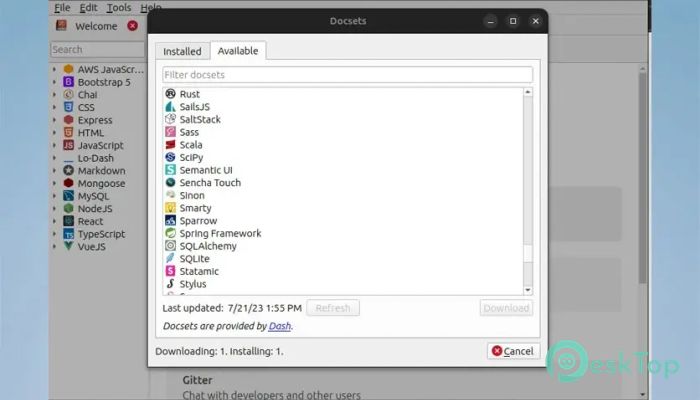
Managing documentation sets is straightforward. You can add, remove, or update docsets with ease. Updates ensure references stay relevant, while unused sets can be removed to save space. This flexibility lets you shape the tool to your workflow.
Open Source and Community Driven
Being open source means transparency and trust. Developers can review the code, suggest improvements, and contribute features. This community-driven approach keeps the software stable, secure, and continuously improving.
Lightweight Performance
The application runs smoothly even on older systems. It does not demand heavy resources, making it suitable for laptops and low-spec machines. Like a lightweight notebook, it delivers value without slowing you down.
Customization Options
Users can adjust settings to match their preferences. Keyboard shortcuts, themes, and docset behavior can be fine-tuned. These small adjustments create a personalized experience that feels comfortable during long coding sessions.
Use Cases for Developers
This tool is useful for beginners learning syntax and for experienced developers needing quick reminders. It works well in classrooms, offices, and remote setups. Wherever coding happens, it acts as a dependable reference partner.
Security and Privacy Benefits
Since everything runs offline, there is no tracking or data sharing. This adds an extra layer of privacy. Developers can browse documentation freely without worrying about external requests or analytics.
System Requirements and Technical Details
Operating System: Windows 11 / 10 / 8.1 / 7
Processor: Minimum 1 GHz Processor (2.4 GHz recommended)
RAM: 2GB (4GB or more recommended)
Free Hard Disk Space: 200MB or more is recommended

-
Program size108.14 MB
-
Version0.7.2
-
Program languagemultilanguage
-
Last updatedBefore 8 Month
-
Downloads8
 Reportizer
 AccdbMerge
 RdpGuard
 Checkbook For Excel
 SysTools SQL Recovery
 Pointdev Ideal Dispatch