
 Arabic
  English
  Turkish
  Chinese
  Japanese
  Russian
  Spanish
  German
  French
  Hindi
Hindi Download Ziggity 0.17.0 for Windows
Download Ziggity 0.17.0 for Windows.
Ziggity Overview
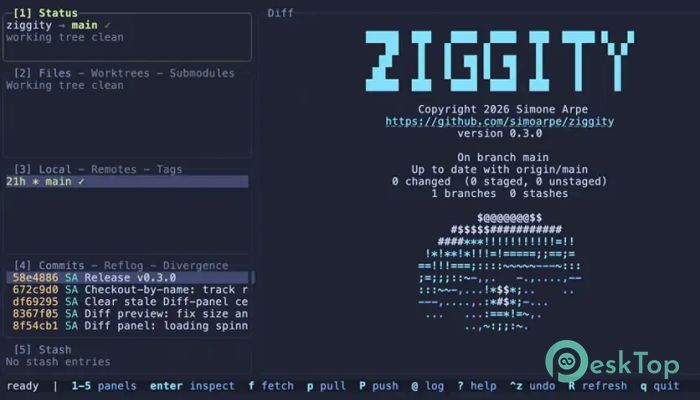
It is a modern Git interface built for developers who prefer working inside the terminal. It keeps everything in a single window, allowing you to stage changes, create commits, switch branches, inspect history, and perform advanced Git operations with simple keyboard shortcuts. Instead of jumping between multiple tools, the software keeps your entire workflow organized in one place. The tool is written from scratch in Zig and communicates with Git via standard subprocesses rather than using libgit2. While it follows the efficient workflow that made similar terminal Git tools popular, it introduces its own carefully designed improvements. Every panel updates instantly, every action is responsive, and the interface stays smooth even during longer operations.Features of Ziggity
Complete Git Workflow in One Window
The software combines every major Git task into a single terminal interface. You can browse repository status, view changed files, manage branches, inspect commits, and handle stashes without opening additional windows or typing long commands.
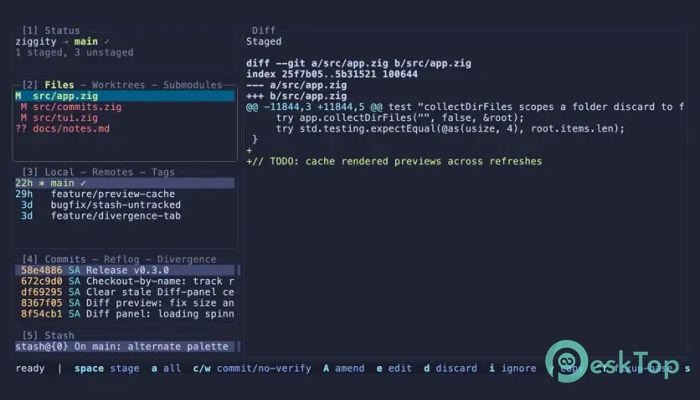
Each panel includes a live diff preview, making it easy to understand exactly what has changed before performing an action. This layout keeps important information within reach and helps you stay focused on coding instead of navigating menus.
Stage Individual Lines with Precision
One of the biggest advantages is the ability to stage changes down to individual lines or selected hunks. Instead of adding an entire file, you can carefully choose only the code you want in your next commit.
The optional split view displays staged and unstaged changes side by side, giving you a clear picture of your modifications. It works like carefully selecting ingredients for a recipe rather than throwing everything into the pot.
Powerful Interactive Rebase Tools
The software includes a complete interactive rebase system for users who want full control over commit history. You can drop, squash, fix up, edit, reword, or move commits with simple keyboard actions.
Additional features such as plan editing, cherry-picking, autosquash support, custom patch creation, and rebase --onto operations provide flexibility for both small fixes and complex project maintenance. These tools help keep repositories clean and organized.
Easy History Browsing and Inspection
Understanding project history becomes much easier thanks to the built-in Git graph viewer. The software displays the real commit graph, allowing you to follow development branches and inspect previous work without leaving the terminal.
You can compare references, switch between reverse and merge-base comparison modes, verify GPG signatures, and filter logs instantly. This makes tracking project changes feel simple instead of overwhelming.
Efficient Multi-Selection Support
Working with multiple files or commits becomes much faster through multi-selection features. Users can select ranges using keyboard shortcuts and perform actions on many items at once.
Whether managing files, branches, commits, or stashes, batch operations save valuable time. Even selecting all commits belonging to a specific branch only requires a single shortcut.
Responsive Background Processing
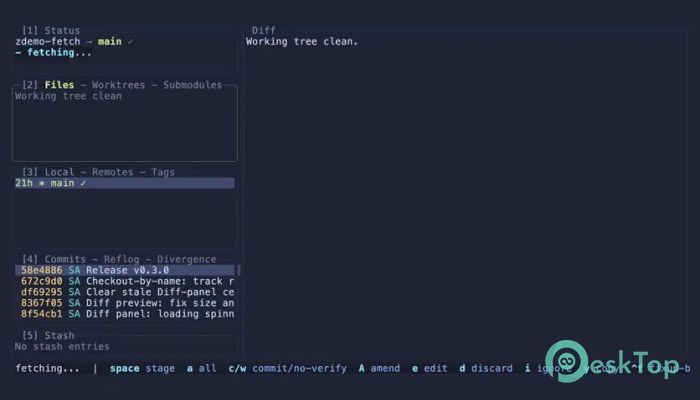
The tool is designed to stay responsive even when performing operations that normally take time. Background Git fetches quietly keep repository information updated while network tasks run separately from the main interface.
This means navigation remains smooth and uninterrupted. You never have to sit and wait while the application freezes during longer Git commands.
Helpful Productivity Features
Many thoughtful additions improve the overall development experience. Automatic commit message prefill helps reduce repetitive typing, while stash naming makes saved work easier to recognize later.
The software also supports snapshot creation, stash patch exporting, bracketed paste protection, and many other small improvements that make everyday Git work more comfortable.
Lightweight and Highly Customizable
The application remains lightweight by using standard Git subprocesses instead of additional libraries. This approach keeps the binary small while remaining compatible with existing Git installations.
Users can remap keyboard shortcuts, customize themes, change colors, and create custom commands that fit their preferred workflow. It adapts to your habits instead of forcing you to change them.
Built for Keyboard-First Development
The software is designed for developers who enjoy staying on the keyboard. Nearly every action can be completed using shortcuts, allowing work to continue without reaching for the mouse.
This keyboard-focused approach speeds up daily development tasks while reducing interruptions. After spending some time with it, many users find Git management becomes quicker and more enjoyable.
System Requirements and Technical Details
Operating System: Windows 11 / 10 / 8.1 / 7
Processor: Minimum 1 GHz Processor (2.4 GHz recommended)
RAM: 2GB (4GB or more recommended)
Free Hard Disk Space: 200MB or more is recommended

-
Program size579.03 KB
-
Version0.17.0
-
Program languagemultilanguage
-
Last updatedBefore 2 Month
-
Downloads9
 Reportizer
 AccdbMerge
 RdpGuard
 Checkbook For Excel
 SysTools SQL Recovery
 Pointdev Ideal Dispatch